| Go to Page... |

| Updated: | 09-27-12 04:29 PM |
| Created: | unknown |
| Downloads: | 638,471 |
| Favorites: | 1,284 |
| MD5: | |
| Categories: | Buff, Debuff, Spell, Casting Bars, Cooldowns, Warlock, DPS, Combat Mods |
ForteXorcist 

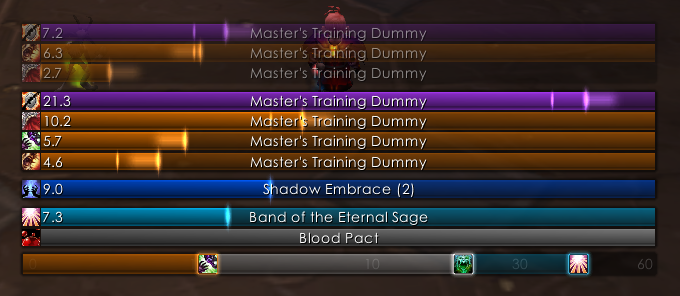
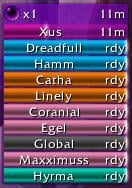
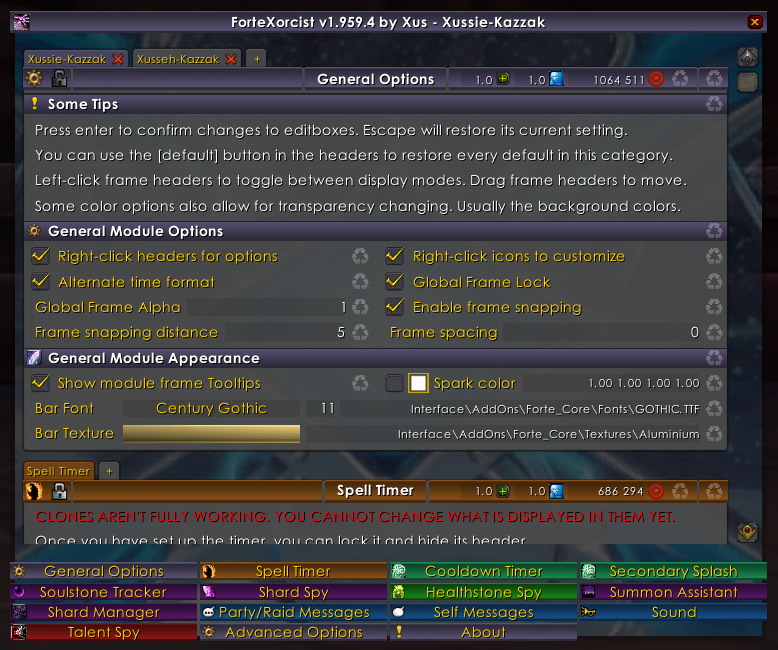
ForteXorcist is a Powerful AddOn for... Everybody! It provides you with a lot of useful tools to make playing your character easier and more fun. 
Main features:
For warlocks also:
Type /fx or /fw to show the options interface.
Fortegaming.com, the addon's original home, is no more. That's why I've decided to make wowinterface and curse its new official homes. I will write a new features overview here when I get time. I'm sorry for the current lack of documentation. You should be able to get quite some information from the options interface and its tooltips in-game, but if you have any questions, just ask.
You can always see a sneak peek of the upcoming changes in the change log.
Please post bugs and requests at my ForteXorcist portal from now on. You will also be able to find FAQ, News and other documentation there.

Hugs from Cute Warlock Xussie & Hot DeathKnight Xusseh!
Kazzak EU 
v2.00 (work in progress, changes might be split into smaller versions though)
- Soulstone/Shard/Healthstone modules update (most of that code is three years old lol)
- Custom Actions (messages, sounds, splash, and more) 'trigger-able' by Events like specific spell use, procc, removal, expire in x seconds, ready cooldowns, and more. Edited in a similar way to custom filters.
- Summoning module redone.
- Talent Spy module redone.
v1.99 (work in progress)
- First version 'clone-able' Cooldown Timer!
- More spell cooldowns added to the class modules. You can now also see Rune cooldowns at the spell timer.
- More Performance fixes.
v1.985 (work in progress)
- Greatly changed the role of the Casting module. It will now manage all cooldown-, casting- and buff/debuff-related events. This also means that it is now required for both the Spell Timer and Cooldown Timer.
- Greatly changed the way the Spell Timer works (e.g. how it uses the combat log). This includes detection of your aoe spells without having to 'see' any buffs/debuffs on units.
- Options to enable ALL target debuffs, self buffs/debuffs and cooldowns are enabled at the Spell Timer.
- More Performance fixes.
v1.982 (work in progress)
- Spell Timer: Split Powerup Buffs and Raid Debuff into subcategories, which allows for enabling and coloring those individually.
v1.981 (work in progress)
- Spell Timer: Added level 90 spells for all classes.
- Spell Timer: Fixed the durations of spells that get affected by Glyphs.
v1.980.9 (work in progress)
- Cooldown Timer: Fixed the display of spells with multiple charges.
- Spell Timer: Corrected many problems for all classes. This includes spell durations with Pandemic for Warlocks.
v1.980.8
- Rogue: Updated class module.
- Warrior: Updated class module.
v1.980.7
- Monk: Added class module.
- Rogue: Updated class module. I'm still working on adding MoP spells.
- Spell Timer: Fixed bug related to spells that now have a self buff ánd a target debuff. I will investigate this problem further for the next update.
v1.980.6
- Paladin: Updated class module.
v1.980.5
- Druid: Updated class module.
v1.980.4
- Hunter: Updated class module.
- Shaman: Updated class module.
- Warlock: Updated class module.
- General: Some fixes to the Options panel. You can now scroll all the way down again. Option tooltips are now loaded differently, so that you should never get a 'script ran too long' error.
v1.980.3
- Mage: Updated class module.
v1.980.2
- Priest: Updated class module.
- Warlock: Updated class module.
v1.980.1
- Death Knight: Updated class module. Spells should now be more correct and complete.
- Warlock: Updated class module. Spells should now be more correct and complete.
v1.98
- General: Works with Patch 5.0 / Mists of Pandaria.
- General: There are still lots of spells that need to be (re-)added, but at least it shouldn't give any lua errors. I will try to go through all classes in the coming weeks.
- General: The option to enable the display of registered spells to spell type groups is moved to 'Advanced Options > Options Behavior > List spells on mouse-over', because this now also applies to the Cooldown Timer.
v1.976.3
- General: Added some internal/hidden cooldowns.
- Spell Timer: Fixed bug in de update of some Cooldowns on the Spell Timer, like Death Knight's Runes changing into Death Runes.
- Cooldown Timer: Internal/hidden cooldowns are now added to their own cooldown group, separate from Powerups.
- Cooldown Timer: You can now see what spells are hard-coded to the cooldown groups too (Advanced Options > Spell Timer > List spells on mouse-over).
v1.976.2
- General: Hiding the tooltips on the Spell Timer works again.
- General: Removed old/dummy class modules from the addon package. You can safely delete all the class modules (Forte_DeathKnight, Forte_Druid, Forte_Hunter, Forte_Mage, Forte_Paladin, Forte_Priest, Forte_Rogue, Forte_Shaman, Forte_Vehicle, Forte_Warlock and Forte_Warrior). Make sure you keep and enable the Forte_Class module.
- General: Many spell ids across all modules have been corrected or removed.
- Spell Timer: You can see what spells belong to the spell type groups by mousing over their options. For real this time! ;) This is not enabled by default, so you have to go to 'Advanced Options > Spell Timer > List spells on mouse-over' to switch it on.
- Cooldown Timer: changed hidden cooldown of Lightweave to 65 seconds (from 45).
v1.976/v1.976.1
- Spell Timer: Spells are now added to the class modules in a different way, which allows for much more flexibility. While this is super nice, I can't guarantee that everything still works as it should, simply because I can't test a lot myself.
- Spell Timer: Fixed many small bugs and features. E.g. all spells can now show their damage/healing ticks on the bars, not just damage-over-time spells.
- Spell Timer: You can now see Weapon enchants on the Spell Timer too.
- Spell Timer: You can see what spells belong to the spell type groups by mousing over their options.
- Spell Timer: Changed the spell types from their 'technical properties' to their practical use (e.g. crowd control type). I will further build on this in the next versions.
- Spell Timer: Mousing over Spell Timer icons will now also show the 'real' tooltip for the (de)buff or spell.
- Cooldown Timer: Ranged weapon enchants are now shown too.
- General: Mousing over a default button will now display the default in the option itself, instead of in the tooltip.
- General: Added a fix that allows '%' signs in Party/Raid messages, without giving errors. Before this fix only properly formatted text, like %% or %s was possible. This should at least fix the Recklessness message bug.
- General: The colour black (0.00 0.00 0.00) will now also work properly on 64-bit clients.
- IMPORTANT: All Class modules are now part of the Forte_Class Module. This will avoid problems because of class modules not being enabled. This will not impact the in-game performance. THE OLD CLASS MODULE FILES WILL REMAIN IN THE PACKAGE AS EMPTY DUMMIES FOR THE NEXT COUPLE OF UPDATES, TO AVOID MANUAL UPDATE PROBLEMS.
v1.975.9
- Spell Timer: Fixed bug in channel timer updates. The duration would be wrong if you refreshed a channelled spell. When you get 'interrupted', the duration of channels is still more accurate than in the default WoW interface.
- Spell Timer: Fixed bug with timers without a real duration not being removed properly. 'Raid debuffs' were not affected by this bug.
- Warrior: Added a number of announcement messages to the Warrior class module. Thanks to KrazyKrl!
- General: Added a number of spells to various modules. This should be most of the requested spells from the last five months (that are possible at the moment).
- General: 'yell' is now also a valid output channel for the Party/Raid messages.
- General: I removed some compatibility fixes. Now you can no longer use the global frame names FX_Timer, FX_Cooldown and FX_Splash. Instead, just use the names FX_Timer1, FX_Cooldown1 and FX_Splash1.
- General: If you have problems with the font of the options interface in your language, you can use the command "/fx resetfont" to set it to a safe default.
v1.975.8
- Version update to 4.3.0.
- Added some spells to the timer modules, but I will add more in the next update.
v1.975.7
- Druid: Fixed the default message strings for Innervate and Rebirth in the Druid module.
v1.975.6
- General: Added many small requested updates to spells! Feel free to tell me if I skipped anything.
- Cooldown Timer: Attempted to fix the spell grouping (mostly meant for Death Knights). Let me know if this causes any unwanted behaviour, because it certainly could...
v1.975.5
- General: All modules should work with Patch 4.2. Don't install this update before 4.2 is live in your region!
- General: A few other small core and module fixes/updates.
- Note: If DOTS keep turning red and falling off with this version on 4.2, switch off 'Advanced Options > Spell Timer > Improve : Use dot ticks'. I noticed on the PTR that damage ticks were not always properly showing up in the combat log, but this may be fine on Live servers.
v1.975.4
- Spell Timer: fixed the Ghoul timer. It should again show up as a Pet bar, without you having to create a custom filter for it.
- Spell Timer: Added an accurate 'Army of the Dead' timer.
- Casting: Added a few new Druid party/raid messages. Thanks to Joseph Toth.
- Casting: Fixed bug in the cast whisper messages. They should now show up again.
v1.975.3
- General: Frame positions now update when you change UI scale. You no longer need to reload or change options for them to get back in the right place. The Splash frame should now update its position properly too.
- Spell Timer: Added 'Archangel', 'Dark Archangel' and 'Evangelism' powerup buff for Priests.
- Spell Timer: Fixed 'Demoralizing Shout' duration when glyphed for Warriors.
- Spell Timer: Fixed bug in bar spacing when fading out. Would only be noticeable when you have a really high bar spacing and name tags/labels enabled though.
- Cooldown Timer: Cooldowns that are about to expire should no longer increase to the global cooldown time.
- Changed a bit of the config initialisation so people with a 'damaged' config no longer need to type '/fx usebackup' for FX to load properly. This is probably not needed any more, since most people will already have done this anyway, but you never know!
v1.975.2
- If you still have problems after updating, type '/fx usebackup' and everything should work again.
- General: Fixed error in LUI version detection when an older LUI module was used.
- General: Updated the 'standard' time format to be able to display hours (h) too.
v1.975.1
- General: Properly disabled all Talent Spy related code in the Core, so this will no longer give lua errors when you enter a party or raid.
- Spell Timer: Fixed localization error for non-English clients.
v1.975
- When you run v1.975, FX will keep a backup of your current settings and convert them for this new version. This means that you can revert back to a previous version, but if you do, your settings will also revert back!
- Options Interface: Cross-profile and Cross-clone linkable options. For information about how this works exactly, see this FAQ. You currently can't link the frame properties 'Lock, scale, alpha and position' yet (the options located in the option panel headers).
- Options Interface: You can see what options are not relevant for your current configuration. Note: The "All other..." spell types in the Spell and Cooldown timers are still permanently disabled; everything else can be enabled as intended by choosing a fitting configuration.
- Options Interface: The 'defaults' icons are also disabled when the option is currently set to its default. Defaults are now visible in the tooltip when you mouse over an active default button. I will probably change this in the future so mousing over will really show the defaults filled in their proper places, instead of showing them listed in the tooltip.
- Options Interface: You will only switch profile/clone if you deleted the currently selected one.
- Options Interface: Manually expanded/collapsed category states get saved. You can now also expand/collapse a whole options frame by clicking its header.
- General: The 'General Module Appearance' settings will now work for all Clones too.
- General: You can now change the font flags too.
- General: Fixed addon communication for patch 4.1.0.
- Spell Timer: Fixed bug that would cause color filters not to apply when you made them. This same bug would also generate errors when a color filter was removed.
- Spell Timer: Fixed cooldown updates when the Spell Timer and Cooldown Timer were both loaded.
- Spell Timer: Fixed resists not being detected in patch 4.1.0.
- Spell Timer: Cast time should update properly again.
- Spell Timer: Tick damage indication using the bar spark. I will extend this to other damage and healing in a later version.
- Spell Timer: Flipping the bar direction.
- Spell Timer: Include the time you have to safely overlap spells in the 'cast time glow' and some other tweaks to it.
- Spell Timer: Raid icons will now be displayed on the optional name tags/headers if those are enabled. They are then hidden on the bars themselves.
- Spell Timer: You can change the location of group headers/labels to top or bottom.
- Spell Timer: A few new default 'Powerup buffs' added.
- Cooldown Timer: fixed bug that would prevent a cooldown from updating when the new time was below 2.99 seconds (read: the value of Advanced Options > Cooldown Timer > Minimum duration).
- Cooldown Timer: A few new hidden cooldowns added.
- Cooldown Timer: Option to hide the frame when out of combat.
- LUI: If you are using LUI, you need this patch to make it work until LUI gets updated for FX-v1.975.
v1.974.8
- General: Fixed compatibility with 4.1.0 combat log.
v1.974.7
- Fixed options panel frame not opening when you have the Spell Timer installed, but not the Cooldown Timer.
- Updated Korean translations.
v1.974.6
- Spell Timer: added option to show stacks on the icons.
- Spell Timer: added option to hide frames when out of combat.
- Spell Timer: added option to intelligently adjust countdown text size. This is meant to 'smooth' changes in the width of the text itself and the unit label width, and mostly meant for players that want the duration text on the right side. Enabled by default.
- Cooldown Timer: added a more friendly way to enable the cooldown text on the icons.
- Cooldown Timer: time format on the icons will be the same as on the Spell Timer. This means that you may have to adjust the font size to fit properly.
- Paladin Module: added various optional raid/party announcements, thanks to 'fakeh'.
v1.974.5
- Spell timer bar name labels have a proper fixed height again (same as the bar itself).
- Support for 'special' cast times on the Spell Timer. At the moment 'Improved Steady Shot' is added with a cast time 2x that of 'Steady Shot'.
v1.974.4
- Some fixes to the new Spell Timer layout. E.g. name/spell tags again have a defined width, so long names stay in the bar and don't overlap places they shouldn't.
- Added Sap break/fade messages for Rogues.
- FX now also regularly checks arena enemy unit tokens and boss tokens for buffs/debuffs. If you want to use the arena unit tokens to cast on directly (e.g. in macros), you have to add those to 'Advanced Options > Casting > Additional unit tokens' for best results.
- Permanently removed the Forte_Shard module.
v1.974.3
- Spell Timer icons can now be switched on/off and moved to left/right.
- Spell Timer spell/unit texts can now be switched on/off (e.g. in case you want to have tiny bars).
- Added and corrected a number of ICDs and Powerup Buffs.
- Moved the cap for the 'Standard fade delay' and 'Failed display time' (ghost time) from 10 seconds to 2 minutes. Be careful with this though! Lower is better for performance.
- Removed a few old (and in my opinion unneeded) settings related to the spell/unit name texts and the countdown texts.
- Removed 40 debuffs cap check from the Spell Timer, meaning that targets with over 40 debuffs on them will now have their debuffs removed properly.
- Added advanced option to the Spell Timer to change the duration change smoothing.
- Some Performance improvements.
v1.974.2
- Using the time-based filtering on the Cooldown Timer should now work properly under all circumstances.
- Pet spells that are added to the Spell Timer should be tracked properly now and the Seduction timer should be working again.
- Many small additions and fixes to class modules.
v1.974.1
- Many small corrections to the additions of v1.974.
- FX can now see the difference between the Dark Intent buff and its procc.
v1.974
- Some class modules were updated, mainly the Hunter module.
- A number of internal cooldowns were added to the Cooldown timer.
- 'Highest timers outwards' sorting option now works again when 'Group by Unit' is disabled.
- Added a confirmation dialogue to deleting Profiles and clones.
v1.973.1
- Fixed error in the Druid module.
v1.973
- Changes to the spells in the class modules. Mostly: Paladin.
- Renamed "Skull Bash" and "Swipe" for Druids to include "(Bear)" or "(Cat)"
v1.972
- Fixed problem with the 'Raid Debuff' type in the Spell Timer that would cause them not to show on a quick deselect -> reselect.
- Fixed a few unwanted global variable taints.
v1.971
- Fixed problem with totems not showing up.
- When target/focus is changed the spells that were hidden with 'Hide timers if remaining over' will only re-show if they actually are the new target/focus.
- Timers that were supposed to fade away instantly, like powerup/self buffs, self debuffs and drains/channels, will now always do so again.
v1.97
- First version 'clone-able' Spell Timer! When you create a new clone the settings will be copied from the instance you have selected. They can then be edited freely.
- This version will still use a lot of the original Spell Timer code. A complete Spell Timer rewrite is planned for v2.00.
- Note: I'm not 100% done with the way the animations behave when you change target/focus and 'One maximum' is used. I will smooth this out in the next update. But for the most part you shouldn't notice any difference.
- To further improve the functionality of cloning, there are now a few new options under 'Units' to switch on/off timers more easily.
- Added an option to enable unit name labels/headers independent from switching between spell names and unit names on the bars.
v1.966.8
- Changed Soulstone cooldown at the Soulstone tracker back to 15mins.
- Font size range is now much bigger (1-64).
- Min/Max remaining time and duration settings enabled on Cooldown Timer. Enabling this may still be buggy!
v1.966.7
- Fixed problem that could prevent FX from loading in rare cases.
v1.966.6
- Removed DoT-refresh-duration-with-different-haste-bug fix, because it's no longer needed in 4.0.3. Haste (time between ticks) should now update with refreshes too.
- '- Bear' and '- Cat' will be renamed to '(Bear)' and '(Cat)' for consistency. Your filters will be renamed automatically.
- Option sub-categories are now collapsed by default (basically all but the 'Basic' categories). You can click their header to show/hide them. Mouse over a hidden category to view the options in it. You can disable this behaviour by going to Advanced Options > Options Appearance > Expand all.
v1.966.5
- Small change that should prevent Corruption, SW:P and some other similar spells from falling off too soon. Note for people on the Cataclysm beta: this behaviour is currently fixed on the beta realm, and refreshing these dots again updates haste as well. This means that FX will not indicate the correct duration because it's trying to correct the bug from 'live'.
- Quick fix to 'unknown target' bars staying up where they should have been removed. I added an option under 'Units' to completely hide these bars as well. For more information about the 'unknown target' problem see this FAQ.
v1.966.4
- Fixed some core problems with the last version.
v1.966.3
- Fixed bug with haste being assigned to abilities that shouldn't receive any.
- Updated DoT-refresh-duration-with-different-haste-bug fix for the 4.0.1 patch.
- The above changes mean that durations of many spells should be more accurate now and not need as much time to adjust.
- Countless changes to the spells in the class modules. Mostly: Mage, Priest, Hunter and Paladin. Still far from finished with all the updates.
- Removed all code related to old Soulstone types, Healthstone types and Shards.
- Reworked the Healthstone Spy and parts of the Soulstone tracker.
v1.966.2
- Countless changes to the spells in the class modules. Still far from finished with all the updates. If your class hasn't received any changes yet, just be patient!
- Cooldowns added to the Spell Timer through 'Customize' will now update their durations properly (for example Metamorphosis and Lava Burst). Note that this only works when the Cooldown Module is enabled too.
v1.966.1
- Countless changes to the spells in the class modules. Mainly Warlock, Death Knight, Druid, Paladin. Still a long way to go!
- Minimum cooldown duration will be set to 2.99 seconds now, so it still shows spells with a 3 second cooldown.
v1.966
- Built for patch 4.0.1.
- Shard Spy and Manager removed.
- Haste mechanics changed. Still working on this one.
- Damage over time refresh/update mechanics changed.
- Made a start with fixing class modules (spells) for this patch, but the modules will be nowhere near complete. Feel free to post missing or bugged spells.
v1.965.3
- Fixed downgrade -> upgrade problem with the Spell Timer "Show Sparks" setting.
v1.965.2
- This is a small code improvement update only. You should not notice any changes unless you had problems with one of the previous versions.
v1.965.1
- Hopefully fixed 'all' errors a number of people were getting.
- Added some LUI-specific fixes. LUI v3 users should also check this FAQ
v1.965
- Fixed locale file corruption of v1.964.
- Added Clearcasting warning sounds for Mages and Druids.
v1.964
- All Class modules' spells-ids have been updated and they should work much better with Cataclysm now. I've not made any specific changes for Cataclysm yet though. There shouldn't be any problems, but let me know if these changes caused any unwanted effects on the Live (3.3.5) version. Please don't post any spell bugs you encounter in the beta yet.
- Several small fixes to class modules.
- Fixes in the Cooldown module related to the latest changes in Cataclysm.
v1.963
- Works with Cataclysm. I've fixed the Warlock and Death Knight modules so most of their spells get recognized in cataclysm too (using the rank1 spell ids now), but I still have to do this for all other classes. You can add any missing spells for other classes using 'Customize' for now, but I'd wait with that to be honest. I have not changed anything to reflect new spell behaviour etc though! Please don't report any spell bugs that you find in the beta at this time.
- Added an option to change the transparency/alpha of the sparks.
- Added the Twilight trinkets.
- Added option to disable the startup text messages of FX.
v1.962
- Fixed problem with the Curse Client! (right?!?)
- Added Hurricane channel timer.
- Added Water elemental timer (if I got this right...).
v1.961
- Fixed problem with Spell Timer type sorting when 'timers with target' were moved around too.
- Val'kyr Protector should also show up on the Spell Timer now.
- Added back option to disable 'Adapt to one maximum' time for the Spell Timer.
- Fixed rare loading error in the Cooldown Timer. Let me know if fixing this gave unwanted side-effects though, because I'm still not sure how this was even possible.
- Fixed a few errors in the Casting module when the Spell Timer is disabled.
v1.96
- Spell and Cooldown timer options revamped. Mainly changes to the coloring/filtering categories. New options are added and some are either removed completely or moved to the advanced settings. Let me know if I removed any options that you REALLY want to keep using and I'll think about adding them back.
- All Spells that get removed or updated on the Cooldown timer will also update properly on the Spell timer. Support of cooldowns on the Spell timer is still extremely limited without the Cooldown timer installed.
- Added a advanced option for the Spell Timer to change the spell type sorting order.
- Added interface translations for German players.
- Added interface translations for Korean players.
- Spell Timer test bars work again.
- DROPPED frame creation of Soulstone, Shard, Healthstone and Summoning module update for now, considering Cataclysm changes.
- Some options in this version do not work yet. These options are greyed out for now.
v1.959.8
- Fixed loading problems related to changes in most modules. This included /fx resetall not working in the previous version.
v1.959.7
- Fixed Soulstone Tracker error.
- Fixed Val'kyr Guardian timer.
- Fixed stacks (1) showing for some 'powerup buffs' that really don't have any. These are manual fixes to a blizzard bug, so let me know if there's more that need fixing in that way.
- Added Rapture hidden cooldown to the Cooldown timer (Priest module).
- Changed some things in all modules for performance and easier use in the future.
v1.959.6
- Some quickies.
v1.959.5
- Fixed loading problem for non-English paladins.
- Removed and fixed some old talent-specc related code. Talent Spy itself is still disabled though.
- Removed old oRA2 related code.
- Soulstone Tracker module will work with oRA3 now. The number of abilities you can see in FX is still the same (which means that you can see a lot more abilities in the oRA3 interface).
- Healthstone Tracker module cannot use oRA3, so it will only work for people with FX. It will now show the number of ppl with hs vs total number of people that can be tracked. It can also show the division of hs types over the raid and what warlocks can make those.
- Fixed double Eclipse names (blizzard finally fixed the names themselves yay!)
- Some small performance fixes.
v1.959.4
- Added a fix for haste not being used in the Spell Timer under some circumstances. This may not yet fix ALL haste problems though.
- Cooldowns that are included in the Spell Timer should now always show up (under special circumstances they sometimes wouldn't).
- Added back the option in the Spell Timer to temporarily hide timers longer than X time remaining. This behaviour is improved for powerup buffs and raid debuffs. They will not re-appear every time 'something' changes on yourself or your target, instead they will only briefly re-appear when refreshed or removed.
- Temporary hiding powerup buffs and raid debuffs by shift-clicking the icons also work better now. They will not re-appear every time 'something' changes on yourself or your target, instead they will stay hidden until refreshed.
- Drain spells should under no circumstances generate multiple bars now.
- Added Val'kyr Guardian timer.
- Multiple changes and fixes to class modules.
v1.959.3
- Fixed a tiny insy winsy bug in the core.
v1.959.2
- Profile selection and creation will use tabs now too. This makes working with them more intuitive. Original profile area is removed.
- A few changes to some buffs/trinkets.
- Some fixes in the interface itself e.g. regarding tabs.
- Works on PTR too now.
v1.959.1
- Fixed problem with the addon not loading up for people that at some point used the Spell Timer module but now have it disabled.
v1.959
- Background (empty bar) alpha setting for the Spell Timer. The time at which the bars start to blink can now also be changed.
- Maximum bar colour alpha for the Cooldown Timer (so now you can also completely hide the bars).
- A number of spell additions and fixes across all modules (see feature requests and bug reports).
- Small performance fixes.
- You can now also use /fx profile <profile name> to switch to a different profile. This is case sensitive!
- Options interface updates. Right-clicking spell icons will now also fill in the proper filter type, and not just the name of the spell. This should make it much easier to create proper filters. Right-clicking frames and spell icons also sends the options interface to the right frame/clone/instance tab.
- Note that it already supports creating clones as well, and you can actually create Spell Timer clones, but these clones will still use most of the settings from the 'main' instance. It offers the opportunity for me to get some early feedback though, because the interface for working with clones won't change much more. In other words: don't use clones yet unless you're simply curious about how it's going to work!
- If you want to update from v1.16 or earlier you'll have to install and load v1.958 first. I'm hoping there's nobody that will need to do this, but you never know. I had to get rid of my compatibility fixes at some point.
v1.958
- Fixed major problem in the glyph detection code... has been slumbering there for a year. Explains a lot of the problems people had with hasted spells not getting any haste on the Spell Timer.
- Frame strata (level) will be switched back to MEDIUM (old value) if you have it set to HIGH currently. Now all frames have an advanced option for their level.
v1.957
- Added advanced options to change the frame strata of the Spell & Cooldown timer frames.
- A few other additions and fixes.
v1.956
- Fixed a Cooldown module bug for Deathknights (new users only).
- A few other additions and fixes.
v1.955
- Ignoring Runes at the Cooldown Timer will now also properly ignore all associated abilities.
- Death Rune type is removed. The bars will keep their original color and glow, but instead the icon will now update to the Death rune properly.
- When the Cooldown timer is loaded you can add any cooldowns you want to the Spell Timer with the customize filter. This is pretty much a quick hack, so use at your own risk! A better version will come.
- Various fixes and additions to the class modules.
- Default Russian Font changed to a font that actually works. Note that the options interface will also switch to this font for old Russian users.
v1.954
- Yeah... fixed retarded lua error for warlocks.
- Feral buff 'Berserk' is now called 'Berserk (feral)' so you can distinguish between that and the weapon enchant.
v1.953
- Fixed update of hasted dots as much as currently possible. Note that I cannot detect the effect of 'hidden' haste buffs (e.g. Improved Moonkin Form, Swift Retribution) until I update the talent spy module.
- The two types of Eclipse should be able to show simultaneously in the Spell and Cooldown timer now. They are called 'Eclipse (Lunar)' and 'Eclipse (Solar)' in all languages now. I still need some ppl to update the locale files.
- Fixed lua error when left-clicking a module frame before the options were opened at least once.
- Fixed lua error related to Bloodworm summon.
v1.952
- Some more fixes!
v1.951
- Some more fixes.
- Fixed and added some more buffs/abilities.
- You can see debuffs on yourself now if you want this (mainly added for arcane blast).
- Added a Blood Worm timer for Death Knights.
v1.95
- Quick fixes to things I overlooked so far.
- Some Performance fixes. e.g Less raid buff/debuff scans and removed cast monitoring of party/raid members in the Soulstone and Summoning modules.
- Added a few spells and trinkets to the class modules.
v1.94
- Fixes for patch 3.3. Mainly (only?) support for hasted dots.
- Fixes to some outdated code in the core modules which could cause lua errors (not related to 3.3).
- Added a few spells and trinkets to the class modules.
- No more, no less!
v1.93
- Quick fixes!
v1.92
- Note: A number of options are moved to the Advanced category.
- Advanced option added for the Cooldown Timer to set the minimum full duration the cooldowns must have for them to show up at the Cooldown Timer (For now you could set this to 10seconds to ignore runes and their associated abilities).
- Cooldown type added to the Spell Timer. Currently only for a very selected number of spells.
- Fixed problem with the options panel when both Spell and Cooldown modules were disabled.
- Summoning assistant will show up again properly.
- Fixed a bug with timer bar grouping (unit # assigned improperly).
- Use custom backgrounds for the Spell & Cooldown Timer. (still incomplete, but good enough for people that really want to use this)
- Time format of Cooldown/Duration left messages fixed.
- Shaman Totem code updated. Each totem type has it's own type/color now, which can be changed. Totems that were already up when you loaded the game should also show up properly now.
- Fixed drain spells not showing when the cast target guid was 'unclear' to the addon.
- Once again fixes to the custom filters.
- Cooldown 'scale time tags' will be drawn above bars, and below icons again, instead of behind the bars.
- Fixed problem with a few settings not applying properly when switching profiles.
- 'Smoothed out' Spell Timer behaviour. E.g. No more weird up-down time/highlight switching on casts. Only new or newly cast spells get highlighted, the rest will regain in time smoothly to attract less attention. Stacks of self-casted spells should also no longer switch. 'Fall-off effect' is now smoother for groups with unit name labels. And you can of course still target away while casting and the timers will still show up properly! The current version will be a bit more sensitive to wrong spell data (mostly durations) in the class modules, so please report any weird behaviour.
v1.91
- Knock-back of drain spells fixed.
- Some fixes involving Talent Switching.
- Fixed bug that could prevent the addon from loading properly.
v1.90
- A number of spells have been added and fixed.
- A number of other small fixes all around.
- Revised some of the customization code so the timer changes will always update instantly.
- The visual parts of the Core, Spell Timer and Cooldown timer have been rewritten. You should not notice a lot of changes, but keep your eyes out for 'new' bugs.
- Note: some of the new options you will find do not work yet.
- Important: You will keep all your settings from an older version, but once updated to v1.90 you can not 'downgrade' back to a pre-v1.90 version without loosing a lot of settings. Be careful with that.
v1.16
- Finally fixed the problem with unwanted 'other debuffs' showing up if you made a custom filter with its name, regardless of what type/action. Sorry it took so long! :P
v1.15
- Some finalizations to the new filters and filter lists
- The usual fixes
v1.14
- The customize filters have an extra value where you can select the type of spell that needs to be affected by the filter. This should make the customizations much more powerful.
- In addition, the customize options can now give an overview of all the changes you made!
- The '/fx position' command is replaced by '/fx reset' and will now reset all option-frame related settings like position, scale, columns and lock. (the old command still works btw, but does the same as the new command now)
- Heal Over Time spells have their ticks displayed (default is 3 seconds, so this may not be correct for all spells yet)
- If you attempt to cast a spell that's on cooldown, the Cooldown Timer will try to get your attention and show you where the spell is on the timer.
- Rogue module updated to work more as intended. I'll need your input to check if it's all working correctly though.
- Many small changes to all other class modules.
- Display of internal trinket cooldowns no longer require the spell timer to be active.
- Fixed some problems with icon grouping in the cooldown timer.
- As always your settings should be converted to their new formats without you even noticing it! :)
v1.13
- Fixes in and additions to the paladin module
- Small fix that will prevent dot listening before your combat log has actually started to work. It will also disable dot listening, since I'm not sure if the first fix is enough. You can re-enable it in the options.
v1.12
- You should no longer get an error the first time you update (this was a v1.11 problem only) :P
- Secondary Splash Icon will now properly use the alpha setting in the header, and the old setting is removed.
- Some Hunter module changes
- Some other Quick fixes!
v1.11
- All Self Buffs (yes buffs only, no debuffs or items) that are set to 'show' or 'color' in the custom filter will show up as a Cooldown Icon or Spell Tmer with the type 'buff'. Before only buffs pre-set in the module code could be added.
- Fixed Stealth/Prowl Cooldown to only show when you leave stealth.
- Fixed the artificial cooldowns of multiple paladin spells that cannot be used within a certain time of each other.
- Preset colours for the module options. This should help not to edit the wrong module by accident. You can disable this again from the options appearance settings. I may still change the colours a bit.
- A transparency setting is added to all module frames.
- Attempting to drag a locked frame will no longer cause you to 'click' it.
- The Secondary Splash icon now has its 'own' options for clarity. Note that it still uses the type/filter settings of the Cooldown Timer.
- You can use a custom tag on the spell timer bars. This is still very basic/limited atm, but good enough for now. ;)
- Many small class module fixes/changes
v1.10
- The timer bars can be set to indicate the time it will take to cast this spell or how long global cooldown would take up after the cast. This makes it much easier to time spell casts. Global cooldown is only shown when 'Adapt to one maximum' is enabled AND the Cooldown module is active. This feature may change entirely!
- You can now add glow around the Splash Icons, so you can see the type (e.g. cooldown or buff)
- Friendly Paladin buffs should no longer fall off (and get back on) the Spell Timer.
- Spell Timer will now show full Name-Server tags in a bg, and names with a ' - ' in them will no longer cause problems.
- Added some more buffs/debuffs and other stuff for multiple classes.
- Some small changes in the options interface.
v1.09
- Fixed Spell & Cooldown timer movement lock bug
- Fixed another bug in the Cooldown module
- Nothing more, nothing less
v1.08
- Fixed bug with Buffs or Debuffs in the Spell Timer not showing up properly that are enabled using the custom filter, but with their type/group disabled
- Global frame lock works for the secondary cooldown splash icon too
- Some other quick n tiny fixes!
v1.07
- Fixes to some bugs that I missed!
- Made some more buffs/debuffs show up
- For better consistency among all modules regarding icon clicks: LEFT-CLICK will ANNOUNCE the duration, SHIFT+LEFT-CLICK will IGNORE the spell ONCE (as right-click in the Spell-Timer did before), RIGHT-CLICK will open the options and fill in the spell that you clicked in the CUSTOM FILTER FIELD. So there's no real way to accidentally ignore spells any more. The option to disable right-clicks will remain.
- The addon saves what profile you had active for every Character/Server (instead of needing a profiles named "Name Server" to select the right one).
- The global frame locking behaviour makes more sense now. You can still click through the Timer and Cooldown frames when they are locked, meaning you can't right-click them for options in that case.
v1.06
- Custom filters for the Cooldown Timer fixed to overwrite group/type settings.
- All Debuffs can now be shown in the Cooldown Timer (Buffs didn't change).
- Some fixes/changes to the Master Icons & Splash Icons in the Cooldown Timer.
- Several fixes related to the dual Glyphs and Talents changes.
- Talent Spy is disabled for now
- Vehicle module fixes
- Some more spells added and things fixed!
v1.05
- Mostly fixes to bugs due to the changes of v1.04
v1.04
- Works with patch 3.0.x and 3.1.x (PTR)
- Experimental Paladin and Rogue Modules included
- Made the Cooldown timer more usable for Death Knights. Currently this means that certain cooldown groups received a 'master icon', in this case different runes. I will make this more customizable in the future. Cooldown bar will be more suitable once it supports multiple clones in v2.00.
- Corrected some weird behaviour in the Spell Timer
- Added a number of spells and buffs for all classes
- Individual spell filter can now be set to 'show', which will overwrite the type/group settings
- Test mode for the Spell Timer (wont fake all types yet, like self buffs)
- Left-Click cooldown icon to announce the remaining time (see party/raid messages for settings)
- Added an indication of when you should start recasting a spell on the Spell Timer (first version)
- Added more proccs and spells to the modules
- The summon assistant should work properly with Northrend now
- Some small fixes
- The drain timers are now properly fixed for 'interruption'. There's a similar bug in the standard UI in case of these drain updates, as with Corruption or SW:P refreshes. The timer now compensates for this and removes the excess time.
- You can now change the color of the 'dot ticks' and your 'sparks'.
- Some changes to the totem code to make the bars behave in a more similar way to the other ones regarding their expiration and removal.
- Some additions to the class modules.
- Friendly target proccs can get detected now.
- Buffs without a duration can be shown now (like Desecration).
- A 'Vehicle Module' has been added. Currently it's only an attempt to track Wyrmrest Skytalon abilities, but more may be added to it.
- Fixed options dropdowns being duplicated on zoning
- Some other fixes.
- An option to only show the next tick on the spell timer (instead of all remaining ticks)
- Drain spells now display the proper remaining time
- Other Bug fixes
- Added a Shaman module
- Support for shared media
- Option to display remaining dot ticks on the spell timer
- Many other small fixes
- Mainly a fix to the problems raiding ppl were having due to the maximum of 40
debuffs being displayed
File Name |
Version |
Size |
Author |
Date |
Type |
b0.1 |
41kB |
06-21-16 08:05 AM |
Patch |
||
v1.976.1.0 |
114kB |
06-21-12 08:33 AM |
Addon |
 |
Comment Options |
 03-13-17, 10:19 AM
|
|
|
A Kobold Labourer
Forum posts: 0
File comments: 5
Uploads: 0
|
Hi guys,
just wanted to let you know, still looking into some problems, but mainly updating the class files. There's a new version available: Here Things, that should work: - Login without LUA errors - Class files (all specs): - Death KnightThings, that are still on my list: - Class files: - Monk- General: - Find a way to fix multiple Unstable AfflictionsFeedback is always welcome.
Last edited by hessenbeaviz2k : 03-13-17 at 10:23 AM.
|

|

|
| hessenbeaviz2k |
| View Public Profile |
| Send a private message to hessenbeaviz2k |
| Find More Posts by hessenbeaviz2k |
| Add hessenbeaviz2k to Your Buddy List |
|
02-25-17, 09:24 AM
|
|||
|
A Kobold Labourer
Forum posts: 0
File comments: 2
Uploads: 0
|
|
||
|
|
|
| Aizek |
| View Public Profile |
| Send a private message to Aizek |
| Find More Posts by Aizek |
| Add Aizek to Your Buddy List |
|
02-22-17, 10:24 AM
|
||
|
A Kobold Labourer
Forum posts: 0
File comments: 5
Uploads: 0
|
Last edited by hessenbeaviz2k : 02-22-17 at 10:24 AM.
|
|
|
|
|
| hessenbeaviz2k |
| View Public Profile |
| Send a private message to hessenbeaviz2k |
| Find More Posts by hessenbeaviz2k |
| Add hessenbeaviz2k to Your Buddy List |
|
02-18-17, 08:05 PM
|
|
|
A Defias Bandit
Forum posts: 3
File comments: 13
Uploads: 0
|
Just started playing my lock again, hopefully the unstable affliction problem can be fixed. Took a look at it, but the addon seems to be fundamentally built on spell names, ignoring spell id almost everywhere.
The spellID's for the multiple UA's are: 233490 / 233496 / 233497 / 233498 / 233499 |
|
|
|
| Brudarek |
| View Public Profile |
| Send a private message to Brudarek |
| Find More Posts by Brudarek |
| Add Brudarek to Your Buddy List |
|
02-14-17, 03:54 PM
|
|
|
A Kobold Labourer
Forum posts: 0
File comments: 5
Uploads: 0
|
Hi there, i've updated some new spells, the new fixed version can be found here.
Druid, demon hunter and shaman modules should be fully functional. For mages, the fire spec should be fine. Aizeks request seems a little bit more special, because the addon seems to merge spells with the same name into one bar, even when the spells have different spell ids like Unstable Affliction. I still haven't figured out, where this part is found in the code. Same for the problem with icons after reloading the ui. Keep in mind, that i don't play all classes, if you have requests, send a pm and we will have a look at it. |
|
|
|
| hessenbeaviz2k |
| View Public Profile |
| Send a private message to hessenbeaviz2k |
| Find More Posts by hessenbeaviz2k |
| Add hessenbeaviz2k to Your Buddy List |
|
02-09-17, 12:16 AM
|
|
|
A Kobold Labourer
Forum posts: 1
File comments: 60
Uploads: 0
|
anything i can do to keep this addon updated?
i'm willing to donate to whomever updates it and takes care of it! i can't stand sptimers... i just can't this has been my favorite addon forever now and i want to see it continued let me know here or in a pm thank you, kitty |
|
|
|
| the9thresident |
| View Public Profile |
| Send a private message to the9thresident |
| Visit the9thresident's homepage! |
| Find More Posts by the9thresident |
| Add the9thresident to Your Buddy List |
|
01-12-17, 12:06 PM
|
|
|
A Kobold Labourer
Forum posts: 0
File comments: 2
Uploads: 0
|
Multiple Unstable Afflictions as Warlock
Hi y'all,
can somebody help me modifying the Warlock.lua so that when two Unstable Afflictions are on the target they are displayed separately? Current behaviour: when casting a second UA, it doesn't appear within the spell timer. When the first one falls off, the second UA just extends the timer of the first one. I made a Gif which should explain it a bit better. In the middle you see FX and on the left NugRunning which displays it correctly. Any help would be appreciated! |
|
|
|
| Aizek |
| View Public Profile |
| Send a private message to Aizek |
| Visit Aizek's homepage! |
| Find More Posts by Aizek |
| Add Aizek to Your Buddy List |
|
11-29-16, 05:02 AM
|
|
|
A Kobold Labourer
Forum posts: 0
File comments: 5
Uploads: 0
|
Hi there,
sorry for being away this long. I've updated some spells, but as I mainly play my druid, mage and demon hunter, these are the class files I consider the nearest to being finished. As updating the class files can be a time-consuming process, help me and post your class and the missing or not working spell/talent and maybe write one or two sentences, how the ability works like "it stacks" or "simple dot". This helps to categorize the spells in the class files. Meanwhile, I've updated some spells and hopefully, they work as they should. In case you have already modified some class files by yourself, you should backup the files or even better, make them available to me and I will try to integrate your changes. Link I have noticed the icon bug myself, but I'm not quite sure how to fix it.
Last edited by hessenbeaviz2k : 11-29-16 at 05:04 AM.
|
|
|
|
| hessenbeaviz2k |
| View Public Profile |
| Send a private message to hessenbeaviz2k |
| Visit hessenbeaviz2k's homepage! |
| Find More Posts by hessenbeaviz2k |
| Add hessenbeaviz2k to Your Buddy List |
|
11-19-16, 07:59 AM
|
|
|
A Kobold Labourer
Forum posts: 0
File comments: 2
Uploads: 0
|
Update pls!!!
 |
|
|
|
| Drakhon |
| View Public Profile |
| Send a private message to Drakhon |
| Visit Drakhon's homepage! |
| Find More Posts by Drakhon |
| Add Drakhon to Your Buddy List |
|
11-18-16, 05:25 AM
|
|
|
A Kobold Labourer
Forum posts: 0
File comments: 16
Uploads: 0
|
Update pls
1x Forte_Core\Forte_Core-1.980.8.lua:1721: attempt to call upvalue 'GetGlyphLink' (a nil value)
Forte_Core\Forte_Core-1.980.8.lua:1721: in function `f' Forte_Core\Forte_Core-1.980.8.lua:413: in function <Forte_Core\Forte_Core.lua:408> Locals: val = nil (for index) = 1 (for limit) = 9 (for step) = 1 i = 1 (*temporary) = nil (*temporary) = 1 (*temporary) = 1 (*temporary) = "attempt to call upvalue 'GetGlyphLink' (a nil value)" pairs = <function> defined =[C]:-1 FW = <table> { ItemName = <function> defined @Forte_Core\Forte_Core.lua:808 GET_SHARDS = "SG" RegisterDelayedLoadEvent = <function> defined @Forte_Core\Forte_Core.lua:1991 ICON = <table> { } Whisper = <function> defined @Forte_Core\Forte_Core.lua:2092 ID_HEALTHSTONE = 5512 FILTER_COLOR = -2 FILTER_NONE = 0 GetNumSpellBookSpells = <function> defined @Forte_Core\Forte_Core.lua:785 FixStringFormat = <function> defined @Forte_Core\Forte_Core.lua:1086 AddCommand = <function> defined @Forte_Core\Forte_Core.lua:1963 InitFrameVars = <function> defined @Forte_Core\Forte_Core.lua:2013 GetFrame = <function> defined @Forte_Core\Forte_Core.lua:1967 SetFilterName = <function> defined @Forte_Core\Options.lua:4153 FontList = <table> { } SUFrame_OnClick = <function> defined @Forte_Summon\Forte_Summon.lua:428 FrameAlphaCheck = <function> defined @Forte_Core\Forte_Core.lua:761 SoundName = <function> defined @Forte_Core\Forte_Core.lua:668 RegisterMessage = <function> defined @Forte_Core\Forte_Core.lua:1938 RegisterUpdatedEvent = <function> defined @Forte_Core\Forte_Core.lua:290 STFilterListOptions = <table> { } RegisterSpecialSaved = <function> defined @Forte_Core\Forte_Core.lua:1942 RegisterToEvent = <function> defined @Forte_Core\Forte_Core.lua:265 Ready = <table> { } CooldownsSpells = <table> { } FullUnitName = <function> defined @Forte_Core\Forte_Core.lua:97 Options = <table> { } LastHSCheck = 0 Ranks = <table> { } InstanceCreateLink = <function> defined @Forte_Core\Options.lua:450 Default = <table> { } SetBonus = <table> { } BackgroundList = <table> { } Module = <function> defined @Forte_Core\Forte_Core.lua:699 IgnoreClick = <function> defined @Forte_Summon\Forte_Summon.lua:450 RegisterOnProfileChange = <function> defined @Forte_Core\Forte_Core.lua:1947 MakeBackdrop = <function> defined @Forte_Core\Forte_Core.lua:2215 RegisterBorder = <function> defined @Forte_Core\Forte_Core.lua:567 UnregisterAllEvents = <function> defined @Forte_Core\Forte_Core.lua:423 ERASE = <function> defined @Forte_Core\Forte_Core.lua:592 PLAYER = "Dandomuerte" SetCustomName = <function> defined @Forte_Core\Forte_Core.lua:457 RegisterTimedEvent = <function> defined @Forte_Core\Forte_Core.lua:325 SetDefaultFont = <function> defined @Forte_Core\Forte_Core.lua:579 InstanceDeleteLink = <function> defined @Forte_Core\Options.lua:437 Zones = <table> { } SERVER = "Ragnaros" FullName = <function> defined @Forte_Core\Forte_Core.lua:1074 pet = "Pet-0-3783-1-4-17252-0200BF4069" RefreshFrames = <function> defined @Forte_Core\Forte_Core.lua:2002 FixIntensity = <function> defined @Forte_Core\Forte_Core.lua:796 HealthstoneCheck = <function> defined @Forte_Healthstone\Forte_Healthstone.lua:246 TypeName = <function> defined @Forte_Core\Forte_Core.lua:686 ClassModule = <function> defined @Forte_Core\Forte_Core.lua:695 SoulstoneOnload = <function> defined @Forte_Soulstone\Forte_Soulstone.lua:552 InstanceLink = <function> defined @Forte_Core\Options.lua:404 InstanceNameToIndex = <function> defined @Forte_Core\Forte_Core.lua:2164 InstanceDefault = <table> { } AddOption = <function> defined @Forte_Core\Options.lua:4287 SendHealthstone = <function |
|
|
|
| Skullscard |
| View Public Profile |
| Send a private message to Skullscard |
| Visit Skullscard's homepage! |
| Find More Posts by Skullscard |
| Add Skullscard to Your Buddy List |
|
09-19-16, 12:57 AM
|
|
|
A Kobold Labourer
Forum posts: 0
File comments: 5
Uploads: 0
|
Re: Adin spells two Spell Coloring /Filtering
Hello, i have issues with icons. When i log in everything works perfectly but when i reload ui every cooldown icon becomes healthstone icon. In options on "My cooldowns" when i press spell box nothing happens but when i press healthstone icon my spell icons cd disappear.
Thanks in advance. |
|
|
|
| Kinsie |
| View Public Profile |
| Send a private message to Kinsie |
| Visit Kinsie's homepage! |
| Find More Posts by Kinsie |
| Add Kinsie to Your Buddy List |
|
09-09-16, 05:47 PM
|
|
|
A Kobold Labourer
Forum posts: 0
File comments: 1
Uploads: 0
|
 Adin spells two Spell Coloring /Filtering
Hello can i get som help whed adding the Gathering Storms
to FX I have added alot of Spells/buffs in the Spell Colring/Filtering but it sems not to be picking up the Gathering Storms and Wind Strikers |
|
|
|
| DeXZoR |
| View Public Profile |
| Send a private message to DeXZoR |
| Visit DeXZoR's homepage! |
| Find More Posts by DeXZoR |
| Add DeXZoR to Your Buddy List |
|
09-05-16, 06:49 PM
|
|||
|
A Kobold Labourer
Forum posts: 0
File comments: 2
Uploads: 0
|
|
||
|
|
|
| Reniconix |
| View Public Profile |
| Send a private message to Reniconix |
| Visit Reniconix's homepage! |
| Find More Posts by Reniconix |
| Add Reniconix to Your Buddy List |
|
09-05-16, 11:06 AM
|
||
|
A Kobold Labourer
Forum posts: 0
File comments: 4
Uploads: 0
|
In the "Target"/"Player" tabs in the brown section towards the top of the options, there's a subsection called "Spell Coloring/Filtering" and there's a little paper icon that says "Customize." If you click that, you can type in names and then choose the "buff/debuff" or "by me (rest)" to get them to show up. You can also do 'color and show' to colorize ones you care about most. The by me's are useful for the target tab when you have multiple classes throwing the same abilities onto targets and only want to see yours. What I've done since I've been using FX, was that I created one single global profile with the basic setup I wanted in it, and then splintered off from it to make individual cloned profiles for each and every class and then with the Customize section, add every buff/debuff/proc that I wanted to keep track of that wasn't already showing up for either my target or self. Just make sure you're in the right tab when you're adding the custom ones! It took a bit to set up the initial profile and the clones, but after that, anytime I just make a new char, I load up the class profile and it's ready to go! So while this isn't outright fixing the addon itself, its a pretty solid workaround to show the things you care about. Hope this helps!
Last edited by Reonah : 09-05-16 at 11:07 AM.
|
|
|
|
|
| Reonah |
| View Public Profile |
| Send a private message to Reonah |
| Visit Reonah's homepage! |
| Find More Posts by Reonah |
| Add Reonah to Your Buddy List |
|
09-04-16, 10:42 PM
|
|
|
A Kobold Labourer
Forum posts: 0
File comments: 2
Uploads: 0
|
Recently downloaded the files hessenbeaviz2k posted, havent noticed any compatibility issues myself yet, and for old xpac spells it works like a dream. However, using it on my rogue, I know for sure that Spell Timer does not track:
-Crimson Vial -Shadow Dance -Shadow Blades -Shadowstep -Symbols of Death -Death -Nightblade -Night Terrors Spell Timer DOES track these correctly: -Hemorrhage -Rupture -Garrote -Deadly Poison -Wound Poison -Envenom -Vendetta -Cloak of Shadows -Vanish -Evasion -Feint I'm sure there's others but i didnt have time to do comprehensive testing, just ran out in the world playing and seeing what did and didn't track. Does anyone have any plans to update the addon for the new additions now that Legion has dropped? I would do it myself, but I don't have the time or knowledge to do it right now :/ |
|
|
|
| Reniconix |
| View Public Profile |
| Send a private message to Reniconix |
| Visit Reniconix's homepage! |
| Find More Posts by Reniconix |
| Add Reniconix to Your Buddy List |
|

Every time you donate you make me feel a little less stupid for putting so much time in this addon! :P
Support AddOn Development!
You have just downloaded by the author . If you like this AddOn why not consider supporting the author? This author has set up a donation account. Donations ensure that authors can continue to develop useful tools for everyone.
*Clicking the donate button above will take you to PayPal.com

*Clicking the donate button above will take you to Pledgie.com
