Category: Generic Compilations
Addon Information
Works with 3.1
Download Latest Version.
To add favorites please register for a free account. If you already have one you need to login. How do I install this? (FAQ)
Author:
Version:
4
Date:
04-20-2009 12:38 AM
Size:
16.52 MB
Downloads:
9,486
Favorites:
84
MD5:
Pictures
Click to enlarge
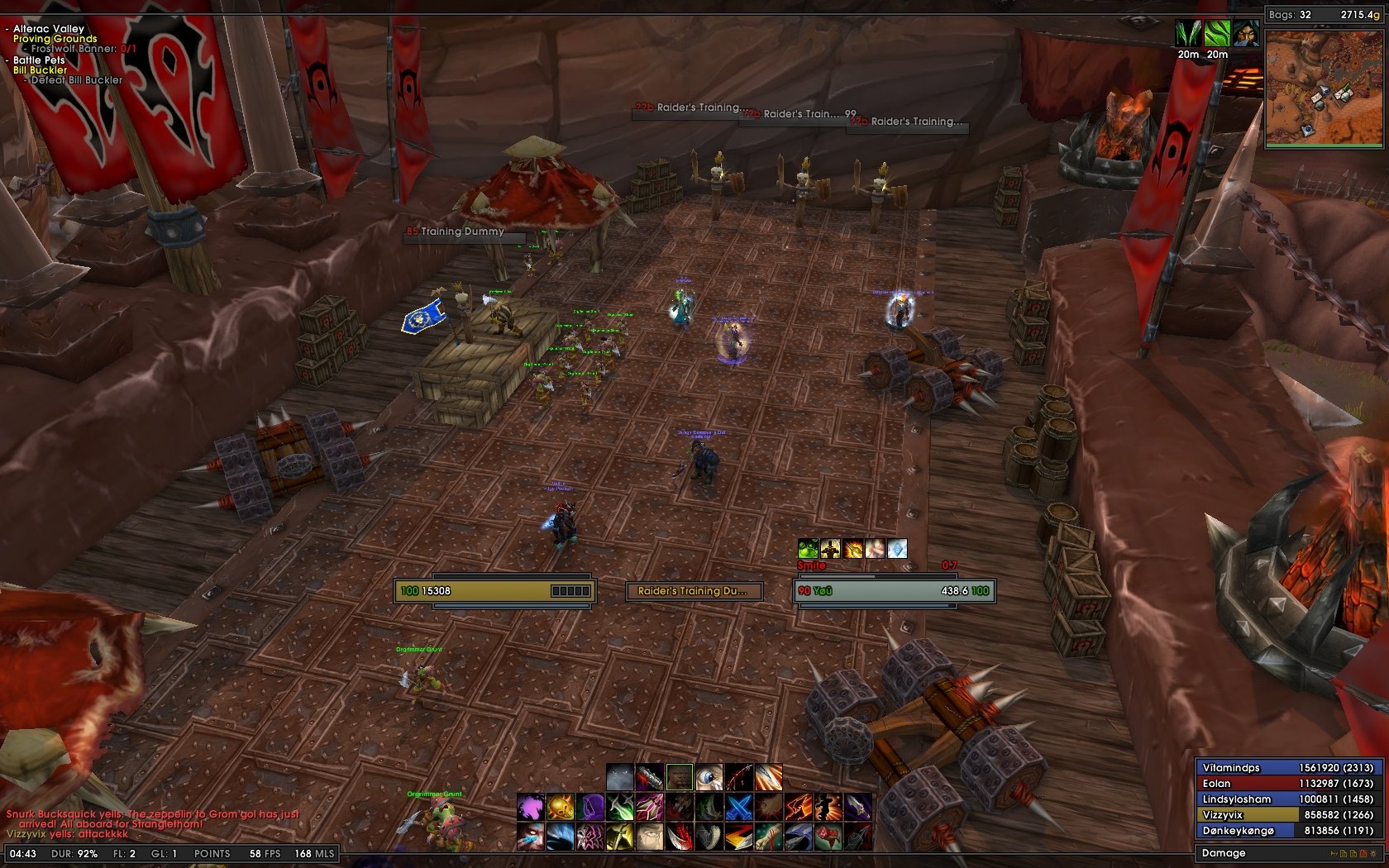
HealingUi
Click to enlarge
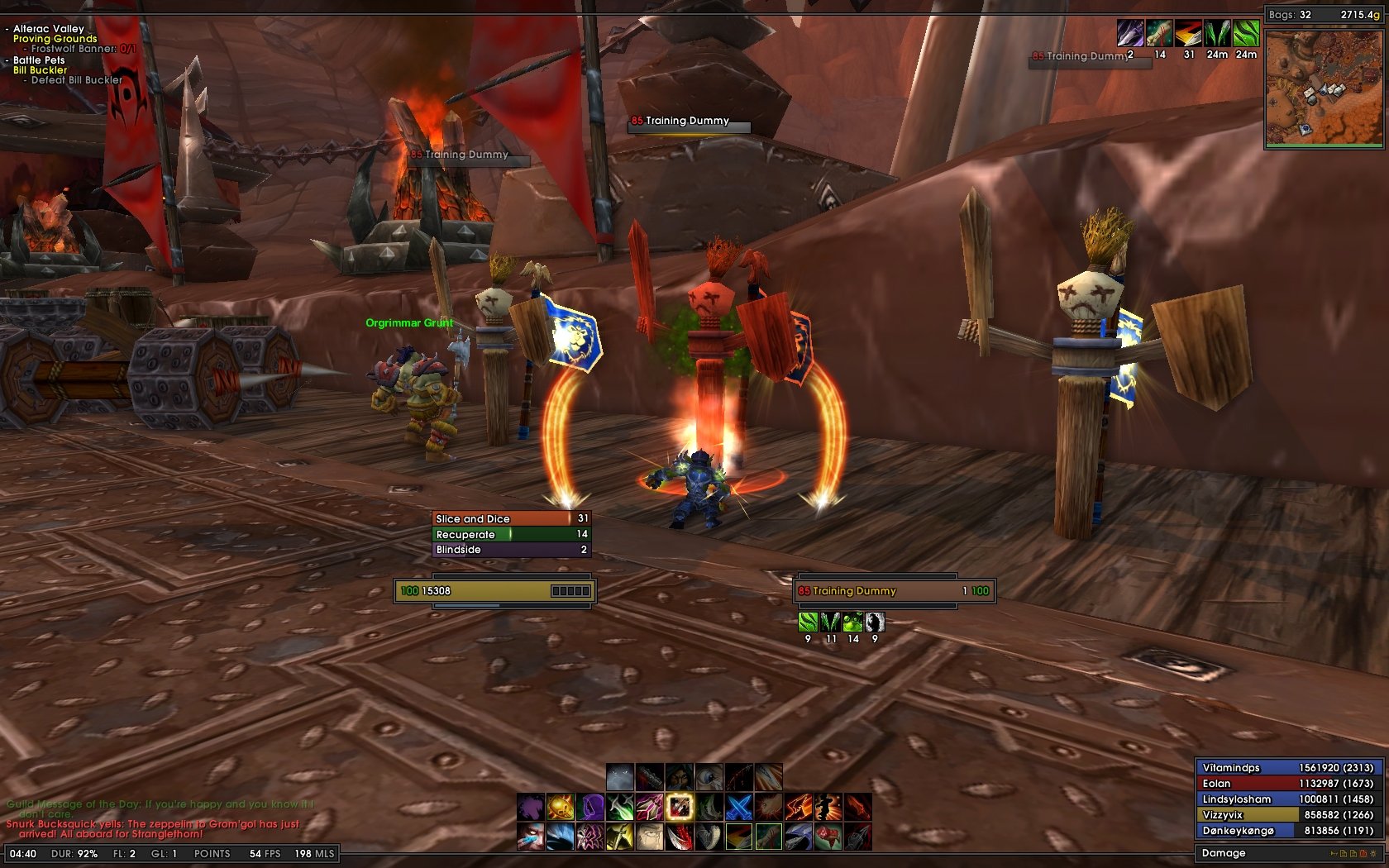
DpsingUi
Click to enlarge
DkUi
Click to enlarge
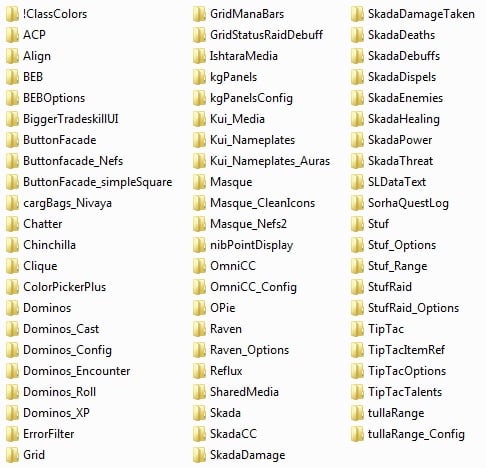
Addons
IshtaraUi   Popular! (More than 5000 hits)
WELCOME TO

PLEASE PLEASE PLEASE PLEASE PLEASE
READ THIS BEFORE DOWNLOADING

CAUTION:
DO NOT TRY TO UPDATE
SHARED MEDIA
UNLESS YOU KNOW HOW TO
EDIT THE ADDON YOURSELF


EACH UI IS DESIGNED FOR
1680x1050
WIDESCREEN RESOLUTION

0.64 INTERFACE SCALING
WAS USED AS WELL

____________________________________

PLEASE read the "README" file
included with the download.
It will answer most questions you may have.

Here is an explanation of the dogtags I used
to remove the need for Pitbull's ugly icons.


Hope the upload goes smoothly for you.
Thank you to everyone in all of the Ui communities.
Also, a HUGE thank you to all the addon authors.

As always,
<3
Ish
____________________________________

ALSO:
Place the "Fonts" folder in your
World of Warcraft folder along side your
Interface and WTF folders.


  Change Log - IshtaraUi
4.0
Added the Dk Ui
All paneling redone with KgPanels to remove the eepanels2 addon.
Cosmetic changes to Healing and Dps Ui
Inclusion of Omen profiling
Addon Updates

3.0
Changed to .64 Ui scaling
Cosmetic changes to adjust for new scaling
Changed profiling to make both Ui's available to use at the same time
Added pet, focus, pet cast, and focus cast to the DPS Ui

2.0
Updated the necessary addons for patch 3.0
Added several cosmetic changes that needed to be redone.
Lowered memory usage some.
  Optional Files - IshtaraUi
Sorry, there are currently no optional files available.
  Archived Versions - IshtaraUi
File Name
Version
Size
Author
Date
4.0
15MB
rcdyer1984
12-08-2008 12:43 AM
  Comments - IshtaraUi
Post A Reply
Author Comments Comment Options
Old 06-30-2009, 04:31 PM  
rcdyer1984
A Murloc Raider
 
rcdyer1984's Avatar

Forum posts: 7
File comments: 57
Uploads: 5
Quote:
Originally posted by orirgv
Hi, great UI!

Just one question, have you thought of updating pitbull to pitbull4? Customizing it would be so much easier...

Also, I have seen your new UI. I like it, but i tend to prefer the current one better. If you choose to publish the new one, could you keep this one too? =)

Edit: I find it quite annoying that every time i log the Blizzard battle text is showing up and i have to disable it from the interface. Any way of disabling it forever?
Its MSBT.

Open the config for the add on and uncheck the boxes that say "display Blizzard default text"

They are in a list in the bottom right corner.
__________________
<3
rcdyer1984 is offline Report comment to moderator   Edit/Delete Message Reply With Quote
Old 06-22-2009, 08:08 PM  
pHishr
A Murloc Raider
 
pHishr's Avatar
Interface Author - Click to view interfaces

Forum posts: 9
File comments: 146
Uploads: 11
I just read about FBS on the US forums, and it made me lol, and I blame you for waking my parents.

I wonder why anything related to UIs make me lol, I really should get out more.
pHishr is offline Report comment to moderator   Edit/Delete Message Reply With Quote
Old 06-22-2009, 06:49 AM  
orirgv
A Kobold Labourer

Forum posts: 0
File comments: 41
Uploads: 2
Hi, great UI!

Just one question, have you thought of updating pitbull to pitbull4? Customizing it would be so much easier...

Also, I have seen your new UI. I like it, but i tend to prefer the current one better. If you choose to publish the new one, could you keep this one too? =)

Edit: I find it quite annoying that every time i log the Blizzard battle text is showing up and i have to disable it from the interface. Any way of disabling it forever?

Last edited by orirgv : 06-22-2009 at 11:30 AM.
orirgv is offline Report comment to moderator   Edit/Delete Message Reply With Quote
Old 06-21-2009, 09:51 PM  
Fontaine
A Kobold Labourer

Forum posts: 0
File comments: 2
Uploads: 0
Not Working

Ignore me.

Last edited by Fontaine : 06-21-2009 at 10:17 PM.
Fontaine is offline Report comment to moderator   Edit/Delete Message Reply With Quote
Old 06-20-2009, 10:06 PM  
malad
A Murloc Raider

Forum posts: 7
File comments: 2
Uploads: 0
Re: Re: Classtimer Profiles?

Quote:
Originally posted by rcdyer1984
Classtimer is currently only profiled for the DK Ui, not the DPS or Healing Ui. I realize now that I forgot to mention that

Perhaps in the next update I will make adjustments for that addon

<3
Yay thank you! Even without the classtimer profiles for DPS it still looks great =)
malad is offline Report comment to moderator   Edit/Delete Message Reply With Quote
Old 06-20-2009, 11:43 AM  
rcdyer1984
A Murloc Raider
 
rcdyer1984's Avatar

Forum posts: 7
File comments: 57
Uploads: 5
Re: Classtimer Profiles?

Quote:
Originally posted by malad
Hi

Fantastic compilation. Found it via the Wowhead forums.

Reporting a small issue: it seems that the Classtimer profile for "Dpsui of.." is just a default profile, so buff timers and so forth show up in the center of the screen at their default location. At the moment I am using the "Dkui of.." classtimer profile to get around this, but on occasion the timer bars will overlap the casting bar beneath the player frame.

A fix would be greatly appreciated <3
Classtimer is currently only profiled for the DK Ui, not the DPS or Healing Ui. I realize now that I forgot to mention that

Perhaps in the next update I will make adjustments for that addon

<3
__________________
<3
rcdyer1984 is offline Report comment to moderator   Edit/Delete Message Reply With Quote
Old 06-19-2009, 05:53 PM  
malad
A Murloc Raider

Forum posts: 7
File comments: 2
Uploads: 0
Cool Classtimer Profiles?

Hi

Fantastic compilation. Found it via the Wowhead forums.

Reporting a small issue: it seems that the Classtimer profile for "Dpsui of.." is just a default profile, so buff timers and so forth show up in the center of the screen at their default location. At the moment I am using the "Dkui of.." classtimer profile to get around this, but on occasion the timer bars will overlap the casting bar beneath the player frame.

A fix would be greatly appreciated <3
malad is offline Report comment to moderator   Edit/Delete Message Reply With Quote
Old 06-08-2009, 05:56 PM  
Vraan
A Kobold Labourer

Forum posts: 1
File comments: 22
Uploads: 0
Must... Not... Fall... For... Temptation...

>.<

... *clicks Download*


Nooooooo D:

Great work, really like all the UI's, athough I would actually use the Healing UI for DPSing.
Vraan is offline Report comment to moderator   Edit/Delete Message Reply With Quote
Old 06-03-2009, 09:46 AM  
Alaric
A Kobold Labourer

Forum posts: 0
File comments: 1
Uploads: 0
This is the first ui compilation made by someone other then myself that I use, a truly awesome comp, keep up the good work.

I do however have a bugreport. MagicRunes aint showing for me at all, I believe there are some files missing in SavedVariables. Namely MagicRunes_IconDisplay.lua and MagicRunes_RuneBars.lua, there is only lua.bak versions of those files.

Last edited by Alaric : 06-03-2009 at 09:49 AM.
Alaric is offline Report comment to moderator   Edit/Delete Message Reply With Quote
Old 06-02-2009, 01:03 PM  
Rednalooz
A Kobold Labourer

Forum posts: 0
File comments: 1
Uploads: 0
If I want to use the dpsui on my priest, but then when i go holy use the healing one, how could I do this?
Rednalooz is offline Report comment to moderator   Edit/Delete Message Reply With Quote
Old 05-29-2009, 03:41 AM  
glamour
A Kobold Labourer

Forum posts: 1
File comments: 6
Uploads: 0
thankyou for the help
__________________
glamour is offline Report comment to moderator   Edit/Delete Message Reply With Quote
Old 05-28-2009, 04:26 PM  
rcdyer1984
A Murloc Raider
 
rcdyer1984's Avatar

Forum posts: 7
File comments: 57
Uploads: 5
Re: map help

Quote:
Originally posted by glamour
ever since chinchilla was updated by curse client. the map seems to have a white line through it because of the kgpanels.

Any way i can sort it out?
It looks like the update has changed the strata of the minimap.

You need to make sure that the strata of the map is lower than the strata of the white line (which is a kgpanel)

If you right click your map and go to appearance, you should be able to adjust the strata and fix the issue.
__________________
<3
rcdyer1984 is offline Report comment to moderator   Edit/Delete Message Reply With Quote
Old 05-28-2009, 03:57 PM  
glamour
A Kobold Labourer

Forum posts: 1
File comments: 6
Uploads: 0
map help

ever since chinchilla was updated by curse client. the map seems to have a white line through it because of the kgpanels.

Any way i can sort it out?
__________________
glamour is offline Report comment to moderator   Edit/Delete Message Reply With Quote
Old 05-19-2009, 01:54 PM  
rcdyer1984
A Murloc Raider
 
rcdyer1984's Avatar

Forum posts: 7
File comments: 57
Uploads: 5
Quote:
Originally posted by harris92xx
I'm having an issue in arenas.. the golden writing at the top of the screen.. or should be at the top center of screen is almost in the middle of my screen.

ya know the Green Team: 2 Players
Gold Team : 2 Players

anyway.. wondering what mod that is so i can move it.. same with the broken armor figure.
Chinchilla
__________________
<3
rcdyer1984 is offline Report comment to moderator   Edit/Delete Message Reply With Quote
Old 05-18-2009, 07:29 PM  
harris92xx
A Kobold Labourer

Forum posts: 0
File comments: 6
Uploads: 0
I'm having an issue in arenas.. the golden writing at the top of the screen.. or should be at the top center of screen is almost in the middle of my screen.

ya know the Green Team: 2 Players
Gold Team : 2 Players

anyway.. wondering what mod that is so i can move it.. same with the broken armor figure.
harris92xx is offline Report comment to moderator   Edit/Delete Message Reply With Quote
Post A Reply


Category Jump:


The Network:
EQInterface | EQ2Interface | LoTROInterface | MMOInterface | War.MMOUI | WoWInterface | VGInterface | Allakhazam | Thottbot | Wowhead | Zam


©2009 MMOUI / ZAM Network
vBulletin - Copyright ©2000 - 2009, Jelsoft Enterprises Ltd.



