| Go to Page... |

Addon for:
nUI.
nUI.
Pictures
File Info
| Updated: | 12-11-11 01:57 PM |
| Created: | 01-19-09 05:10 PM |
| Downloads: | 24,236 |
| Favorites: | 99 |
| MD5: |
nUI: Aura Buttons 

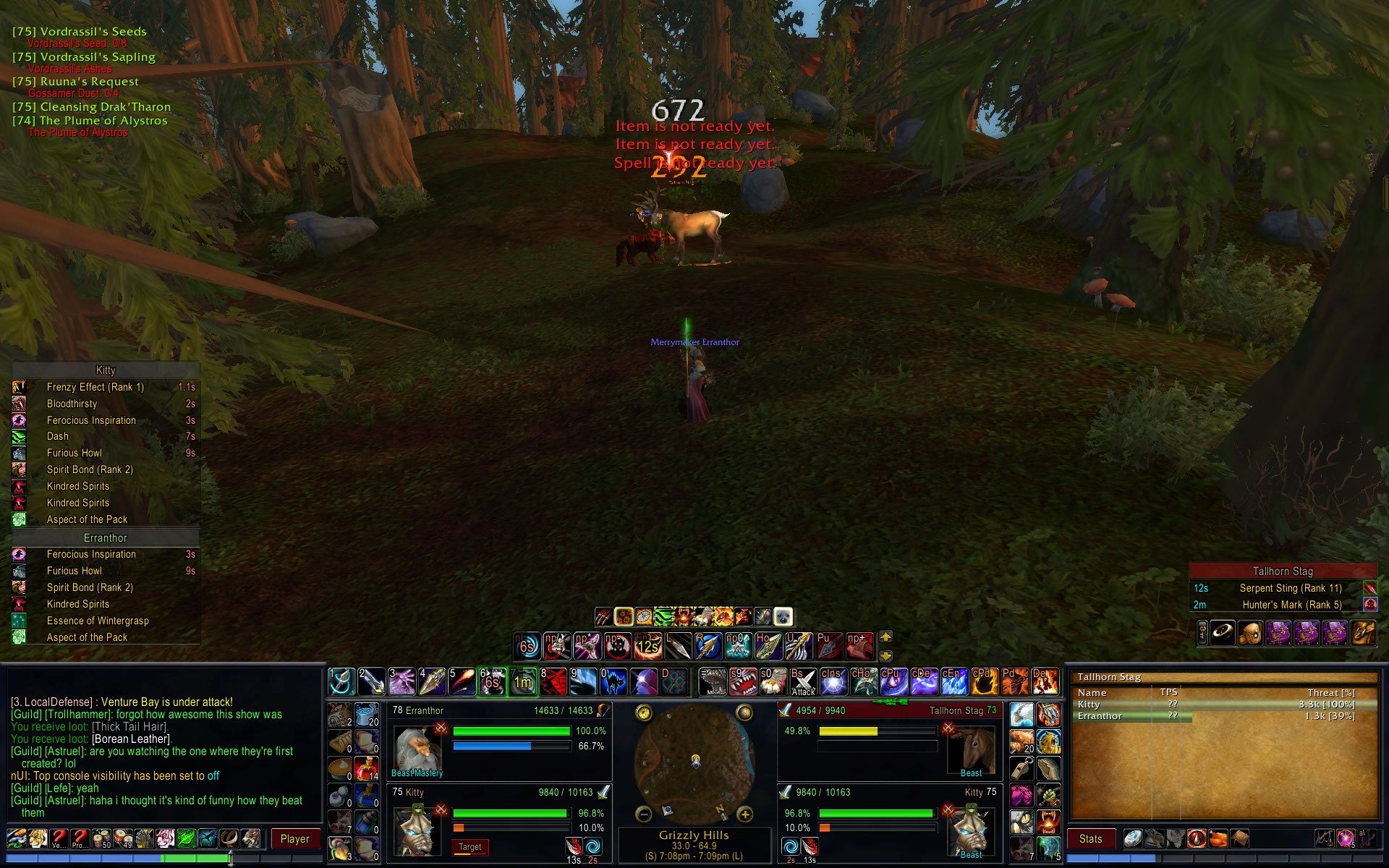
This optional plugin replaces the default aura bars arrangement in nUI 5.0 with three tables of aura buttons (see screen capture) placing the player pet's (or vehicle's) auras on the far left of the dashboard, the player's auras just left of center and the target's auras just right of center.
This addon requires that you have nUI version 5.01.00 or later installed.
Official nUI technical support and user forum...
- E-mail: [email protected]
- Web Site: http://www.nUIaddon.com
- Personal Site: http://www.scottpiel.com
- http://www.nUIaddon.com
- http://www.wowinterface.com/downloads/index.php?cid=125
- http://wowui.worldofwar.net/?p=mod&m=6444
- http://www.curse.com/downloads/details/12907/
- http://wow.curseforge.com/projects/nui/
nUI is user supported software...
nUI relies on your donations for its survival and continued development. To make a donation to support nUI, please visit…
Please note: I do not read the comment board on this download page. If you would like to comment on this skin or need help installing or using it, please use the link provided above.To use this skin:
- Exit WoW
- Download and install the most recent version of nUI if you have not already as you would any other addon. You should unzip the contents of the download file into your Interface\AddOns directory
- Download and install this addon as you would any other addon and unzip it into the Interface\AddOns directory as well.
- After downloading and installing both mods, you should have both an Interface\AddOns\nUI directory and an Interface\AddOns\nUI_AuraButtons directory
- Select your character and enter the world. nUI will automatically replace the default aura bars with the modified aura buttons version if it is enabled.
- You can disable this functionality at any time and return to using the default aura grids by selecting the "AddOns" button at the character selection screen and disabling the addon "nUI_AuraButtons"
5.07.19 -- Updated for WoW Patch 4.3
5.07.18 -- Updated for WoW Patch 4.2
5.07.17 -- Updated for WoW Patch 4.1
5.03.02 -- Updated for WoW Patch 4.0
5.03.01 -- Changed to use the ADDON_LOADED event instead of VARIABLES loaded per the change in nUI 5.06.16
5.03.00 -- Updated for WoW Patch 3.3
5.02.00 -- Updated for WoW Patch 3.1
5.01.00 -- Aura Bars are now the default option in the nUI core distribution... changed this plugin from its former Aura Bars status to Aura Buttons for the benefit of nUI users who prefer the Beta 4 style buttons.
1.02.00 -- This update includes fixed label height and width values in the skin definitions which, together with nUI v4.14.00 Beta, will cause the aura label to truncate the name of the aura if it would otherwise overlap the countdown timer for the aura.
1.01.00 -- Accidentally uploaded a test version of the plugin with the 10 player raid pet and target aura bars disabled. This update fixes the problem.
5.07.18 -- Updated for WoW Patch 4.2
5.07.17 -- Updated for WoW Patch 4.1
5.03.02 -- Updated for WoW Patch 4.0
5.03.01 -- Changed to use the ADDON_LOADED event instead of VARIABLES loaded per the change in nUI 5.06.16
5.03.00 -- Updated for WoW Patch 3.3
5.02.00 -- Updated for WoW Patch 3.1
5.01.00 -- Aura Bars are now the default option in the nUI core distribution... changed this plugin from its former Aura Bars status to Aura Buttons for the benefit of nUI users who prefer the Beta 4 style buttons.
1.02.00 -- This update includes fixed label height and width values in the skin definitions which, together with nUI v4.14.00 Beta, will cause the aura label to truncate the name of the aura if it would otherwise overlap the countdown timer for the aura.
1.01.00 -- Accidentally uploaded a test version of the plugin with the 10 player raid pet and target aura bars disabled. This update fixes the problem.

