Category: Miscellaneous
Addon Information
Download Latest Version.
To add favorites please register for a free account. If you already have one you need to login. How do I install this? (FAQ)
Author:
Version:
1.8
Date:
03-26-2009 01:49 AM
Size:
13.97 MB
Downloads:
10,030
Favorites:
41
MD5:
Pictures
Click to enlarge
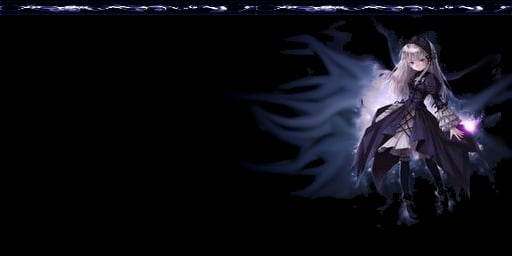
1 of 3 new tga files
Click to enlarge
stormfrontmid -- one of my fav Taxtures :D
Click to enlarge
Frost Actionbar
Click to enlarge
blue map
Textures for EePanels   Popular! (More than 5000 hits)


Publishing my Textures compilation is just allowed with my agreement!
I saw a few sides who uploaded my compilation on their webspace and publish them without credits etc.


Das veröffentlichen meiner Textursammlung ist nur mit meiner Einstimmung erlaubt!
Ich habe ein paar Internetseiten gefunden welche meine Textursammlung bei ihrem eigneen Webspace hochgeladen haben ohne meinen namen zu erwähnen!

Hello,

I made an RAR for you Guys who are searching Textures for EePanels.
I hope you now how to import it to your Interface

so far...
Veragon
(225 files)

Moin,
Ich hab ein RAR-Archiv gemacht, für euch Leute die nach Texturen für EePanels suchen.
Ich hoffe ihr wisst wie ihr sie in euer Interface einfügt

MfG
Veragon
(225 Dateien)


EePanels Guide:

1.: Make a new folder in your Interface Directory (i named it to "ee")
2.: Paste the Textures in this folder
3.: Get EePanels2
4.: Put EePanels2 into the Interface\AddOns Folder
5.: Start WoW and LogIn
6.: Right click on the EePanels2 Button at the Minimao
7.: A menu appears.
8.: Click on "Advanced Mode"
9.: In the Menu: New Panel-->Default Settings
10.: Right click on the new Panel: A Menu appears
11.: Background Texture-->Custom Texture
12.: A textline appears with "Interface\none"
13.: Change this to: "Interface\ee\yourtexturename"
14.: Right click on the panel-->Border Texture-->None
15.: Right click on the panel again-->Background Color-->transparency 0%
16.: Resize the Panel with your Texture like you want
17.: Move it per holding left click on the panel an move the mouse
18.: right click the panel-->Lock Panel
19.: Enjoy ^.^

at step 13 "texturename" is the name of the Texture in the ee folder.


1.: Erstellt einen neuen Ordner im Interface Ordner (ich nenne ihn "ee")
2.: Fügt dort die Texturen ein
3.: besorgt euch EePanels2
4.: Fügt EePanels2 in euren Interface\AddOns Ordner ein
5.: Startet WoW und loggt euch ein
6.: Macht einen Rechtsklick auf den EePanels2 Button an der Minimap
7.: Ein Menü erscheint
8.: Klickt auf "Advanced mode"
9.: Im Menü: New Panel--->from Default Settings
10.: Macht einen Rechtsklick aufs Panel, ein Menü erscheint.
11.: Geht auf "Background Texture" dann auf "Custom Texture"
12.: Eine Textzeile erscheint mit dem inhalt "Interface\none"
13.: Änderd dies zu: "Interface\ee\Texturname"
14.: Macht einen Rechtsklick auf das Panel: "Border Texture-->none"
15.: Geht auf "Background Color" und änderd den schieberegler auf 0% (transparenz)
16.: Änder die Größe wie du willst
17.: Durch gehaltenen Linksklick aufs Panel, könnt ihrs an die gewünschte Position verschieben.
18.: Rechtsklick aufs Panel--->Lock panel
19.: Viel Spass ^.^
  Change Log - Textures for EePanels
1.1 --- 3 new Textures:

-Angel left.tga
-Angel right.tga
-Tribal middle.tga

------------------------------------------------

1.2 --- 18 new Textures:

-bgr.tga
-bgl.tga
-hangl.tga
-hangr.tga
-mech3.tga
-schein.tga
-smokel.tga
-smokem.tga
-smoker.tga
-techi.tga
-techii.tga
-techiii.tga
-techno.tga
-technol.tga
-technor.tga
-techr.tga
-techrr.tga
-techrrr.tga

------------------------------------------------

1.3 --- 20 new Textures:

-sp3left.tga
-sp3right.tga
-spleft_blood.tga
-spleft_brass.tga
-spleft_fel.tga
-spleft_grass.tga
-spleft_haze.tga
-spleft_ice.tga
-spleft_metal.tga
-spleft_rose.tga
-spleft_rust.tga
-spright_blood.tga
-spright_brass.tga
-spright_fel.tga
-spright_grass.tga
-spright_haze.tga
-spright_ice.tga
-spright_metal.tga
-spright_rose.tga
-spright_rust.tga

------------------------------------------------

1.4 --- 54 new Textures

I can't say which one but 54 nice Textures more.

I renamed the Texture sets with numbers. In example:

01 tribalbar_right
01 tribalbar_left
01 tribalbar_mid
02 Skullpanel_left
02 Skullpanel_right
02 Skullpanel_mid

every Textureset has an own number.

now u can find the sets easier

----------------------------------------

1.5 --- 11 new textures:

-B1.tga
-Blizzard.tga
-C1.tga
-C2.tga
-C3.tga
-C4.tga
-C5.tga
-W1.tga
-W2.tga
-W3.tga
-W4.tga

---------------------------------

1.6 --- 6 new Textures!

I made 2 folders: "Sets" and "Other" in Sets are the Texture Sets with the ordering number. In other are just a few standalones etc.

New Textures:

-minimap3.tga
-mapt.tga
-31 Royalbar1.tga
-31 Royalbar2.tga
-31 Royalbar3.tga
-31 Royalbar4.tga

--------------------------------

1.7 --- 3 new textures:

-frost actionbar
-red chaos
-blue map

--------------------------------

1.8 --- 51 new textures:

-7 Tribals (selfmade)
-31 Hellsing and
-13 Aion textures
  Optional Files - Textures for EePanels
Sorry, there are currently no optional files available.
  Archived Versions - Textures for EePanels
File Name
Version
Size
Author
Date
1.7
11MB
xXVeragoNXx
02-18-2009 12:20 AM
1.6
10MB
xXVeragoNXx
02-05-2009 06:18 AM
1.5
9MB
xXVeragoNXx
02-01-2009 01:55 PM
1.4
9MB
xXVeragoNXx
01-26-2009 02:50 PM
1.3
5MB
xXVeragoNXx
01-23-2009 12:33 AM
1.2
4MB
xXVeragoNXx
01-22-2009 10:18 AM
1.1
3MB
xXVeragoNXx
01-22-2009 12:26 AM
  Comments - Textures for EePanels
Post A Reply Comment Options
Old 11-18-2009, 06:28 AM  
Beczka
A Defias Bandit
 
Beczka's Avatar

Forum posts: 3
File comments: 23
Uploads: 2
thank you very much... !

thanks so much for this beautiful textures... i live you !!!

that is so nice... I could cry...!

tanks so much!
__________________
Beczka is offline Report comment to moderator   Edit/Delete Message Reply With Quote
Old 04-09-2009, 05:40 AM  
xXVeragoNXx
A Kobold Labourer
 
xXVeragoNXx's Avatar
Interface Author - Click to view interfaces

Forum posts: 0
File comments: 10
Uploads: 4
yeah im already makin a credits list

but i've found few sites who said that this compilation is selfmade by them
__________________
xXVeragoNXx is offline Report comment to moderator   Edit/Delete Message Reply With Quote
Old 04-06-2009, 07:41 PM  
sysa
A Kobold Labourer
 
sysa's Avatar

Forum posts: 1
File comments: 17
Uploads: 0
Quote:
Publishing my Textures compilation is just allowed with my agreement!
I saw a few sides who uploaded my compilation on their webspace and publish them without credits etc.
Well, I like this pack and even have it favourited, but what is your point about republishing it? As far as I see, all you've done is collect the textures, mostly from graphic UI addons/compilations, like the kind Elloria does so well. Do you have the original artists' permission to republish their artwork, or do you make sure you only include stuff that's freely redistributable? If you have their express permission, you should post that with the addon description, if they don't need permission to re-upload, then I don't see how you can require permission to re-upload artwork that is not yours. The actual work you've done is carefully gathered a lot of textures that are usable with WoW, and screened them for duplicates. That deserves credit and a thank you, but only for the effort, not for authorship - that should go to the artists.
sysa is offline Report comment to moderator   Edit/Delete Message Reply With Quote
Old 03-31-2009, 01:15 AM  
xXVeragoNXx
A Kobold Labourer
 
xXVeragoNXx's Avatar
Interface Author - Click to view interfaces

Forum posts: 0
File comments: 10
Uploads: 4
thanx
__________________
xXVeragoNXx is offline Report comment to moderator   Edit/Delete Message Reply With Quote
Old 03-30-2009, 05:59 PM  
Zaotar
A Kobold Labourer
 
Zaotar's Avatar

Forum posts: 0
File comments: 22
Uploads: 0
.

. Really nice eepanels (kgpanels ) i like it ..
great work !
__________________
Zaotar is offline Report comment to moderator   Edit/Delete Message Reply With Quote
Old 03-16-2009, 01:24 AM  
xXVeragoNXx
A Kobold Labourer
 
xXVeragoNXx's Avatar
Interface Author - Click to view interfaces

Forum posts: 0
File comments: 10
Uploads: 4
If YOU have textures, which are missing in the compilation, send them to me if u want!

Just send an E-Mail to:

Veragon@hotmail.de

with a Rpaidshare-Link

or including files

I'll add 'em into the Compilation
__________________
xXVeragoNXx is offline Report comment to moderator   Edit/Delete Message Reply With Quote
Old 03-03-2009, 03:58 AM  
darkcloud606
A Kobold Labourer

Forum posts: 0
File comments: 2
Uploads: 0
thanks, managed to hunt down and find it late last night though :P Rozen Maiden hehe. This is definitely going to stay a staple in my addon collection right next to mr. plow
darkcloud606 is offline Report comment to moderator   Edit/Delete Message Reply With Quote
Old 03-03-2009, 12:08 AM  
xXVeragoNXx
A Kobold Labourer
 
xXVeragoNXx's Avatar
Interface Author - Click to view interfaces

Forum posts: 0
File comments: 10
Uploads: 4
Quote:
Originally posted by darkcloud606
Already fell in love with this addon but I have 1 question for the new tga posted with the girl with wings. where is she from? O.o I've had that as my comp background for over 2 years now but I can't figure out where it came from and my searches end in failure =/ too many animes i say!
anyways I enjoy the addon thus far and it's working perfectly
i cant give u anymore the original pic of the angel, but i can ask a friend if u want^^
__________________
xXVeragoNXx is offline Report comment to moderator   Edit/Delete Message Reply With Quote
Old 03-02-2009, 04:34 AM  
darkcloud606
A Kobold Labourer

Forum posts: 0
File comments: 2
Uploads: 0
Already fell in love with this addon but I have 1 question for the new tga posted with the girl with wings. where is she from? O.o I've had that as my comp background for over 2 years now but I can't figure out where it came from and my searches end in failure =/ too many animes i say!
anyways I enjoy the addon thus far and it's working perfectly
darkcloud606 is offline Report comment to moderator   Edit/Delete Message Reply With Quote
Old 02-16-2009, 02:16 PM  
xXVeragoNXx
A Kobold Labourer
 
xXVeragoNXx's Avatar
Interface Author - Click to view interfaces

Forum posts: 0
File comments: 10
Uploads: 4
so i think this or next week is the next Update...
__________________
xXVeragoNXx is offline Report comment to moderator   Edit/Delete Message Reply With Quote
Old 02-02-2009, 09:02 AM  
pHishr
A Theradrim Guardian
 
pHishr's Avatar
Interface Author - Click to view interfaces

Forum posts: 63
File comments: 197
Uploads: 13
Quote:
Originally posted by xXVeragoNXx
thats a discordart texture :P
Ah cool, I thought I recognized it =P Just couldn't think of where

Quote:
you can use bottom texture with btex even with 3 images instead of 4. just use load custom skins, and set width to fit with 3 images, hiding last one to right border.

You can do the same with all sunn art textures
Not sure why you replied to me...
__________________
Quote:
DMC4 was a a major and important part in Nero's life. He saved his girlfriend, his city, he grew more powerful than he ever was.

For Dante? It was Saturday.
pHishr is offline Report comment to moderator   Edit/Delete Message Reply With Quote
Old 02-02-2009, 02:19 AM  
xXVeragoNXx
A Kobold Labourer
 
xXVeragoNXx's Avatar
Interface Author - Click to view interfaces

Forum posts: 0
File comments: 10
Uploads: 4
thats a discordart texture :P
__________________
xXVeragoNXx is offline Report comment to moderator   Edit/Delete Message Reply With Quote
Old 02-01-2009, 04:59 PM  
tiggy
A Murloc Raider
 
tiggy's Avatar
Interface Author - Click to view interfaces

Forum posts: 7
File comments: 114
Uploads: 5
Quote:
Originally posted by pHishr
From where did you get that? =P
you can use bottom texture with btex even with 3 images instead of 4. just use load custom skins, and set width to fit with 3 images, hiding last one to right border.

You can do the same with all sunn art textures

Last edited by tiggy : 02-01-2009 at 05:00 PM.
tiggy is offline Report comment to moderator   Edit/Delete Message Reply With Quote
Old 02-01-2009, 03:54 PM  
pHishr
A Theradrim Guardian
 
pHishr's Avatar
Interface Author - Click to view interfaces

Forum posts: 63
File comments: 197
Uploads: 13
Quote:
Originally posted by xXVeragoNXx


From where did you get that? =P
__________________
Quote:
DMC4 was a a major and important part in Nero's life. He saved his girlfriend, his city, he grew more powerful than he ever was.

For Dante? It was Saturday.
pHishr is offline Report comment to moderator   Edit/Delete Message Reply With Quote
Old 02-01-2009, 10:00 AM  
Tribola
A Kobold Labourer

Forum posts: 0
File comments: 3
Uploads: 0
Nice, thank you

Last edited by Tribola : 02-01-2009 at 10:24 AM.
Tribola is offline Report comment to moderator   Edit/Delete Message Reply With Quote
Post A Reply


Category Jump:


The Network:
EQInterface | EQ2Interface | LoTROInterface | MMOInterface | War.MMOUI | WoWInterface | VGInterface | Allakhazam | Thottbot | Wowhead | Zam


©2009 MMOUI / ZAM Network
vBulletin - Copyright ©2000 - 2010, Jelsoft Enterprises Ltd.



