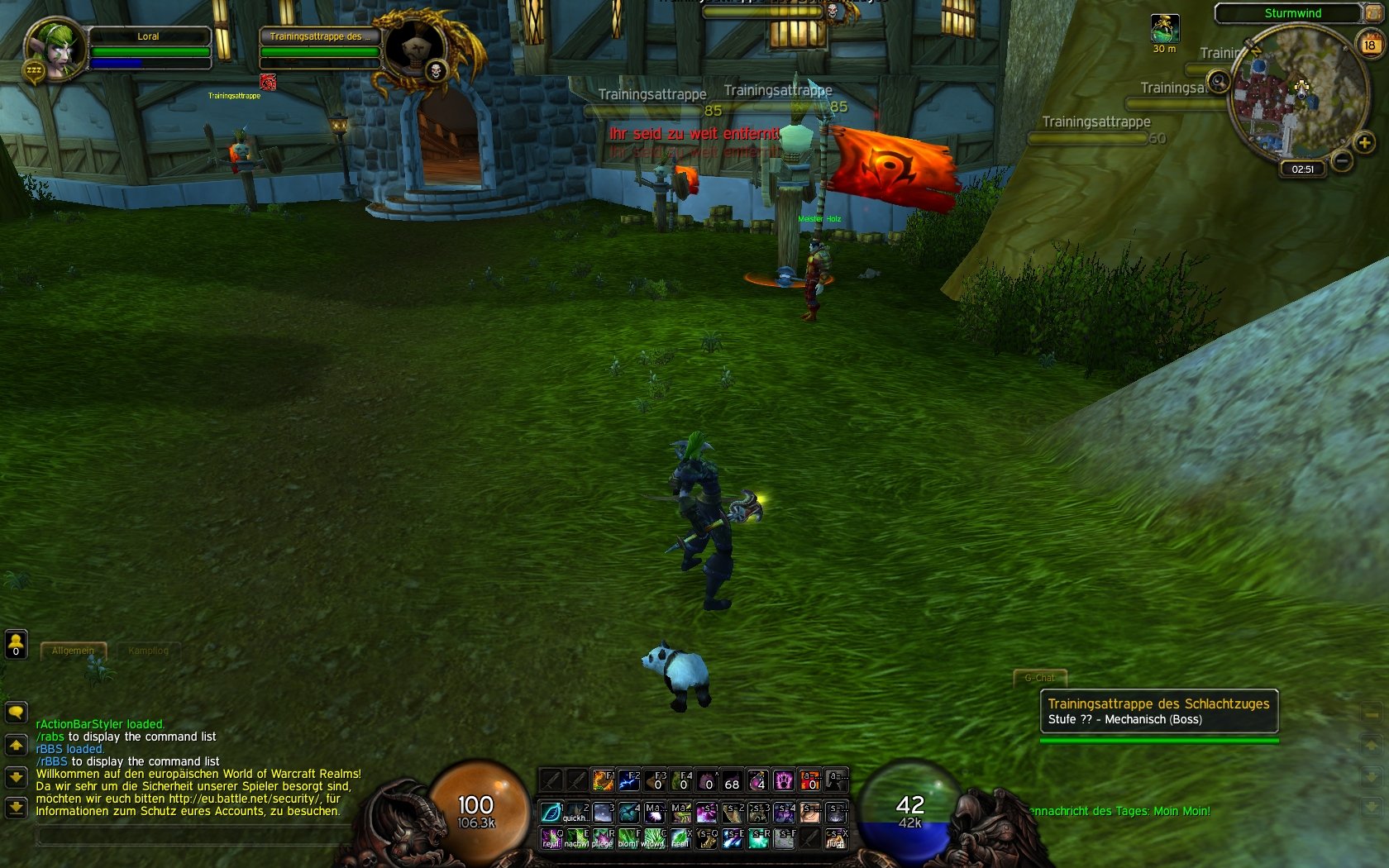
IntroThis is rBBS an art framework. It provides basic functionality that can be used by rBBS layout styles to display art, models and orbs on screen. The addon does nothing on it's own. You need rBBS-layouts and probably an actionbar mod to make it work properly. This mod just displays art.
InstallDownload rBBS and any rBBS-layout you like. Put both into your AddOns folder and start the game afterwards. Make sure you have any kind of actionbar mod installed that hides the default Blizzard actionbar!
LayoutsDefault layouts are provided. They must be downloaded spereratly, like oUF layouts. rBBS is just a framework that needs layouts to display data.
Current available layouts:
Roth UI (Roth UI look alike)
OrbsOnly (Example for player, pet and target orbs)
OrbsOnly2 (player and target orbs only)
Diablo1 (Diablo 1 flavoured layout)
Diablo2 (Diablo 2 flavoured layout)
Diablo3 (Diablo 3 flavoured layout)
Diablo3Adjusted (Diablo 3 flavoured layout, but with WoW 12 button system)
Diablo3NoOrbs (Diablo 3 flavoured layout, but wihtout orbs and the bar texture matches WoW 12 button system)
Aion (Aion flavoured layout)
Backdrop (Example layout showing how to do backdrops)
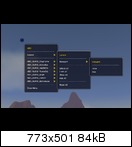
Ingame menuUse the rBBS menu gem or the /rbbs slash command to open the menu. You can do the following things ingame: lock, unlock, show, hide, resize, scale, move, reset.
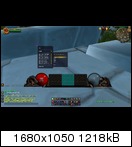
DragframeVersion 1.03 introduced a new API function, the dragframe. If you want to make use of it create it first in your layout and have other frames parent it. (See example layouts). If you move/scale/resize the dragframe all hooked frames will follow.
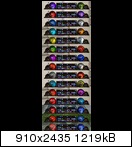
Fluid animationsThe new rBBS supports the fluid animation system of Roth UI 4.009+. You can choose between, no animation, no animation+classcolored, or choose one of the 23 preset animations.
How to create a layout?Try editing one of the example layouts first to get a feeling for the files. The example layouts use a config.lua and a style.lua. The config.lua has all the config data for the frames you want to spawn in the style function. Most of the config data is optional. But some has to be set. The config does nothing by itself. The style.lua uses the API functions to spawn frames of different types using the config data. In some cases you want hook the frame to the dragframe. The dragframe can be passed as the third element and is optional.
APIThe following API spawn function are currently specified. Each API function can handle a buch of config parameters. Set the config parameters in the config of your style and call the spawn function with the specifc config entry. Check layout examples for more.
- spawnDragFrame config attributes:
lua Code:
--strata = "BACKGROUND", --frame strata (optional)
--level = 0, --frame level (optional)
pos = { a1="BOTTOM", x=0, y=0, }, --frame position (optional)
- spawnBackdropFrame config attributes:
lua Code:
name = "ChatFrameBackground", --Needed. Must be UNIQUE per addon.
width = 450, --width of the frame
height = 230, --height of the frame
scale = 1, --scale of the frame (optional)
--alpha = 1, --alpha value of the frame (optional)
--strata = "BACKGROUND", --frame strata (optional)
--level = 0, --frame level (optional)
pos = { a1="BOTTOMLEFT", x=20, y=20, }, --position
backdrops = { --you can overlay different backdrops on top of each other, each backdrop must have it's own index number
[1] = {
padding = 0, -- padding (the space that is between the frame and the backdrop edges)
bgFile = "Interface\\AddOns\\rBBS_Backdrop\\media\\background_gradient.tga", -- background texture
bgColor = { r = 0.15, g = 0.15, b = 0.15, a = 0.8 }, -- background color in red, green, blue, alpha
edgeFile = "Interface\\AddOns\\rBBS_Backdrop\\media\\glow_outer.tga", -- border texture
edgeColor = { r = 0, g = 0, b = 0, a = 1 }, -- border color in red, green, blue, alpha
tile = false, -- tile the backdrop (if false it will be stretched)
tileSize = 32, -- size of background texture tile
edgeSize = 10, -- thickness of border texture (if your texture has 16px height default value is 16)
inset = 10, -- backdrop inset
},
},
- spawnFrame config attributes:
lua Code:
name = "ActionBar", --Needed. Must be UNIQUE per addon.
width = 512, --width of the frame
height = 256, --height of the frame
scale = 0.82, --scale of the frame (optional)
--alpha = 1, --alpha value of the frame (optional)
--strata = "BACKGROUND", --frame strata (optional)
--level = 0, --frame level (optional)
pos = { a1="BOTTOM", x=0, y=0, }, --frame position (optional)
texture = {
file = "Interface\\AddOns\\rBBS_RothUI\\media\\bar3.tga", --the texture file that should be attached to the frame
--strata = "BACKGROUND", --texture strata (optional)
--level = -8, --texture level (optional)
--color = { r=1, g=0, b=0, a = 1, }, --recolor the texture (optional)
--blendmode = "ADD", --texture blendmode (optional)
},
- spawnHealthOrb config attributes:
lua Code:
-- animation IDs
-- 0 = red fog, 1 = purple fog, 2 = green fog, 3 = yellow fog, 4 = turquoise fog
-- 5 = red portal, 6 = blue rune portal, 7 = red ghost, 8 = purple ghost, 9 = water planet,
-- 10 = swirling cloud, 11 = white fog, 12 = red glowing eye, 13 = sandy swirl, 14 = green fire
-- 15 = purple swirl, 16 = white tornado, 17 = blue swirly, 18 = orange fog, 19 = pearl
-- 20 = red magnet, 21 = blue portal, 22 = purple portal
name = "HealthOrb", --Needed. Must be UNIQUE per addon.
--unit = "target" --default unit is "player" but you may use "target" to create an orb for target frame (optional)
size = 150, --size of orb frame
scale = 0.82, --scale of orb frame (optional)
--font = "FONTS\\FRIZQT__.ttf" --want to use a different font? (optional)
classcolored = true, --classcolored? if yes and animation is set the anim used will be irgnored, instead pearl animation is used.
animation = {
enable = true, --enable fluid animation true/false
anim = 20, --animation id, chosse one of the 23 preset animations
decreaseAlpha = false, --decrease alpha of animation based on hp value (more hp = brighter animation, lower hp = less opacity)
multiplier = 0.3, --multiply animation alpha with multiplier to make it less bright
},
--color = { r=1, g=1, b=0, a=1, }, --if no animation is set and no classcolored is selected you may choose your own color
pos = { a1="BOTTOM", x=-260, y=-10, }, --position (optional)
--strata = "BACKGRROUND", --framestrata, default "LOW" (optional)
--level = 1, --framelevel, default 1 (optional)
--filling = "Interface\\AddOns\\rBBS_RothUI\\media\\orb_filling15.tga", --replace the orb filling texture with sth else (optional)
--background = "Interface\\AddOns\\rBBS_RothUI\\media\\orb_back.tga", --replace the orb background texture with sth else (optional)
--gloss = "Interface\\AddOns\\rBBS_RothUI\\media\\orb_gloss.tga", --replace the orb gloss texture with sth else (optional)
- spawnPowerOrb config attributes:
lua Code:
-- animation IDs
-- 0 = red fog, 1 = purple fog, 2 = green fog, 3 = yellow fog, 4 = turquoise fog
-- 5 = red portal, 6 = blue rune portal, 7 = red ghost, 8 = purple ghost, 9 = water planet,
-- 10 = swirling cloud, 11 = white fog, 12 = red glowing eye, 13 = sandy swirl, 14 = green fire
-- 15 = purple swirl, 16 = white tornado, 17 = blue swirly, 18 = orange fog, 19 = pearl
-- 20 = red magnet, 21 = blue portal, 22 = purple portal
name = "PowerhOrb", --Needed. Must be UNIQUE per addon.
--unit = "target" --default unit is "player" but you may use "target" to create an orb for target frame (optional)
size = 150, --size of orb frame
scale = 0.82, --scale of orb frame (optional)
--font = "FONTS\\FRIZQT__.ttf" --want to use a different font? (optional)
powertypecolored = true, --powertypecolored? if yes and animation is set the anim used will be irgnored, instead pearl animation is used.
animation = {
enable = true, --enable fluid animation true/false
anim = 20, --animation id, chosse one of the 23 preset animations
decreaseAlpha = false, --decrease alpha of animation based on hp value (more hp = brighter animation, lower hp = less opacity)
multiplier = 0.3, --multiply animation alpha with multiplier to make it less bright
},
--color = { r=1, g=1, b=0, a=1, }, --if no animation is set and no classcolored is selected you may choose your own color
pos = { a1="BOTTOM", x=-260, y=-10, }, --position (optional)
--strata = "BACKGRROUND", --framestrata, default "LOW" (optional)
--level = 1, --framelevel, default 1 (optional)
--filling = "Interface\\AddOns\\rBBS_RothUI\\media\\orb_filling15.tga", --replace the orb filling texture with sth else (optional)
--background = "Interface\\AddOns\\rBBS_RothUI\\media\\orb_back.tga", --replace the orb background texture with sth else (optional)
--gloss = "Interface\\AddOns\\rBBS_RothUI\\media\\orb_gloss.tga", --replace the orb gloss texture with sth else (optional)
Githttps://github.com/zorker/rothui/tre...er/wow6.0/rBBS





 07-26-18, 09:08 AM


 .
. )
)
 About the player power ball


