Category: Generic Compilations
Addon Information
Works with 3.2
Download Latest Version.
To add favorites please register for a free account. If you already have one you need to login. How do I install this? (FAQ)
Author:
Version:
2.2
Date:
10-20-2009 05:56 PM
Size:
7.66 MB
Downloads:
2,673
Favorites:
22
MD5:
Pictures
Click to enlarge
Click to enlarge
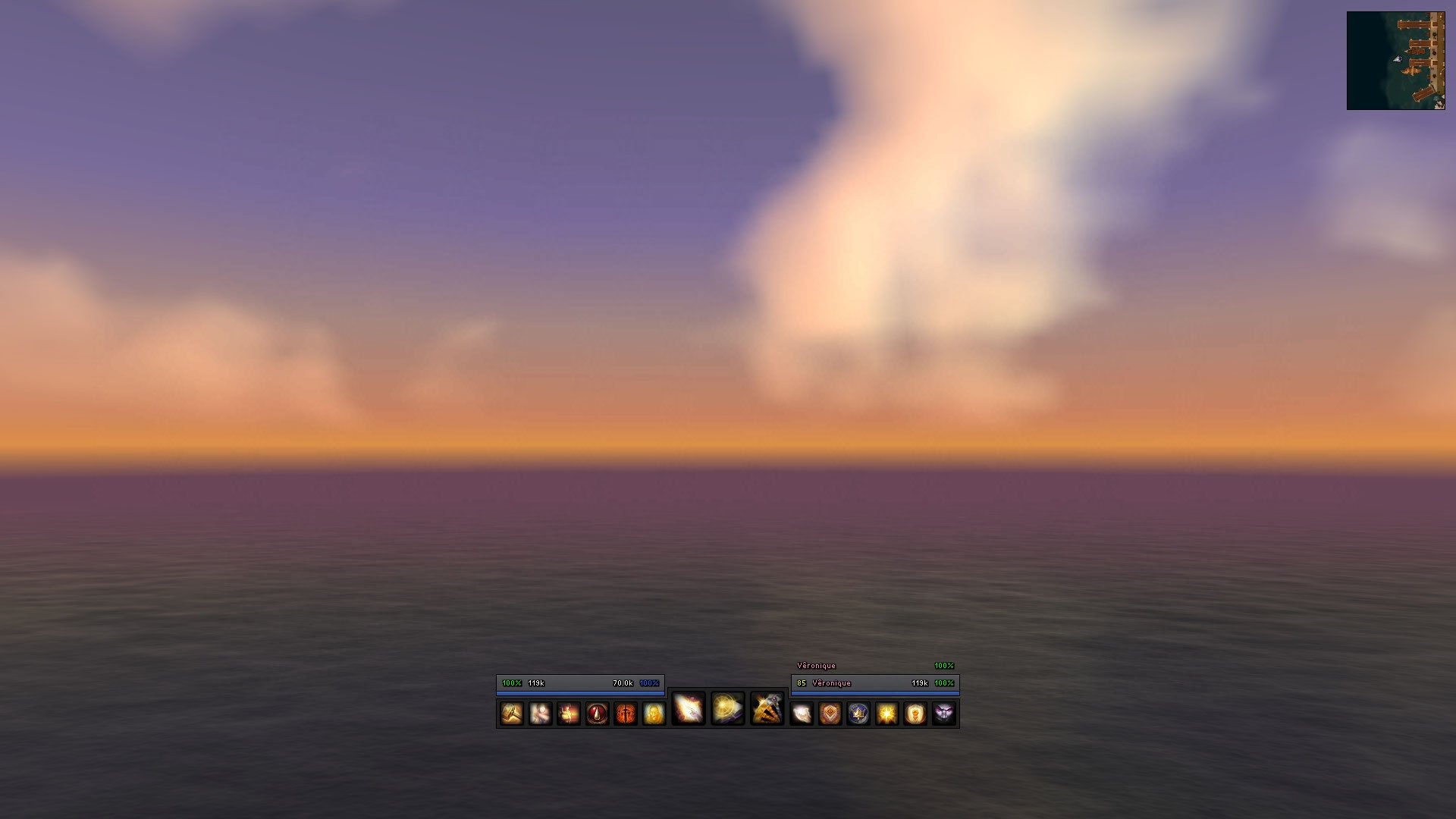
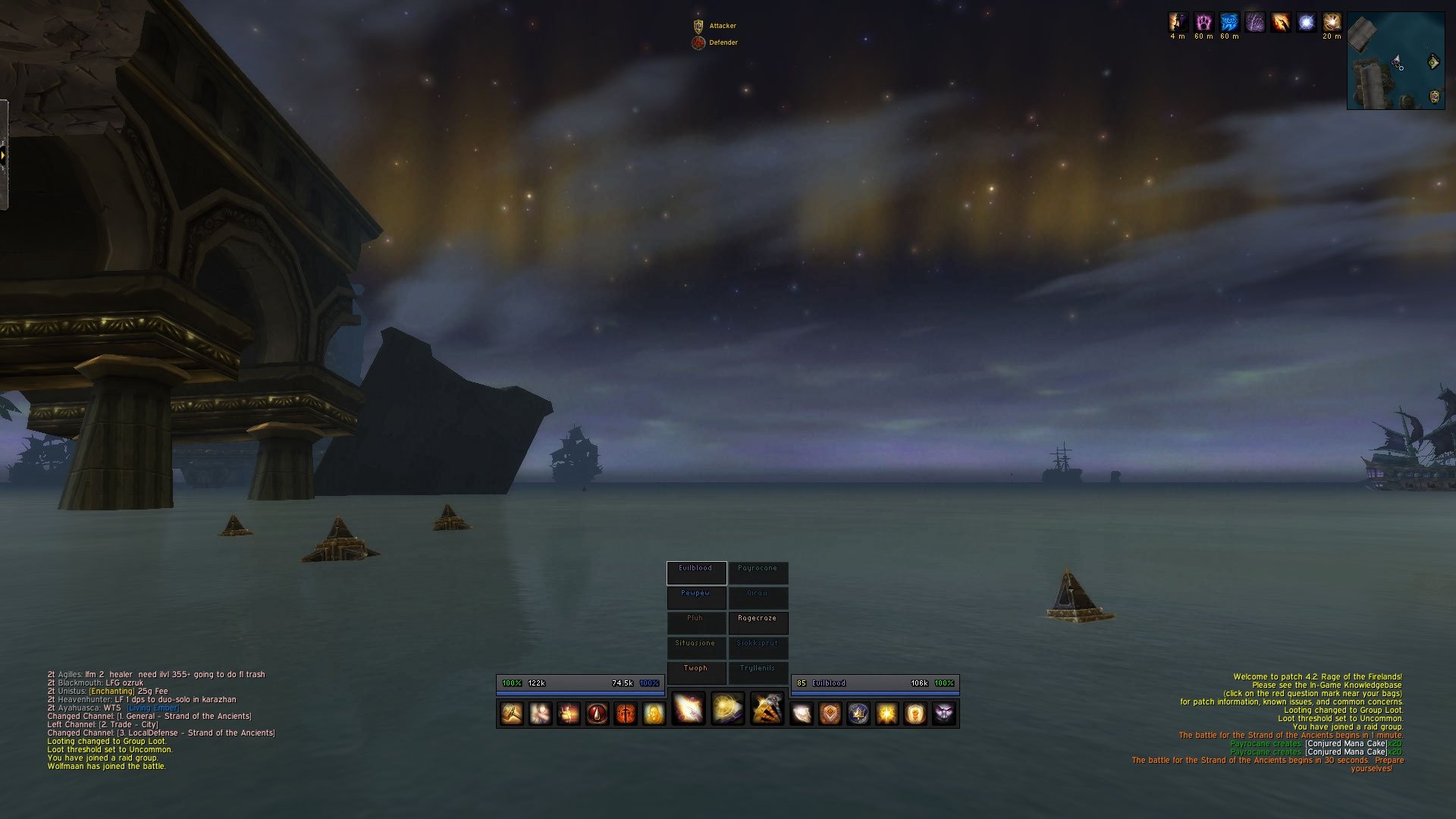
iLive user interface
MAKE IT EASIER TO CONCENTRATE AND FOCUS

Hi mates. I've worked on a creation (majority of the work is behind Ishtara!) which I would like to share with you. I’ve tried different interfaces and many different kind of elements for creating one, but I have never been able to create anything as gorgeous and creative as Ishtara's UI. I wanted to take that look and the details from his interface into my old interface's construction. I downloaded his UI, and made the new version of iLive user interface.

iLive user interface is made for healers who search for an interface, that makes it easier to concentrate and focus due to the clear view and the central big raid frames (Grid). I have pushed the interface to be as simple as possible by avoiding extra bars, frames or anything interrupting the view. What I do want is a clear sight for the player, so he/she can give the best performance for his/her raid with all the necessary information.

The interface is created on a widescreen with 1920 x 1080 as resolution, so if you use a different resolution you will need to move the different bars, frames etc. I have scaled them so I take advantage of my widescreen, so you might need to rescale aswell. This isn't that hard, and can easily be performed by anyone who have a medium knowledge in addons. If this is first time for you, just experiment and try, and it might help you to understand the addons a lot more (this is the way I learned how to edit addons). If you have any questions, feel free to ask and I'll do my best to guide you through it. HF for Ishtara and his work!

VIDEO NOW AVAIBLE: I've made a little short video from an encounter, to show how it looks inside combat. You can watch it here on YouTube.

NEW FEATURE: Restoration Druids can now handle their healing over time spells more effectively with the new additions to Grid settings (use this as inspiration if you're not a Restoration Druid.). Simple and elegant thanks to Resto4Life.com. You can see the additions with explanation in the picture below.


Insctructions for installation
  1. Download and extract iLive user interface.
  2. Go to your WoW folder and backup your current "Interface" and "WTF" folders.
  3. Remove those folders from your WoW folder and replace them with the "Interface", "WTF" and "Fonts" from iLive user interface.
  4. Open the "WTF" folder and rename the following:
    • ACCOUNTNAME ---> to your account name.
    • ServerName ---> to your server name.
    • CharacterName ---> to your character name.
  5. Start the game (mark "Load out of date" in addon list) and choose a profile (only one avaible) for SLDatatext, Satrina Buff Frames and Dominos.

Installed addons and command to configurations
  • Aloft (/aloft waterfall)
  • ButtonFacade (/bf)
  • Chatter (/chatter)
  • Chinchilla (/chinchilla)
  • CowTip (/cowtip)
  • Dominos (/dominos)
  • Grid (/grid config)
  • kgPanels (/kgpanels config)
  • MiksScrollingBattleText (/msbt)
  • OmniCC (/omnicc)
  • PitBull 3.0 (/pitbull)
  • Quartz (/quartz)
  • RangeColors (/rangecolors)
  • Satrina Buff Frames (/sbf options)
  • SharedMedia
  • SLDatatext (/sldatatext)
  Change Log - iLive user interface
iLive user interface 2.2
- New features with Grid for Restoration Druids.
- Added cast bar on nameplates.
- Replaced Bartender with Dominos and RangeColors (several reasons).
- Removed raid icon on player, player's pet and target's target frames, and target frame's raid icon repositioned.
- MiksScrollingBattleText now indicates outgoing in 3 colors (heal, melee and spell) instead of 12 (shadow, fire, nature etc.)
- Mana percent on PitBull doesn't change color anymore.
- OmniCC uses same font as other addons.
- 20% gloss added to bars and auras.
- You can see different tooltips in combat now.
- Chat boxes's text doesn't fade fast anymore.
- Tracking now available.
- Disabled panel in MSBT.

iLive user interface 2.1
- Satrina Buff Frames, kgPanels, CowTip, Quartz, Bartender 4 and PitBull 3 are now more correctly positioned and scaled.
- Added additional panels through kgPanels so player and target frame looks more clear in lines.
- Few addons updated to newer version.
  Archived Versions - iLive user interface
File Name
Version
Size
Author
Date
2.1
8MB
iLive
10-13-2009 09:40 AM
2.0
8MB
iLive
10-05-2009 06:48 PM
  Comments - iLive user interface
Post A Reply Comment Options
Unread Yesterday, 03:48 PM  
iLive
A Kobold Labourer

Forum posts: 0
File comments: 17
Uploads: 3
Re: Grid

@cozenom
You can't make Grid hide/show incoming heal from class to class. But I think I know what the problem is now. I am not watching my own incoming heal, so I have it disabled. I only watch other healers', so I know if my heal will be wasted or not. You can show your heals by unmarking this: Grid < Status < Incoming Heals < Ignore self.
iLive is offline Report comment to moderator   Edit/Delete Message Reply With Quote
Unread Yesterday, 03:25 PM  
cozenom
A Kobold Labourer

Forum posts: 0
File comments: 5
Uploads: 0
Grid

I think ive found the Problem to Grid not working.
Its probably because im not a Druid. Im a paladin and i was seeing a druids heals but not my own. Is there any way of configuring this?
cozenom is offline Report comment to moderator   Edit/Delete Message Reply With Quote
Old 11-23-2009, 08:37 AM  
iLive
A Kobold Labourer

Forum posts: 0
File comments: 17
Uploads: 3
Re: Grid

@cozenom
You're not the first person asking for this actually. Several people noticed the same thing. It's just weird, because I can see incoming heals, so I'm not sure what the problem is. I know that if you delete the saved files in WTF folder and reinstall Grid, it'll work, but then you need to change the settings again manually. Not sure why it's like this.
iLive is offline Report comment to moderator   Edit/Delete Message Reply With Quote
Old 11-21-2009, 05:08 PM  
cozenom
A Kobold Labourer

Forum posts: 0
File comments: 5
Uploads: 0
Grid

Is there any way of making Grid show the incoming healing like it normally does?
Thanks
cozenom is offline Report comment to moderator   Edit/Delete Message Reply With Quote
Old 11-11-2009, 01:39 AM  
iLive
A Kobold Labourer

Forum posts: 0
File comments: 17
Uploads: 3
@Purity
This gives you the option to move the raid frames: Grid > Layout > Frame lock (unmark). Then you click and hold on the edge of a raid frame, and drag it where you want it to be.
I tried showing Grid button on minimap, and it worked when I unmarked Hide minimap icon, so I don't know :[
iLive is offline Report comment to moderator   Edit/Delete Message Reply With Quote
Old 11-10-2009, 07:01 PM  
Purity
A Deviate Faerie Dragon

Forum posts: 16
File comments: 135
Uploads: 0
I cant get the raid frames to move. Also cant see the grid button to do so even tho I have it toggled not to hide


ANy ideas?
__________________
Purity is offline Report comment to moderator   Edit/Delete Message Reply With Quote
Old 11-10-2009, 11:35 AM  
Weidmo
A Kobold Labourer

Forum posts: 0
File comments: 2
Uploads: 0
Cheers

Thanks for the reply Was afraid it were a bug


Weidmo the
Weidmo is offline Report comment to moderator   Edit/Delete Message Reply With Quote
Old 11-10-2009, 02:00 AM  
iLive
A Kobold Labourer

Forum posts: 0
File comments: 17
Uploads: 3
Re: Re: Re: Letter instead of Icon

@Weidmo
It's intended, and you can change it through CowTip, which is the tooltip addon. /cowtip < show tooltips and then put them on Always.

@Aisryth
Sure, and don't worry, since it isn't my settings aswell (Ishtara's). This is for health:
Code:
[Outline][(if PercentHP > 70 then
    PercentHP:VeryShort:Percent:Color("00ff00")
elseif PercentHP > 35 < 70 then
    PercentHP:VeryShort:Percent:Color("ffff00")
elseif PercentHP < 35 then
    PercentHP:Hide(0):VeryShort:Percent:Color("ff0000")
end)]  [(if InCombat then
    HP:Red
else
    HP
end)]
Power:
Code:
[Outline][(if InCombat then
    MP:Red
else
    MP
end)]  [(if PercentMP > 70 then
    PercentMP:VeryShort:Percent:Color("0066ff")
elseif PercentMP > 35 < 70 then
    PercentMP:VeryShort:Percent:Color("0066ff")
elseif PercentMP < 35 then
    PercentMP:Hide(0):VeryShort:Percent:Color("0066ff")
end)]
iLive is offline Report comment to moderator   Edit/Delete Message Reply With Quote
Old 11-08-2009, 03:50 PM  
Aisriyth
A Kobold Labourer

Forum posts: 0
File comments: 2
Uploads: 0
Re: Re: Letter instead of Icon

Quote:
Originally posted by iLive
@Aisriyth
It's DogTags through PitBull 3.0 which only requires some few lines and then it can show what ever you want. You enter the text options and play with it there. Here is the code for the letters:
Code:
[(if IsResting then
    "R":Color("ffff00")
end)] [(if PvP then
    "P":Red
end)] [(if IsLeader then
    "L":Color("ffff00")
end) (if IsMasterLooter then
    "+":Color("ffff00")
end)]
Wow, thank you! One last thing, I hate to be like just a thief but is it possible i could see the entire code for how you set up your unit frames? I really like them and want to tweak them to match my ui a bit if thats ok?
Aisriyth is offline Report comment to moderator   Edit/Delete Message Reply With Quote
Old 11-08-2009, 01:46 PM  
Weidmo
A Kobold Labourer

Forum posts: 0
File comments: 2
Uploads: 0
Re: Re: Letter instead of Icon

Heya... I'm having some troubles with this, when i enter combat and i hoover over let's say a buff, it doesn't display what that buff/debuff do, so if say i hoover over my necklace in the character screen it doesn't show the stats :s,


Weidmo the
Weidmo is offline Report comment to moderator   Edit/Delete Message Reply With Quote
Old 11-08-2009, 08:17 AM  
iLive
A Kobold Labourer

Forum posts: 0
File comments: 17
Uploads: 3
Re: Letter instead of Icon

@Aisriyth
It's DogTags through PitBull 3.0 which only requires some few lines and then it can show what ever you want. You enter the text options and play with it there. Here is the code for the letters:
Code:
[(if IsResting then
    "R":Color("ffff00")
end)] [(if PvP then
    "P":Red
end)] [(if IsLeader then
    "L":Color("ffff00")
end) (if IsMasterLooter then
    "+":Color("ffff00")
end)]
iLive is offline Report comment to moderator   Edit/Delete Message Reply With Quote
Old 11-07-2009, 05:01 PM  
Aisriyth
A Kobold Labourer

Forum posts: 0
File comments: 2
Uploads: 0
Letter instead of Icon

I really like how you have your PvP, Leader, and Master Looter as Letters instead of icons. I was wondering how you did that precisely? Thanks in advance!
Aisriyth is offline Report comment to moderator   Edit/Delete Message Reply With Quote
Old 11-04-2009, 09:29 AM  
Tallest
A Kobold Labourer

Forum posts: 0
File comments: 1
Uploads: 0
Logging In

Just tried downloading your addon, looked very nice from the pictures.

Anyhow, I followed the instructions on the addon page, yet when I tried to log in it gives me "There is no World of Warcraft game account associated with this Battle.net account". I can log onto the website and Battle.net fine and even without your addon, but as soon as I use your addon, it gives me that. Anyone else had this problem?
Tallest is offline Report comment to moderator   Edit/Delete Message Reply With Quote
Old 10-31-2009, 11:37 AM  
iLive
A Kobold Labourer

Forum posts: 0
File comments: 17
Uploads: 3
@aspthal
Thanks mate, and no I did nothing for you actually :[ I hope you'll solve it, and please notify me when it's working again.
iLive is offline Report comment to moderator   Edit/Delete Message Reply With Quote
Old 10-30-2009, 03:31 PM  
aspthal
A Kobold Labourer

Forum posts: 0
File comments: 4
Uploads: 0
No worries mate, you did enough already .
I'll have a play around and see if I can fix the panel items .
I'll let you know how I get on.
aspthal is offline Report comment to moderator   Edit/Delete Message Reply With Quote
Post A Reply


Category Jump:


The Network:
EQInterface | EQ2Interface | LoTROInterface | MMOInterface | War.MMOUI | WoWInterface | VGInterface | Allakhazam | Thottbot | Wowhead | Zam


©2009 MMOUI / ZAM Network
vBulletin - Copyright ©2000 - 2009, Jelsoft Enterprises Ltd.


