Category: Graphic UI Mods
Addon Information
Works with 3.2
Download Latest Version.
To add favorites please register for a free account. If you already have one you need to login. How do I install this? (FAQ)
Quokka's Portal Bug Reports Feature Requests
Author:
Version:
1.0
Date:
11-04-2009 04:03 AM
Size:
1.77 MB
Downloads:
1,292
Favorites:
79
MD5:
Pictures
Click to enlarge
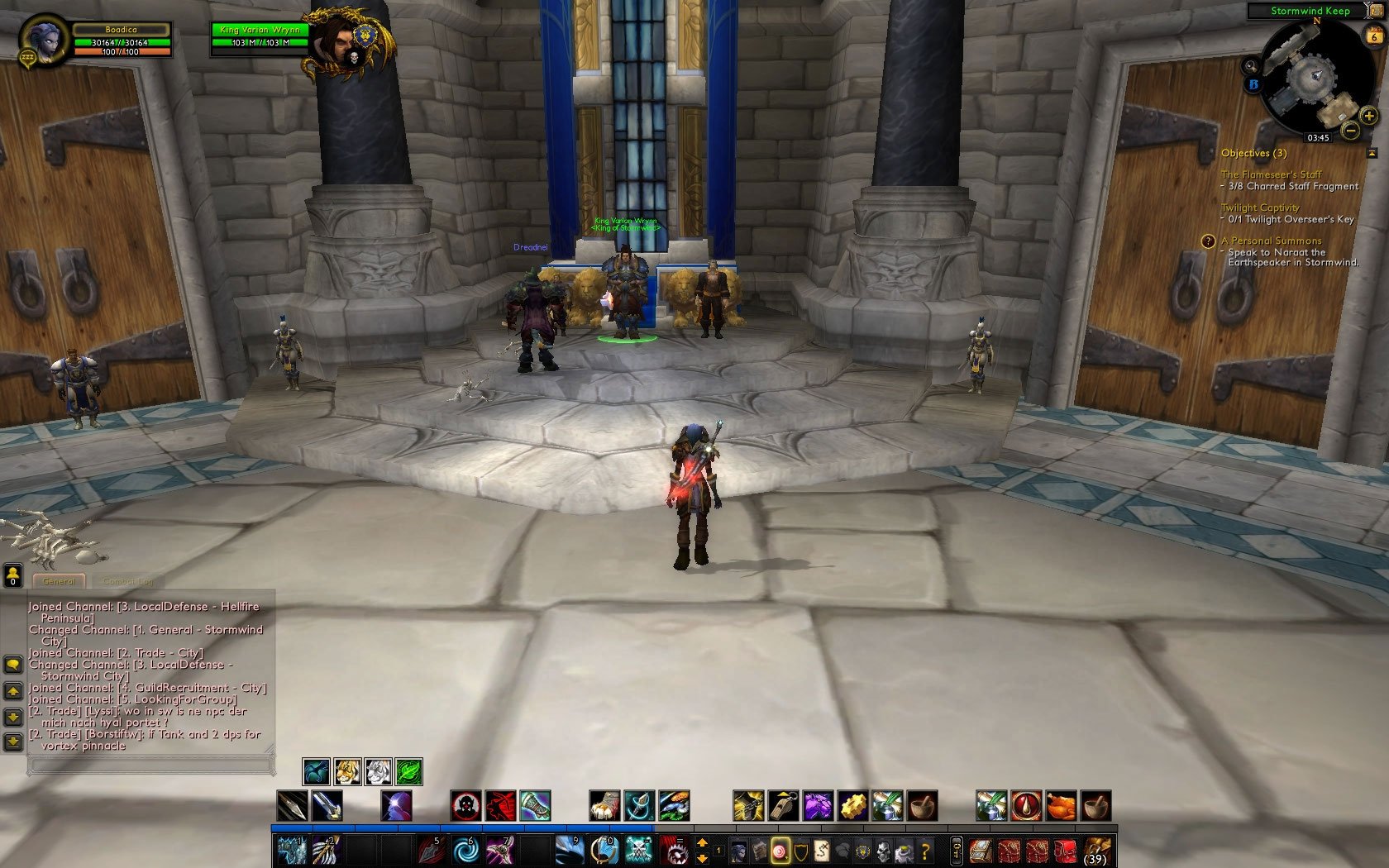
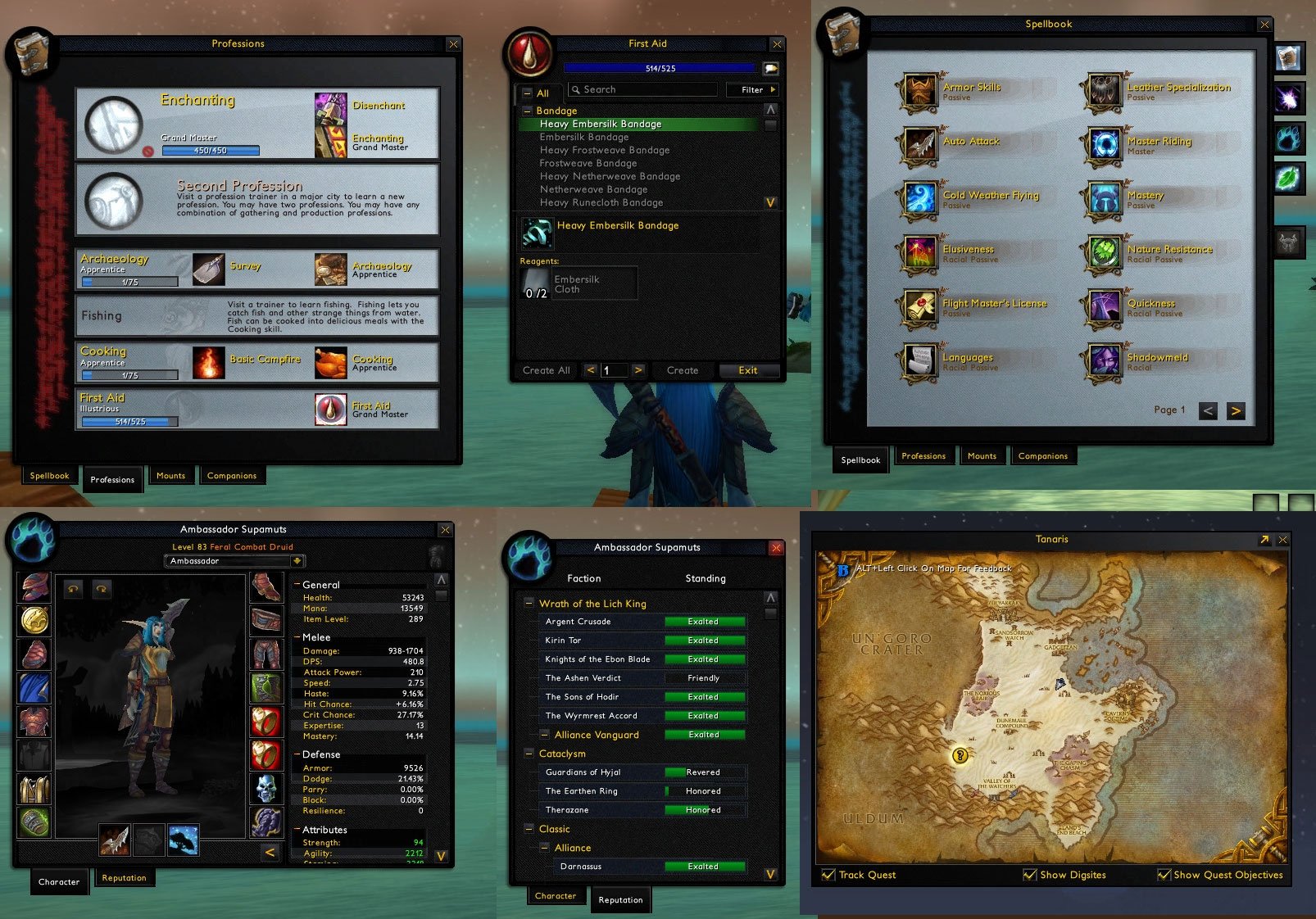
Charakter
Click to enlarge
Quest
Click to enlarge
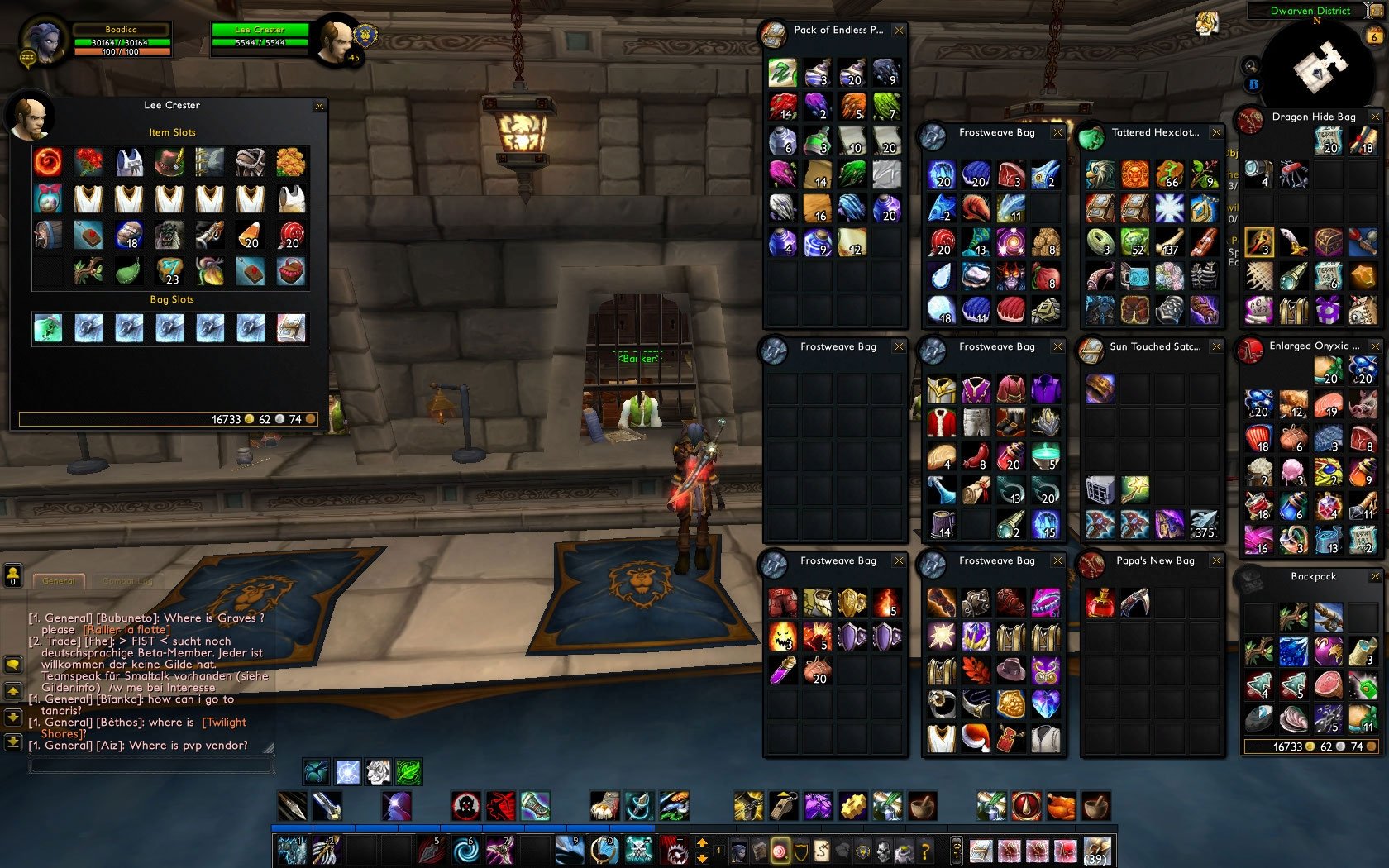
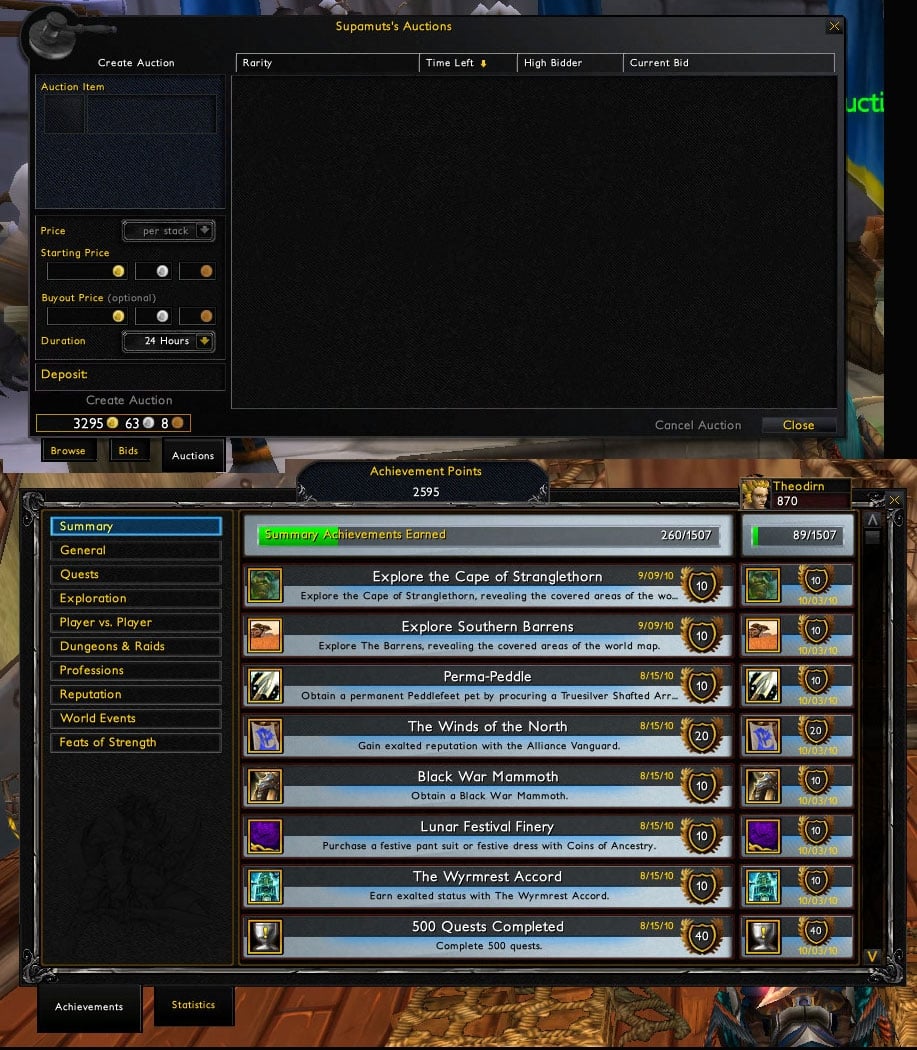
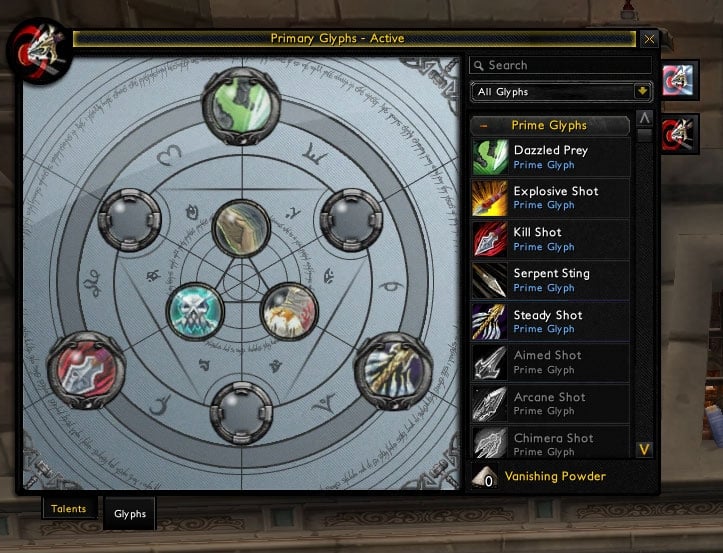
Complete AI Suite
Click to enlarge
Some more Window screens
AI-Art
I Made this a while back.
Some people asked me to share it, so I did send them this bit back then.

After my 6months break I decided to play again.
And found out that some parts where missing.
for some addons I have made matching images.

These I added.

If you have any sugestions let me know.
If you find anything missing, please let me know.
  Optional Files - AI-Art
File Name
Version
Size
Author
Date
Type
1.0
48kB
11-09-2009 02:37 AM
Addon
1.0
98kB
11-06-2009 03:26 AM
Addon
1.0
60kB
11-05-2009 07:13 AM
Addon
1.0
107kB
11-05-2009 07:07 AM
Addon
  Comments - AI-Art
Post A Reply Comment Options
Unread 11-22-2009, 10:58 AM  
Quokka
A Warpwood Thunder Caller
Interface Author - Click to view interfaces

Forum posts: 90
File comments: 84
Uploads: 9
Quote:
Originally posted by Unkn
Very awesome. Was testing the textures out compared to what I have set with skinner and these look so much better. Only thing missing is acheivement frame. That might just be me not grabbing the right file I don't know.

Just added to my favorites Thanks
Thanks for the favorites. The acheivement frame I did'nt skinn. because It's verry heavy. But again I'm still workign to update all frames and add all missing.

I think that this upcomming week I can release a beta with most images updated. and some new once.
Quokka is offline Report comment to moderator   Edit/Delete Message Reply With Quote
Old 11-21-2009, 04:25 PM  
Unkn
A Deviate Faerie Dragon

Forum posts: 10
File comments: 40
Uploads: 0
Very awesome. Was testing the textures out compared to what I have set with skinner and these look so much better. Only thing missing is acheivement frame. That might just be me not grabbing the right file I don't know.

Just added to my favorites Thanks
Unkn is offline Report comment to moderator   Edit/Delete Message Reply With Quote
Old 11-21-2009, 03:02 PM  
dennyjing
A Kobold Labourer

Forum posts: 0
File comments: 2
Uploads: 0
Quote:
Originally posted by Quokka
The dual-pane log should work by default.
But there is an mayor updated comming soon.

Where I cleared out some old images, and added a ton off new ones that came with patch 2.2
I see. Thank you for your reply.
Maybe I have the problem because I'm a CWoWer. We still have to play the 3.13 version. (3.13 in TBC NOT WLK!!!) T.T
It's terribly boring. And the default log only could be the single pane.
Anyway..I'm looking forward to your updating.

Last edited by dennyjing : 11-21-2009 at 03:06 PM.
dennyjing is offline Report comment to moderator   Edit/Delete Message Reply With Quote
Old 11-20-2009, 08:03 AM  
Quokka
A Warpwood Thunder Caller
Interface Author - Click to view interfaces

Forum posts: 90
File comments: 84
Uploads: 9
Quote:
Originally posted by dennyjing
It's an awesoon skin, thanks for ur work.
But I have a question about QUEST FRAME.
How to use these blps?
Code:
UI-QuestLogDualPane-Left.blp
UI-QuestLogDualPane-Right.blp
For now I just have the single pane, and with your style. If I turn on the other quest addons it become dual but only with the default style.
I see those dualpane blps used in your screenshots. What shall I do to make that happen? Is there any addons used?
Plz help me
The dual-pane log should work by default.
But there is an mayor updated comming soon.

Where I cleared out some old images, and added a ton off new ones that came with patch 3.2

Last edited by Quokka : 11-22-2009 at 10:57 AM.
Quokka is offline Report comment to moderator   Edit/Delete Message Reply With Quote
Old 11-20-2009, 05:45 AM  
dennyjing
A Kobold Labourer

Forum posts: 0
File comments: 2
Uploads: 0
It's an awesoon skin, thanks for ur work.
But I have a question about QUEST FRAME.
How to use these blps?
Code:
UI-QuestLogDualPane-Left.blp
UI-QuestLogDualPane-Right.blp
For now I just have the single pane, and with your style. If I turn on the other quest addons it become dual but only with the default style.
I see those dualpane blps used in your screenshots. What shall I do to make that happen? Is there any addons used?
Plz help me

Last edited by dennyjing : 11-20-2009 at 05:47 AM.
dennyjing is offline Report comment to moderator   Edit/Delete Message Reply With Quote
Old 11-19-2009, 02:09 PM  
Randlore
A Murloc Raider

Forum posts: 8
File comments: 3
Uploads: 0
v-nice

i love this keep up the good work plz
Randlore is offline Report comment to moderator   Edit/Delete Message Reply With Quote
Old 11-17-2009, 01:33 AM  
Quokka
A Warpwood Thunder Caller
Interface Author - Click to view interfaces

Forum posts: 90
File comments: 84
Uploads: 9
Re: Want to remove a skin.

Quote:
Originally posted by AxnJackson11
I currently use Bagnon to combine my bags into one frame. When i installed this skin, it causes each slot in Bagnon to be highlighted very brightly around the edges. Bagnon, does this so you can easily pick out uncommon or epic items in your bag as they'd be outlined in green or purple. which skin should i delete from the Interface folder so it does not skin my bags. i like the skins on everything else though. thx for your help.
I would recomend you to remove the following folder
Code:
D:\World of Warcraft\Interface\Buttons
Thats sould do the trick. But Make sure to check back here, since i'm reworking all the art files.

ps. Anyone what to have 2 kids, the are very sweet and tend to wake up in the middle of the frigging night.. damm I look like a zombie
Quokka is offline Report comment to moderator   Edit/Delete Message Reply With Quote
Old 11-17-2009, 01:15 AM  
AxnJackson11
A Defias Bandit

Forum posts: 2
File comments: 3
Uploads: 0
Want to remove a skin.

I currently use Bagnon to combine my bags into one frame. When i installed this skin, it causes each slot in Bagnon to be highlighted very brightly around the edges. Bagnon, does this so you can easily pick out uncommon or epic items in your bag as they'd be outlined in green or purple. which skin should i delete from the Interface folder so it does not skin my bags. i like the skins on everything else though. thx for your help.
AxnJackson11 is offline Report comment to moderator   Edit/Delete Message Reply With Quote
Old 11-16-2009, 01:23 PM  
Quokka
A Warpwood Thunder Caller
Interface Author - Click to view interfaces

Forum posts: 90
File comments: 84
Uploads: 9
Re: where do i install?

Quote:
Originally posted by AxnJackson11
i'm a little confused on where to install. no matter where i put it, it just won't change anything in game. can someone post a general place to put it like c/programfiles/worldofwarcraft/???.

Edit: OK nvm, i figured it out
something like

Code:
D:\World of Warcraft\Interface
so haveing them installed would look like

Code:
D:\World of Warcraft\Interface\Addons
D:\World of Warcraft\Interface\AUCTIONFRAME
D:\World of Warcraft\Interface\Buttons
D:\World of Warcraft\Interface\ClassTrainerFrame
D:\World of Warcraft\Interface\COMMON
D:\World of Warcraft\Interface\DialogFrame
of course the are more folders than I posted, hope this helps
Quokka is offline Report comment to moderator   Edit/Delete Message Reply With Quote
Old 11-16-2009, 03:46 AM  
AxnJackson11
A Defias Bandit

Forum posts: 2
File comments: 3
Uploads: 0
where do i install?

i'm a little confused on where to install. no matter where i put it, it just won't change anything in game. can someone post a general place to put it like c/programfiles/worldofwarcraft/???.

Edit: OK nvm, i figured it out

Last edited by AxnJackson11 : 11-16-2009 at 12:51 PM.
AxnJackson11 is offline Report comment to moderator   Edit/Delete Message Reply With Quote
Old 11-15-2009, 05:46 AM  
Quokka
A Warpwood Thunder Caller
Interface Author - Click to view interfaces

Forum posts: 90
File comments: 84
Uploads: 9
As I wrote a little lower, All art work will be redone.
Including everything new that was release after January 2009 (that is when I stoped playing).

So all that has been changed & Added will get an overhaul.

Important
If you are good with creating Icons, and would like to help me.
Icons are not my strong point.

Please send me am PM, I'd like to redo most icons from the frames.

Thanks
Quokka is offline Report comment to moderator   Edit/Delete Message Reply With Quote
Old 11-14-2009, 01:48 PM  
Scae
A Deviate Faerie Dragon

Forum posts: 11
File comments: 75
Uploads: 0
Have you skinned the ready check frame? It doesn't seem like it. Are you able to? Thanks !

Edit: Also, I find the drop down boxes (found in the char frame and LFG tool) fairly unattractive and they tend to stand out from your UI. Can they be skinned too? Is it possible to give them the nice slim border the standard frames get?

Last edited by Scae : 11-14-2009 at 06:00 PM.
Scae is offline Report comment to moderator   Edit/Delete Message Reply With Quote
Old 11-14-2009, 08:47 AM  
ElphieRAWR
A Deviate Faerie Dragon
 
ElphieRAWR's Avatar
Interface Author - Click to view interfaces

Forum posts: 10
File comments: 14
Uploads: 4
I really love these panels. /praise
They go amazing with my custom icons for my spells.

One thing I noticed [not quite sure if it matters] I think you still have the glyph tab as a part of the spellbook? Is this because wow does it, or wrong?
>.>; It confused me...

Edit: It also seems that Cursors and the login screen are protected, now. You may want to leave them out.
__________________
-- Elphie --
[Matanya of Arthas]

Last edited by ElphieRAWR : 11-14-2009 at 09:05 AM.
ElphieRAWR is offline Report comment to moderator   Edit/Delete Message Reply With Quote
Old 11-13-2009, 01:04 PM  
Quokka
A Warpwood Thunder Caller
Interface Author - Click to view interfaces

Forum posts: 90
File comments: 84
Uploads: 9
After reading the posts in here and in the forum.

I decided to go with the new style. I'll redo all art workt.
And keep you updated
Quokka is offline Report comment to moderator   Edit/Delete Message Reply With Quote
Old 11-13-2009, 11:34 AM  
Eochaid
A Kobold Labourer

Forum posts: 1
File comments: 2
Uploads: 0
I must say, I prefer the new auction window design ^^
Eochaid is offline Report comment to moderator   Edit/Delete Message Reply With Quote
Post A Reply


Category Jump:


The Network:
EQInterface | EQ2Interface | LoTROInterface | MMOInterface | War.MMOUI | WoWInterface | VGInterface | Allakhazam | Thottbot | Wowhead | Zam


©2009 MMOUI / ZAM Network
vBulletin - Copyright ©2000 - 2009, Jelsoft Enterprises Ltd.




