Category: Beta-version AddOns
Addon Information
Works with 3.2
Download Latest Version.
To add favorites please register for a free account. If you already have one you need to login. How do I install this? (FAQ)
Author:
Version:
0.9B5
Date:
11-03-2009 05:34 PM
Size:
344.33 Kb
Downloads:
6,348
Favorites:
84
MD5:
Pictures
Click to enlarge
Click to enlarge
Click to enlarge
Options
Click to enlarge
Purchase confirmation
BuyDropper   Updated this week!   Popular! (More than 5000 hits)
Hi! I talked with Cogwheel, and got the development of the Buydropper project transferred over. I plan to start working on updating it over the next few weeks so, if anyone has any features requests/bug reports, please contact me via PM or comments on this addon. I'll update this page with the plans and roadmap I have for Buydropper shortly, when I 've had the time to play around with it a bit.

- Ellira

BuyDropper

By Cogwheel — v0.9B5
Inspired by FreeRefills by Kyahx

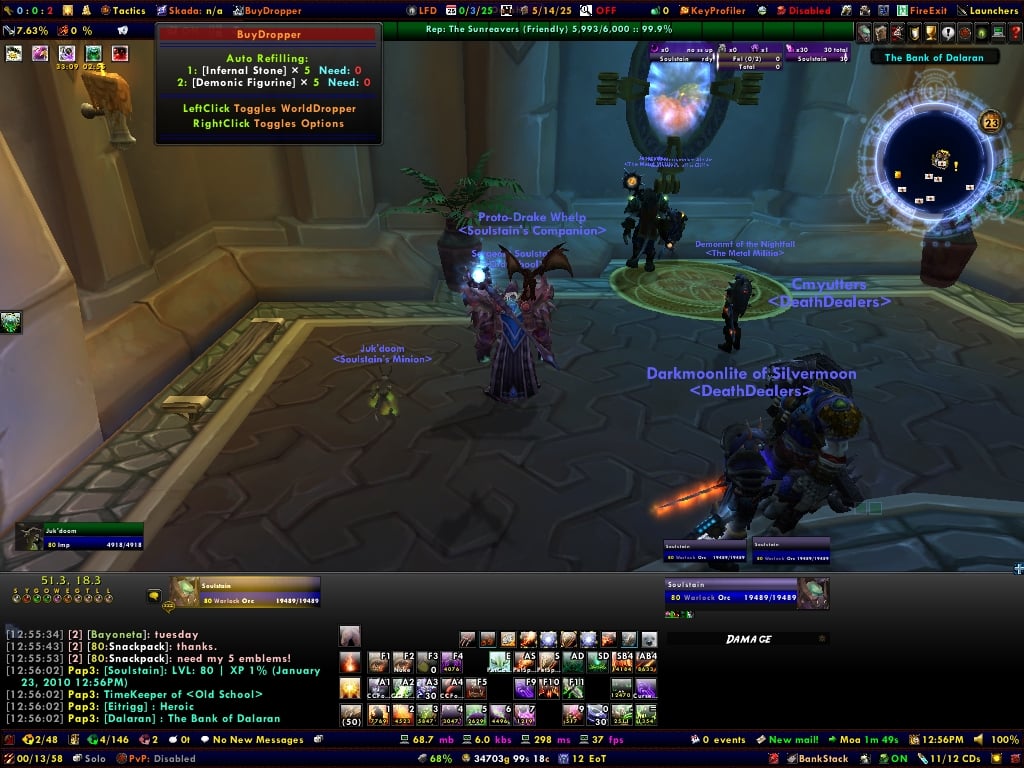
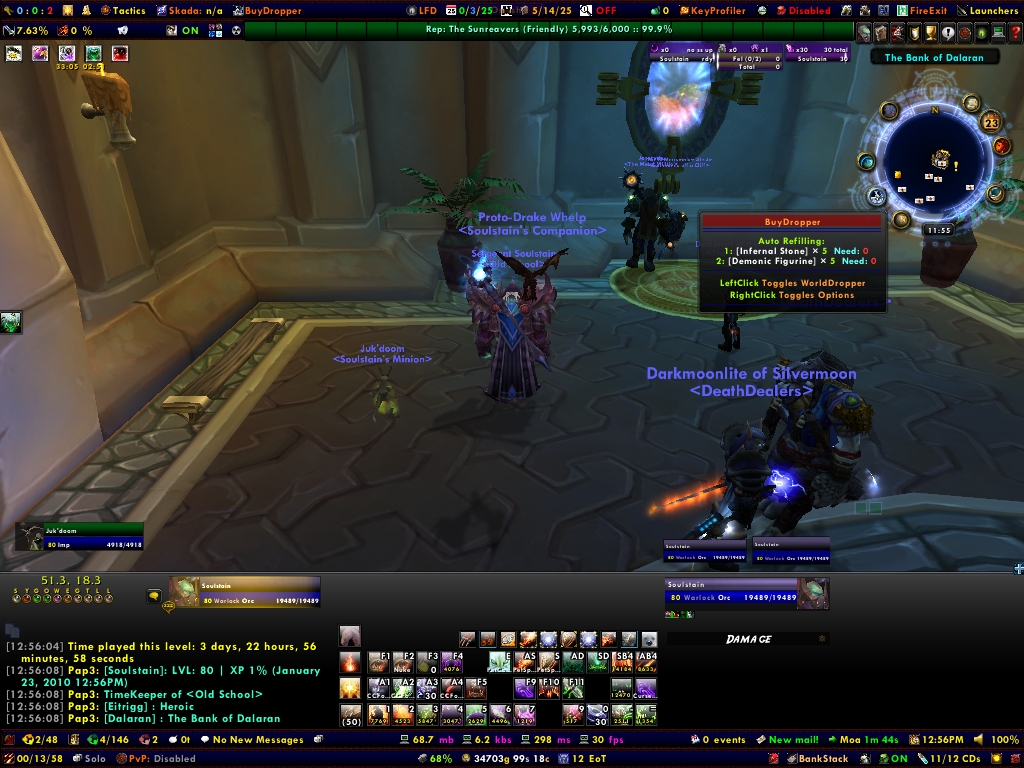
BuyDropper keeps a list of items to purchase automatically from vendors.

Please visit Cogwheel’s Workshop for updates, bug reports, feature requests, etc.

THE SOFTWARE IS PROVIDED “AS IS”, WITHOUT WARRANTY OF ANY KIND, EXPRESS OR IMPLIED, INCLUDING BUT NOT LIMITED TO THE WARRANTIES OF MERCHANTABILITY, FITNESS FOR A PARTICULAR PURPOSE AND NONINFRINGEMENT. IN NO EVENT SHALL THE AUTHORS OR COPYRIGHT HOLDERS BE LIABLE FOR ANY CLAIM, DAMAGES OR OTHER LIABILITY, WHETHER IN AN ACTION OF CONTRACT, TORT OR OTHERWISE, ARISING FROM, OUT OF OR IN CONNECTION WITH THE SOFTWARE OR THE USE OR OTHER DEALINGS IN THE SOFTWARE.

Guide

Managing your list

Adding items

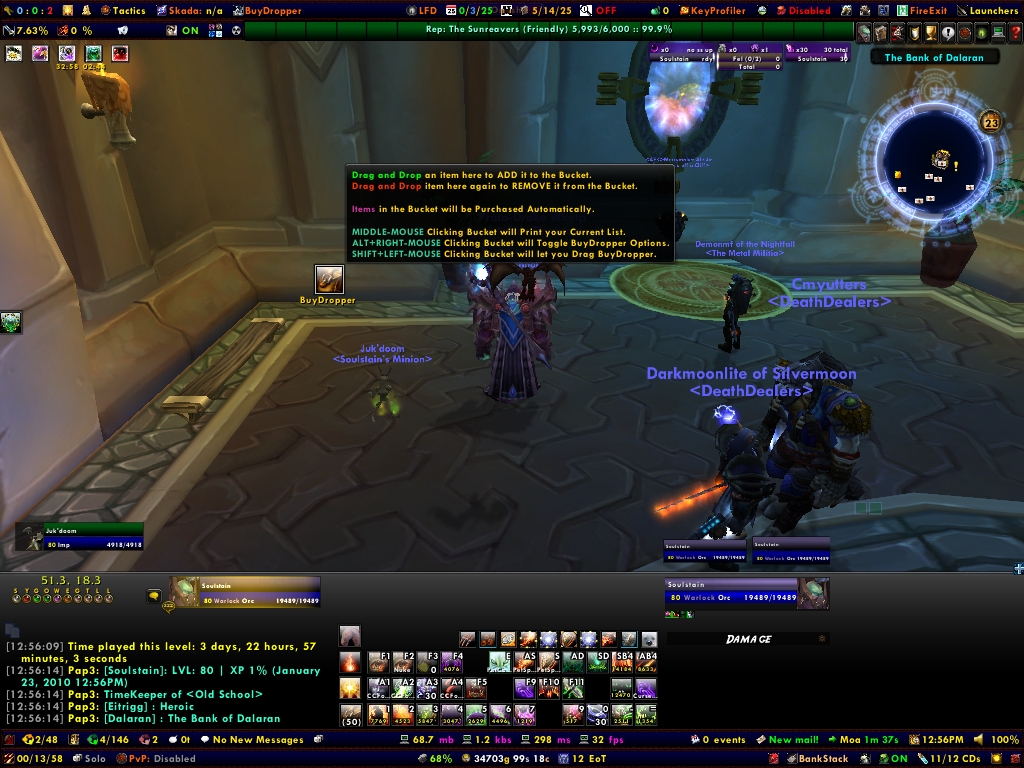
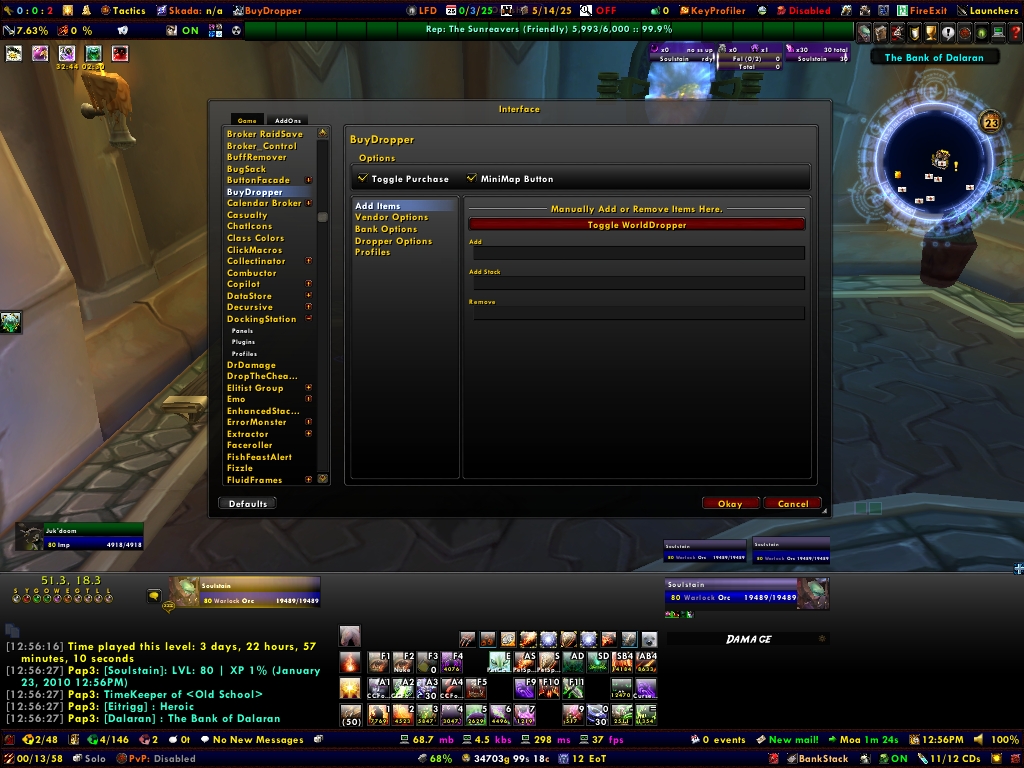
The first thing you’ll want to do is add an item to BuyDropper’s tracking list. This can be done in two easy ways. By default, every vendor window has a dropper in the upper right and there is also a dropper on BuyDropper’s options window. Simply drag and drop an item onto one of these droppers and a window will appear where you can enter the amount you want to track. When you click Accept or press Enter, BuyDropper will print a message showing the item and quantity added to the list.

The other way to add items is the /buydropper add command. This duality of GUI/slash commands is seen throughout BuyDropper’s operations. For the rest of the guide, I will focus on the GUI aspects. You can use the Reference below to discover how to use the various commands.

[TODO: Rest of the documentation. For now, take a look at /buydropper options and the Reference below]

Reference

These are all the slash commands available from BuyDropper. Typing /buydropper (or /bd) will show this list of commands. Sub-commands are displayed when you enter the main command with no options. E.g. /buydropper vendor will display all the sub-commands of vendor.

options

Usage: /buydropper options

Opens the BuyDropper options window. The options window provides support for most of the operations of the following slash commands. Any that are unique to the slash commands will be so noted.

add

Usage: /buydropper add <item link> <amount>

Adds an item to the bottom of your tracking list or changes the amount of an item you are already tracking.

To use this command, type /buydropper add with a space after it. Now shift-click any item at a vendor, in your backpack, on your character, etc. Add another space, and type in the amount of the item you want to track.

list - slash command only (for now)

Usage: /buydropper list

Lists the items you are currently tracking in order of descending priority.

change - slash command only (for now)

Usage: /buydropper change <priority> <amount>

Changes the tracking amount for the given item. priority is obtained from the list command. amount must be 1 or more.

priority - slash command only (for now)

Usage: /buydropper priority <current priority> <new priority>

Changes the priority of an item in your tracking list. current priority is obtained from the list command. new priority must be a number from 1 to the number of items you are tracking. The item’s entry is removed from its current location and inserted at the new priority, shifting the item currently at that priority down the list.

remove - slash command only (for now)

Usage: /buydropper remove <priority>

Removes the item at the specified priority from your tracking list.

clear

Usage: /buydropper clear

Clears all items from your list. A confirmation will appear to make sure you mean it.

vendor

Usage: /buydropper vendor <sub-command>

Sub-commands:

toggle

Usage: /buydropper vendor toggle
Default: enabled

Toggles whether vendors should be scanned for items you are tracking.

confirm

Usage: /buydropper vendor confirm
Default: enabled

Toggles whether to confirm purchases from vendors.

budget - slash command only (for now)

Usage: /buydropper vendor budget <number>
Default: 50

Sets your budget for automatic purchases from vendors. number must be from 1 to 100 and represents the percentage of your total money BuyDropper is allowed to use when purchasing a given item at a vendor. This is only applicable if the confirmation is turned off.

fallthrough - slash command only (for now)

Usage: /buydropper vendor fallthrough
Default: disabled

Toggles whether to continue purchasing lower-priority items when higher-priority items cannot be purchased for lack of space or money.

bank

Usage: /buydropper bank
Default: enabled

Toggles whether to withdraw items from the bank. Note: bank withdrawals are not yet implemented.

overstock

Usage: /buydropper overstock
Default: disabled

Toggles whether to overstock items that come in preset stacks like food or water. For example, say you are tracking Ice Cold Milk × 20 and you have 17 in your inventory and you open a vendor who sells Ice Cold Milk. With overstock enabled, you will buy a bundle of 5 to bring your total to 22.

dropper

Usage: /buydropper dropper <sub-command>

Sub-commands:

toggle

Usage: /buydropper dropper toggle
Default: enabled

Toggles whether to show the dropper in vendor windows.

position

Usage: /buydropper dropper position <number>
Default: 100

Sets the position of the dropper in vendor windows. number must be from 1 to 100 and represents the percentage from 0 in the far left to 100 in the far right.

label

Usage: /buydropper dropper label
Default: enabled

Toggles whether to show the label next to the dropper in vendor windows.

profile - slash command only

Usage: /buydropper profile <sub-command>

Sub-commands:

choose

Usage: /buydropper profile choose <name or shortcut>
Default: Character: <name> of <realm>

Chooses a pre-existing profile to use for BuyDropper’s settings. This is stored per-character so every character can use a particular profile. Using this command without providing a profile parameter will display a list of possible profiles to use. If you want to create a new profile, use the other sub-command.

You can provide either the full name of the profile, e.g. Character: Cogwheel of Shadowsong or a shortcut. Possible shortcuts are char, realm, or class.

other

Usage: /buydropper profile other <name or shortcut>
Default: char

Similar to the choose sub-command, but creates a profile if the name you specify does not exist.

copy

Usage: /buydropper profile copy <name or shortcut>

Copies the data from another profile into your currently active profile. Running this command without providing a profile will display a list of profiles from which you can choose.

standby - slash command only (for now)

Usage: /buydropper standby
Default: enabled

Turns BuyDropper on and off. When disabled, it will not do anything when you open a vendor or visit the bank.

about - slash command only

Usage: /buydropper about

Displays some basic information about BuyDropper.

Bugs/Improvements
  • The GUI is not complete:
    • It does not support the Budget or Fallthrough vendor options.
    • The tracking list is not functional (hence none of the tracking list controls are either).
  • BuyDropper does not yet withdraw items from the bank
Please visit Cogwheel’s Workshop if you have any suggestions or bug reports, and to see what is in store for the future.

Changes

v0.9B5
  • Fixed purchasing bug in v0.9B5 (thanks to sag_ich_nicht)
  • Updated for 3.2
v0.9B4
  • When you add an item to the tracking list while at a vendor, it will be immediately purchased (or confirmed to be purchased).
  • You can now remove the last item in the tracking list.
  • Limited quantity items are now handled appropriately.
v0.9B3
  • Updated for 3.0.2
v0.9B2
  • Fixed a bug where an error would occur when buying items if you do not have BuyEmAll installed
v0.9B1
  • Purchasing is now enabled.
  • Enabling BuyDropper while at a vendor will now scan the vendor.
  • Uses the new GetCursorInfo API instead of hooking all the Pickup_____Item functions (PickupMerchantItem is still hooked because GetCursorInfo doesn returns nil for merchant items).
  • Fixed the bug where if an error occurs while buying an item it will no longer attempt to buy that item when you open the vendor again.
  • Added /buydropper change command.
  • Budget will now only affect purchases if the confirmation is turned off.
  • Implemented the Clear List button in the options window.
  • /buydropper clear no longer requires the “yes” parameter. Instead it shows a confirmation dialog like the Clear List button in the options window.
  • Fixed a validation bug for the /buydropper priority command.
v0.9A4
  • Added purchasing code. You must uncomment the section starting on line 275 of BuyDropperEngine.lua in order to enable this functionality.
  • No longer rescans a vendor from which you’ve already purchased an item until your next visit.
  • Added this readme
v0.9A3
  • Updated for 2.0.3.
v0.9A2
  • Fixed bug with CogsBagSpace.
v0.9A1
  • No longer requires FreeRefills.
  • Added all slash commands and the GUI options window.
v0.3
  • Added commands to customize the vendor dropper.
  • Updated Ace2 libraries.
v0.2
  • Entering 0 for the amount now removes the item from the list.
  • Added tracking buttons.
v0.1
  • Initial Release.
  Change Log - BuyDropper
v0.9B5

* Fixed purchasing bug in v0.9B5 (thanks to sag_ich_nicht)
* Updated for 3.2

v0.9B4

* When you add an item to the tracking list while at a vendor, it will be immediately purchased (or confirmed to be purchased).
* You can now remove the last item in the tracking list.
* Limited quantity items are now handled appropriately.

v0.9B3

* Updated for 3.0.2

v0.9B2

* Fixed a bug where an error would occur when buying items if you do not have BuyEmAll installed

v0.9B1

* Purchasing is now enabled.
* Enabling BuyDropper while at a vendor will now scan the vendor.
* Uses the new GetCursorInfo API instead of hooking all the Pickup_____Item functions (PickupMerchantItem is still hooked because GetCursorInfo doesn returns nil for merchant items).
* Fixed the bug where if an error occurs while buying an item it will no longer attempt to buy that item when you open the vendor again.
* Added /buydropper change command.
* Budget will now only affect purchases if the confirmation is turned off.
* Implemented the Clear List button in the options window.
* /buydropper clear no longer requires the “yes” parameter. Instead it shows a confirmation dialog like the Clear List button in the options window.
* Fixed a validation bug for the /buydropper priority command.

v0.9A4

* Added purchasing code. You must uncomment the section starting on line 275 of BuyDropperEngine.lua in order to enable this functionality.
* No longer rescans a vendor from which you’ve already purchased an item until your next visit.
* Added this readme

v0.9A3

* Updated for 2.0.3.

v0.9A2

* Fixed bug with CogsBagSpace.

v0.9A1

* No longer requires FreeRefills.
* Added all slash commands and the GUI options window.

v0.3

* Added commands to customize the vendor dropper.
* Updated Ace2 libraries.

v0.2

* Entering 0 for the amount now removes the item from the list.
* Added tracking buttons.

v0.1

* Initial Release.
  Archived Versions - BuyDropper
File Name
Version
Size
Author
Date
0.9B4
344kB
ellira
01-23-2009 04:43 PM
0.9B3
340kB
Cogwheel
01-23-2009 04:41 PM
  Comments - BuyDropper
Post A Reply Comment Options
Old 11-05-2009, 06:12 PM  
blankStare
A Kobold Labourer

Forum posts: 1
File comments: 48
Uploads: 0
thx

hey, thank you very much. This remains a favorite of mine.
blankStare is offline Report comment to moderator   Edit/Delete Message Reply With Quote
Old 11-03-2009, 12:32 PM  
ellira
A Kobold Labourer
Interface Author - Click to view interfaces

Forum posts: 0
File comments: 1
Uploads: 0
Resurrecting Buydropper

Hi! I talked with Cogwheel, and got the development of the Buydropper project transferred over. I plan to start working on updating it over the next few weeks so, if anyone has any features requests/bug reports, please contact me via PM orhere. I'll update this page with the plans and roadmap I have for Buydropper shortly, when I 've had the time to play around with it a bit.

- Ellira
ellira is offline Report comment to moderator   Edit/Delete Message Reply With Quote
Old 06-23-2009, 01:28 PM  
Zidomo
An Aku'mai Servant
 
Zidomo's Avatar

Forum posts: 37
File comments: 587
Uploads: 0
Quote:
Originally posted by sag_ich_nicht
I provided that code snippet, not Zidomo, but whatever...
Yes, I just reposted the text as a quote with sag_ich_nicht attributed at the top. But whatever...
Zidomo is offline Report comment to moderator   Edit/Delete Message Reply With Quote
Old 05-29-2009, 08:41 AM  
sag_ich_nicht
A Murloc Raider
Interface Author - Click to view interfaces

Forum posts: 5
File comments: 21
Uploads: 3
Quote:
Originally posted by mfrnka
Thanks for code snippet, Zidomo. Worked great!!
I provided that code snippet, not Zidomo, but whatever...
sag_ich_nicht is offline Report comment to moderator   Edit/Delete Message Reply With Quote
Old 03-18-2009, 06:51 PM  
mfrnka
Premium Member
Premium Member

Forum posts: 26
File comments: 11
Uploads: 0
Thanks for code snippet, Zidomo. Worked great!!

Quote:
Originally posted by Zidomo
Applied this patch to the currently available v0.9B4. As others have mentioned, it fixes the mod so it works properly without errors...yay.

But a shame WowInterface decided to delete the archived versions of many mods (including this one). The earlier v0.9b3 that used to be available to download also worked without issues.

So I can't direct guild members here anymore to download/use the mod .
I have to suggest a different restocking mod to them instead (StealYourCarbon is my second preference behind BuyDropper). Which is a shame; BuyDropper offers features not available in any other restocking mod and it doesn't suck up CPU/memory resources unlike a lot of them.

So hope Cogwheel returns and updates BuyDropper soon .

Last edited by mfrnka : 03-18-2009 at 06:51 PM.
mfrnka is offline Report comment to moderator   Edit/Delete Message Reply With Quote
Old 01-23-2009, 06:19 PM  
blankStare
A Kobold Labourer

Forum posts: 1
File comments: 48
Uploads: 0
0.9b4

even though it's labeled the same version as the last, the libs were updated. I would recommend updating just the libs directory and doing the fix below if you haven't done the fix.
blankStare is offline Report comment to moderator   Edit/Delete Message Reply With Quote
Old 01-23-2009, 04:45 PM  
Cogwheel
Sans Poisson
 
Cogwheel's Avatar
Premium Member
Interface Author - Click to view interfaces

Forum posts: 212
File comments: 131
Uploads: 22
Thanks for all the posts. I've restored the archive of B3 if anyone wants it. I'll look into the other issues but I can't make any promises as to when I'll be able to update.
Cogwheel is offline Report comment to moderator   Edit/Delete Message Reply With Quote
Old 01-23-2009, 01:16 PM  
Zidomo
An Aku'mai Servant
 
Zidomo's Avatar

Forum posts: 37
File comments: 587
Uploads: 0
Quote:
Originally posted by sag_ich_nicht
I have narrowed down this problem to the function starting on line 189 in BuyDropperEngine.lua:

Code:
<local toBuy = item.amount - CogsBagSpace:GetBagItemCount(item.id)
>local toBuy = min(item.amount - CogsBagSpace:GetBagItemCount(item.id), item.available)
I don't think that does what you think it does cogwheel.

Here is what does what you want:
Code:
function BuyDropper:NumToBuy(item)
    if item.available ~= -1 then
       --Item count is not -1, which means it's limited quantity. Determine available quantity and how much we want to buy.
       local toBuy = min(item.amount - CogsBagSpace:GetBagItemCount(item.id), item.available)
       if item.preset > 1 then
          toBuy = (self.db.profile.overstock and ceil or floor)(toBuy/item.preset)
       end
    return toBuy
    else
       --Item count is -1, which means infinite quantity. Get amount we want and get out of here.
       local toBuy = item.amount - CogsBagSpace:GetBagItemCount(item.id)
       if item.preset > 1 then
          toBuy = (self.db.profile.overstock and ceil or floor)(toBuy/item.preset)
       end

    return toBuy
    end
end
For anyone wanting to use the latest buydropper version, simply replace the function starting on line 189 with the one I just posted, and it should work.

Pastey of the BuyDropperEngine.lua.patch file:
http://pastey.net/105351
Applied this patch to the currently available v0.9B4. As others have mentioned, it fixes the mod so it works properly without errors...yay.

But a shame WowInterface decided to delete the archived versions of many mods (including this one). The earlier v0.9b3 that used to be available to download also worked without issues.

So I can't direct guild members here anymore to download/use the mod .
I have to suggest a different restocking mod to them instead (StealYourCarbon is my second preference behind BuyDropper). Which is a shame; BuyDropper offers features not available in any other restocking mod and it doesn't suck up CPU/memory resources unlike a lot of them.

So hope Cogwheel returns and updates BuyDropper soon .
Zidomo is offline Report comment to moderator   Edit/Delete Message Reply With Quote
Old 01-11-2009, 11:44 PM  
BlackKnight6667
A Fallenroot Satyr
 
BlackKnight6667's Avatar

Forum posts: 20
File comments: 14
Uploads: 0
Re: fix

Quote:
Originally posted by blankStare
hey, thanks for the fix. I'll try it when the queue goes down.
I applied the fix, BuyDropper works again. Thanks god... I hated trying to remember to pick up all my stuff. I was always forgetting that it wasn't working...
__________________
Borkr, Maintankadin
Defenders of Valhalla

BlackKnight6667 is offline Report comment to moderator   Edit/Delete Message Reply With Quote
Old 01-01-2009, 10:28 PM  
blankStare
A Kobold Labourer

Forum posts: 1
File comments: 48
Uploads: 0
fix

hey, thanks for the fix. I'll try it when the queue goes down.
blankStare is offline Report comment to moderator   Edit/Delete Message Reply With Quote
Old 12-31-2008, 10:09 PM  
sag_ich_nicht
A Murloc Raider
Interface Author - Click to view interfaces

Forum posts: 5
File comments: 21
Uploads: 3
I have narrowed down this problem to the function starting on line 189 in BuyDropperEngine.lua:

Code:
<local toBuy = item.amount - CogsBagSpace:GetBagItemCount(item.id)
>local toBuy = min(item.amount - CogsBagSpace:GetBagItemCount(item.id), item.available)
I don't think that does what you think it does cogwheel.

Here is what does what you want:
Code:
function BuyDropper:NumToBuy(item)
    if item.available ~= -1 then
	   --Item count is not -1, which means it's limited quantity. Determine available quantity and how much we want to buy.
	   local toBuy = min(item.amount - CogsBagSpace:GetBagItemCount(item.id), item.available)
	   if item.preset > 1 then
		  toBuy = (self.db.profile.overstock and ceil or floor)(toBuy/item.preset)
	   end
	return toBuy
	else
	   --Item count is -1, which means infinite quantity. Get amount we want and get out of here.
	   local toBuy = item.amount - CogsBagSpace:GetBagItemCount(item.id)
	   if item.preset > 1 then
		  toBuy = (self.db.profile.overstock and ceil or floor)(toBuy/item.preset)
	   end

	return toBuy
	end
end
For anyone wanting to use the latest buydropper version, simply replace the function starting on line 189 with the one I just posted, and it should work.

Pastey of the BuyDropperEngine.lua.patch file:
http://pastey.net/105351

Last edited by sag_ich_nicht : 01-01-2009 at 12:13 AM.
sag_ich_nicht is offline Report comment to moderator   Edit/Delete Message Reply With Quote
Old 11-29-2008, 12:04 PM  
Zidomo
An Aku'mai Servant
 
Zidomo's Avatar

Forum posts: 37
File comments: 587
Uploads: 0
Just a confirmation that v0.9b3 (from the Archived page) works without issues in WoW 3.0.3/WotLK, while the main b4 download does not.

I look forward to the b4 fix Cogwheel .
Zidomo is offline Report comment to moderator   Edit/Delete Message Reply With Quote
Old 11-16-2008, 01:08 PM  
Cogwheel
Sans Poisson
 
Cogwheel's Avatar
Premium Member
Interface Author - Click to view interfaces

Forum posts: 212
File comments: 131
Uploads: 22
Quote:
Originally posted by Thortok2000
B3 works, B4 doesn't. =/
For everyone experiencing problems, please go a head and use B3 until i'm able to solve the problem. I don't have any ETA right now because I can't really spend much time working on my addons until next week. Sorry for the trouble.
Cogwheel is offline Report comment to moderator   Edit/Delete Message Reply With Quote
Old 11-16-2008, 12:08 PM  
Zidomo
An Aku'mai Servant
 
Zidomo's Avatar

Forum posts: 37
File comments: 587
Uploads: 0
Yes, same here, it doesn't buy anything at vendors once you have something set to buy.

v0.9B4, WoW 3.0.3 live, USEng client/server. Add something to its list (i.e. 40 Sacred Candles). Go to a reagent vendor and open his window. Nothing happens.

Took a look at today's log notes for the updated FreeRefills (r79), which could be a reason BuyDropper is currently dead:
Solves problems with itemlink format changes as of 3.0 - as soon as you ding, your new links no longer match the old ones, leading to "del" operations failing, and "add" operations adding multiple entries of the same item rather than changing old ones.

I have leveled, but after the problem first appeared, I deleted BuyDropper's old saved variables and started over. Same issue, it doesn't buy anything.

Hope to see this back working soon.
Zidomo is offline Report comment to moderator   Edit/Delete Message Reply With Quote
Old 11-09-2008, 07:59 PM  
Thortok2000
A Kobold Labourer
 
Thortok2000's Avatar
Interface Author - Click to view interfaces

Forum posts: 0
File comments: 242
Uploads: 1
B3 works, B4 doesn't. =/
__________________
“I don’t know half of you as well as I should like; and I like less than half of you half as well as you deserve.” — Bilbo Baggins, from his speech on his eleventy-first birthday.
Thortok2000 is offline Report comment to moderator   Edit/Delete Message Reply With Quote
Post A Reply


Category Jump:

Support AddOn Development!

You have just downloaded by the author . If you like this AddOn why not consider supporting the author? This author has set up a donation account. Donations ensure that authors can continue to develop useful tools for everyone.


The Network:
EQInterface | EQ2Interface | LoTROInterface | MMOInterface | War.MMOUI | WoWInterface | VGInterface | Allakhazam | Thottbot | Wowhead | Zam


©2009 MMOUI / ZAM Network
vBulletin - Copyright ©2000 - 2009, Jelsoft Enterprises Ltd.



