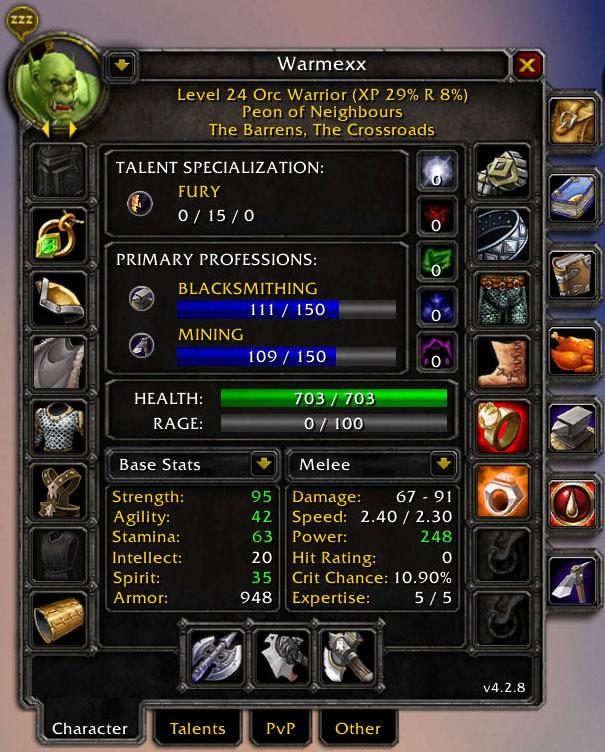
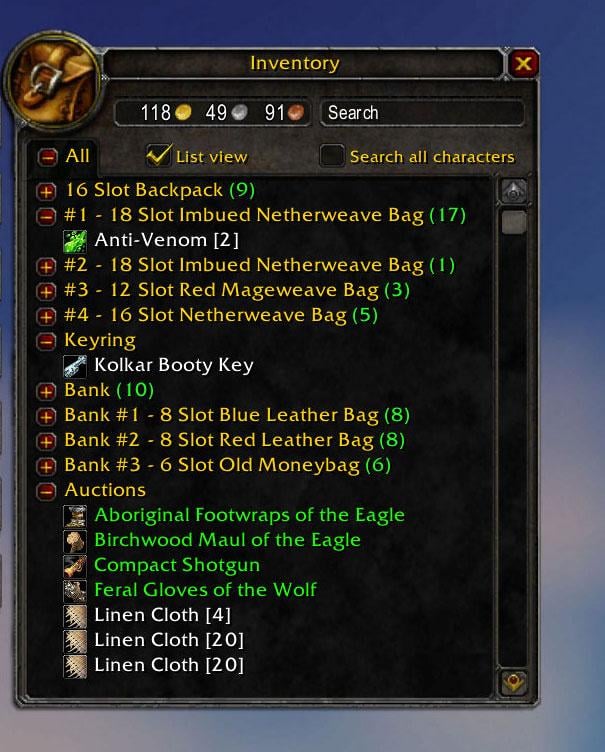
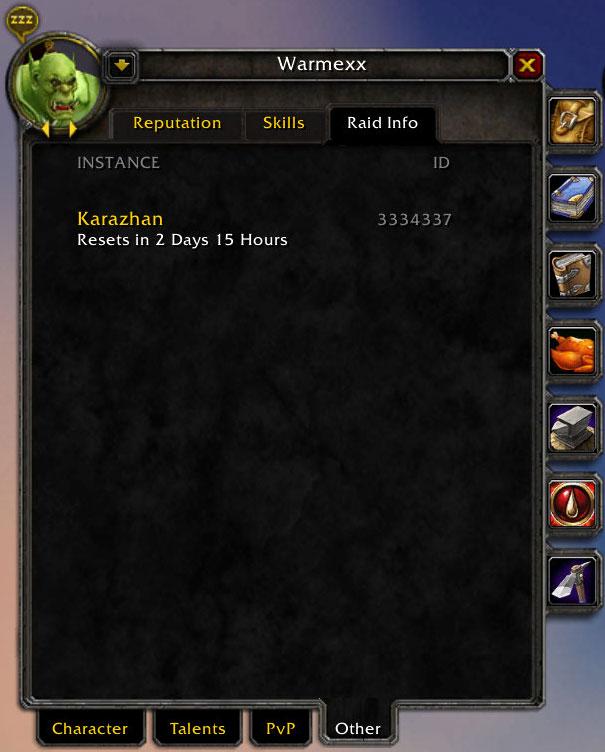
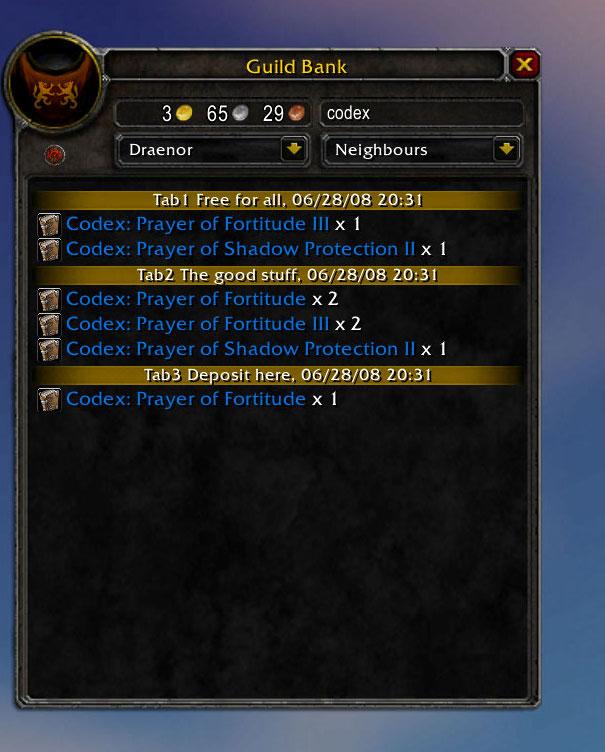
There are four different ways in which you can start Armory.
/armory
/ar
Bind a key in the key bindings section e.g. shift-a
Use Titan or FuBar integration
Data Collection
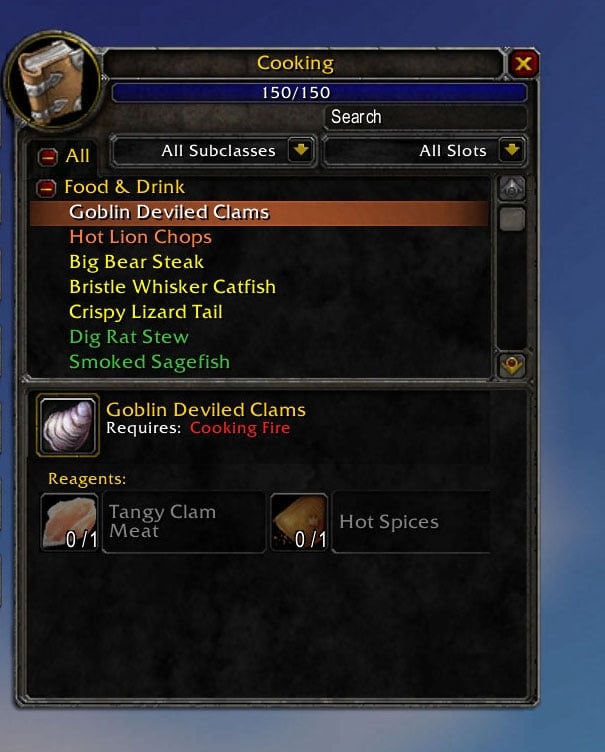
Once Armory is enabled as a WoW add-on it will scan and keep track of your playing character's data. But some information can only be reached when you actually open a game window. Before you do so Armory will not be aware of any information contained in it. Game windows concerned are the bank, mailbox, and your skill windows (i.e. professions). Once opened Armory will contain their data.
Navigation
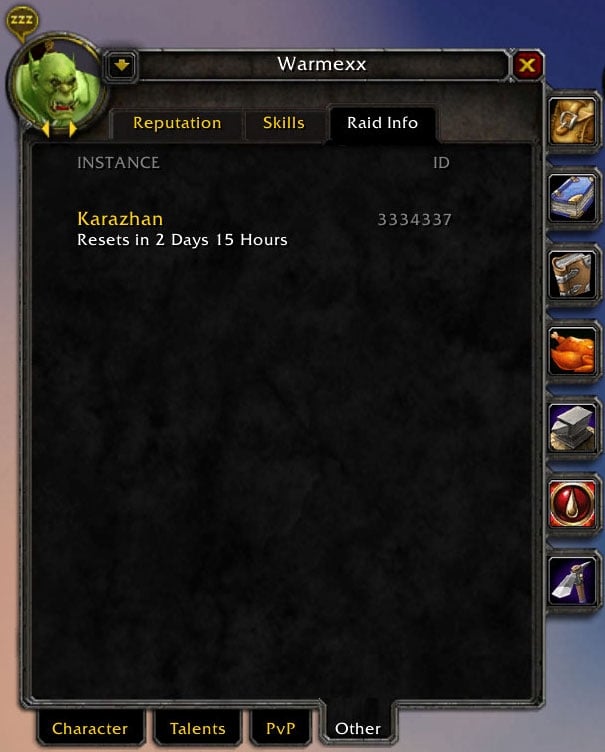
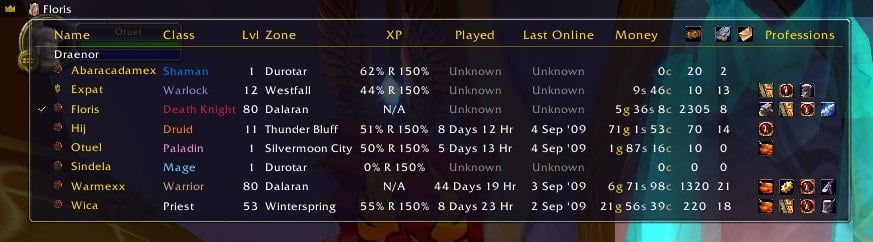
Just below the portrait there are two small arrows that enable you to browse forward and backward through your characters. In the key bindings section you can define hotkeys for both functions. At the right-hand side of the portrait you can push a dropdown button to access a character selection menu.
Fast Search
To search the database without opening Armory you can use "/ar find" from the command-line. The syntax is:
where you should choose one of the search types "all", "item", "quest" "spell" or "skill", e.g. "/ar find item boots". If you omit the search type "all" will be assumed, .e.g. "/ar find all boots" is the same as "/ar find boots", but to search all occurrences of the phrase "spell" you need to specify "/ar find all spell".
You can also search for multiple name parts, e.g. "/ar find boots for" will find "Boots of Foretelling" and "Reinforced Mail Boots". To search an extact phrase you need to put quotes (single or double) around it, e.g. "/ar find 'boots of for'".
Equipment Comparison
If you see an equipment tooltip in game, you can press the Alt key to get a comparison tooltip with the equipment of the selected character. If you use for example Alt-PgUp and Alt-PgDn as navigation hotkeys you can easily browse through the equipment of all your alts when comparing.
Options
Armory's options are set by using the command-line or the configuration panel. To get an overview of command-line options type "/ar help". To access the options panel type "/ar config" or select it from the Interface option in the game's main menu. When using Titan or FuBar integration some options are also available in the icon's context menu.
Maintenance
There are some command-line options you can use to delete characters from your database:
/ar delete all
Deletes all characters in the database. The playing character will be rescanned.
Example: /ar delete all
/ar delete realm [name]
Deletes all characters that belong to the specified realm. If [name] is not provided the current realm will be assumed. If the playing character is part of the realm deleted, it will be rescanned.
Example: /ar delete realm MyRealm (case sensitive)
/ar delete char [name] [realm]
Deletes the specified character from the database. If [name] is omitted the playing character will be deleted first and then rescanned. If [realm] is not specified the current realm will be assumed.
Example: /ar delete char MyChar MyRealm (case sensitive)
Note that you can delete pet information by right-clicking on the pet slot.
Localization
Currently Armory only supports the English locale, but it is written with localization in mind.
If you want to translate Armory you have to create a localized version of the"Localization.lua" file that can be found in Armory's install directory (see http://www.wowwiki.com for more details about localization). Send me a copy if you like your work to be included in a next release. But please test it thoroughly first because it will be likely that I don't understand a word you're writing and can't make changes when things won't fit for example.
Support
It will be undoable for me to check every site Armory can be downloaded from for comments etc. Please visit Armory on http://www.curse.com/downloads/details/10061 for support questions and feature requests.
Change Log - Armory
Right clicking on a character portrait will delete the entry from the database as long as it isn't the logged in character.
Equipment comparison tooltips are now shown for both slots for all main and offhand items.
Shopping and comparison tooltips were shown at the same time under certain conditions; this has been fixed.
Trinket and finger slots are switched in accordance with Blizzard's shopping tooltips.
TOC file interface version changed from 20401 into 20400 to prevent Armory from showing "out of date".
Optional Files - Armory
Sorry, there are currently no optional files available.
I have absolutely no experience with arena stuff. I'll see what I can do but currently I'm very busy with version 4.0 and also some RL things are getting on my way. Can't promise anything but I'll do my best.
Quote:
Originally posted by Mita Just installed it and like what I have seen.
One thing I noticed is. One character of mine has enchanting and cooking.
One of the required items for cooking is adamantite rod. lol
Can you add the list of members on the pvp arena teams?
This is related to the 2.4.0 patch. Armory is not compatible. It is now 2 am and it will take about 9 hours before we have the patch here in Europe, so please be patient. I need to check everything that has been changed and adapt Armory. I know from the PTR that it is substantial. I hope to have a new version available within the next 24 hours. It will be posted on wow-neighbours.com first.
Quote:
Originally posted by blankStare just got on and I get the following:
[2008/03/25 17:23:21-2212-x1]: Armory-3.5.0\ArmoryPaperDollFrame.lua:1048: bad argument #4 to 'format' (number expected, got no value)
Armory-3.5.0\ArmoryPaperDollFrame.lua:1048: in function `ArmoryPaperDollFrame_SetRating'
Armory-3.5.0\ArmoryPaperDollFrame.lua:1205: in function `ArmoryUpdatePaperDollStats'
Armory-3.5.0\ArmoryPaperDollFrame.lua:1352: in function `ArmoryPaperDollFrame_ResetStatDropDown'
Armory-3.5.0\ArmoryPaperDollFrame.lua:1435: in function `ArmoryPaperDollFrame_UpdateStats'
Armory-3.5.0\ArmoryPaperDollFrame.lua:1545: in function `func'
Armory-3.5.0\ArmoryCmd.lua:148: in function `Execute'
Armory-3.5.0\ArmoryCmd.lua:100: in function `OnTimerUpdate'
Armory-3.5.0\ArmoryCmd.lua:46: in function <Interface\AddOns\Armory\ArmoryCmd.lua:46>
---
also, bugsac is showing as the first error the following, I don't know if it's from your's or not:
[2008/03/25 17:23:10-2212-x1]: <string>:"*:OnEvent":2: bad argument #1 to 'pairs' (table expected, got nil)
<string>:"*:OnEvent":2: in function <[string "*:OnEvent"]:1>
just got on and I get the following:
[2008/03/25 17:23:21-2212-x1]: Armory-3.5.0\ArmoryPaperDollFrame.lua:1048: bad argument #4 to 'format' (number expected, got no value)
Armory-3.5.0\ArmoryPaperDollFrame.lua:1048: in function `ArmoryPaperDollFrame_SetRating'
Armory-3.5.0\ArmoryPaperDollFrame.lua:1205: in function `ArmoryUpdatePaperDollStats'
Armory-3.5.0\ArmoryPaperDollFrame.lua:1352: in function `ArmoryPaperDollFrame_ResetStatDropDown'
Armory-3.5.0\ArmoryPaperDollFrame.lua:1435: in function `ArmoryPaperDollFrame_UpdateStats'
Armory-3.5.0\ArmoryPaperDollFrame.lua:1545: in function `func'
Armory-3.5.0\ArmoryCmd.lua:148: in function `Execute'
Armory-3.5.0\ArmoryCmd.lua:100: in function `OnTimerUpdate'
Armory-3.5.0\ArmoryCmd.lua:46: in function <Interface\AddOns\Armory\ArmoryCmd.lua:46>
---
also, bugsac is showing as the first error the following, I don't know if it's from your's or not:
[2008/03/25 17:23:10-2212-x1]: <string>:"*:OnEvent":2: bad argument #1 to 'pairs' (table expected, got nil)
<string>:"*:OnEvent":2: in function <[string "*:OnEvent"]:1>
Thanks for reporting this. Blizzard tends to change the return values of the GetArenaTeam function between patches. I obviously missed the last one.
I created a patch that should solve it, but alas I cannot test this myself (no arena characters). I would appreciate it very much if you could test it for me and send a "before" and "after" screen shot to my digimexx hotmail account.
You can download the patch from wow-neighbours.com (http://www.wow-neighbours.com/index....d=18&Itemid=36).
Quote:
Originally posted by dracula ArenaPVPFrame.lua: line 111:
playerRating is in the wrong position, should be last of that line.
As a result, it uses the TeamRank value as PlayerSeasonPlayed, causing huge percentages to show up in the window.
I don't know how this is done either, but since it is very unlikely that ArmoryFu will be updated without Armory itself, it has not that much added value in my opinion. I will repackage ArmoryFu with Armory again for the next release by the way.
I do understand your point about the external libraries though. Because I don't like to embed libraries in general I started without any libraries in Armory (I just checked if they were loaded to enable FuBar support). But then you get people complaining that it doesn't work because they don't understand the concept. So I created ArmoryFu as a separate project with the libraries needed.
Because the number of site updates I'm dealing with I'm not really that happy to add another one to the list. But you are free ofcourse to add ArmoryFu to the Ace site and keep it up to date ;-)
Quote:
Originally posted by CCMCornell Could you possibly add ArmoryFu and its updates to the wowace.com repository? I don't know how this is done, but it will help those of us who use wowace addon managers. Because of the shared libraries in many Ace addons, wowace managers act like package managers and resolve dependencies for those of us who choose to store the shared libraries externally instead of embedded in the addon packages.
Could you possibly add ArmoryFu and its updates to the wowace.com repository? I don't know how this is done, but it will help those of us who use wowace addon managers. Because of the shared libraries in many Ace addons, wowace managers act like package managers and resolve dependencies for those of us who choose to store the shared libraries externally instead of embedded in the addon packages.
This is a known bug and has been solved since 2.4.0 that is still in pre-release (downloadable from http://www.wow-neighbours.com).
Quote:
Originally posted by Jaim Sandar Using Armory 2.3.4 and FuBar 2 r54616.
When I first log on the FuBar icon is not visible on the bar unless I type /armory, then it suddenly appears. After that it is fine.
Using Armory 2.3.4 and FuBar 2 r54616.
When I first log on the FuBar icon is not visible on the bar unless I type /armory, then it suddenly appears. After that it is fine.
Nice to hear that you like Armory. You should check out the pre-release on http://www.wow-neighbours.com and let me know your findings (but please use Curse next time, because I will not check other sites often).
Quote:
Originally posted by RaeVanMorlock Awesome addon. I was looking forever for something that'd let me view all of my characters' equipment.
Any chance you could move the dropdown onto the Armory frame instead of the paper doll frame so that people could switch characters regardless of what frame they're on? If I want to look at everyone's talents or something, it's cumbersome to have to switch back and forth between the paper doll frame and the one I actually want to look at. -- I was going to do it myself and submit an update, but I ended up just making a hack instead.. switching out the titlebar text for the dropdown menu and adding to the dropdown menu's onClick event some code that cycles through the sub frames to see which is shown and then does :Hide() and :Show() in order to trigger it's onShow event. Anyhow.. it's kinda messy although it does work great.
Awesome addon. I was looking forever for something that'd let me view all of my characters' equipment.
Any chance you could move the dropdown onto the Armory frame instead of the paper doll frame so that people could switch characters regardless of what frame they're on? If I want to look at everyone's talents or something, it's cumbersome to have to switch back and forth between the paper doll frame and the one I actually want to look at. -- I was going to do it myself and submit an update, but I ended up just making a hack instead.. switching out the titlebar text for the dropdown menu and adding to the dropdown menu's onClick event some code that cycles through the sub frames to see which is shown and then does :Hide() and :Show() in order to trigger it's onShow event. Anyhow.. it's kinda messy although it does work great.



