Category: Titan Panel
Addon Information
Works with 3.2
Download Latest Version.
To add favorites please register for a free account. If you already have one you need to login. How do I install this? (FAQ)
Author:
Version:
4.3.0.30200
Date:
09-07-2009 03:34 PM
Size:
779.20 Kb
Downloads:
1,248,526
Favorites:
2,770
MD5:
Pictures
Click to enlarge
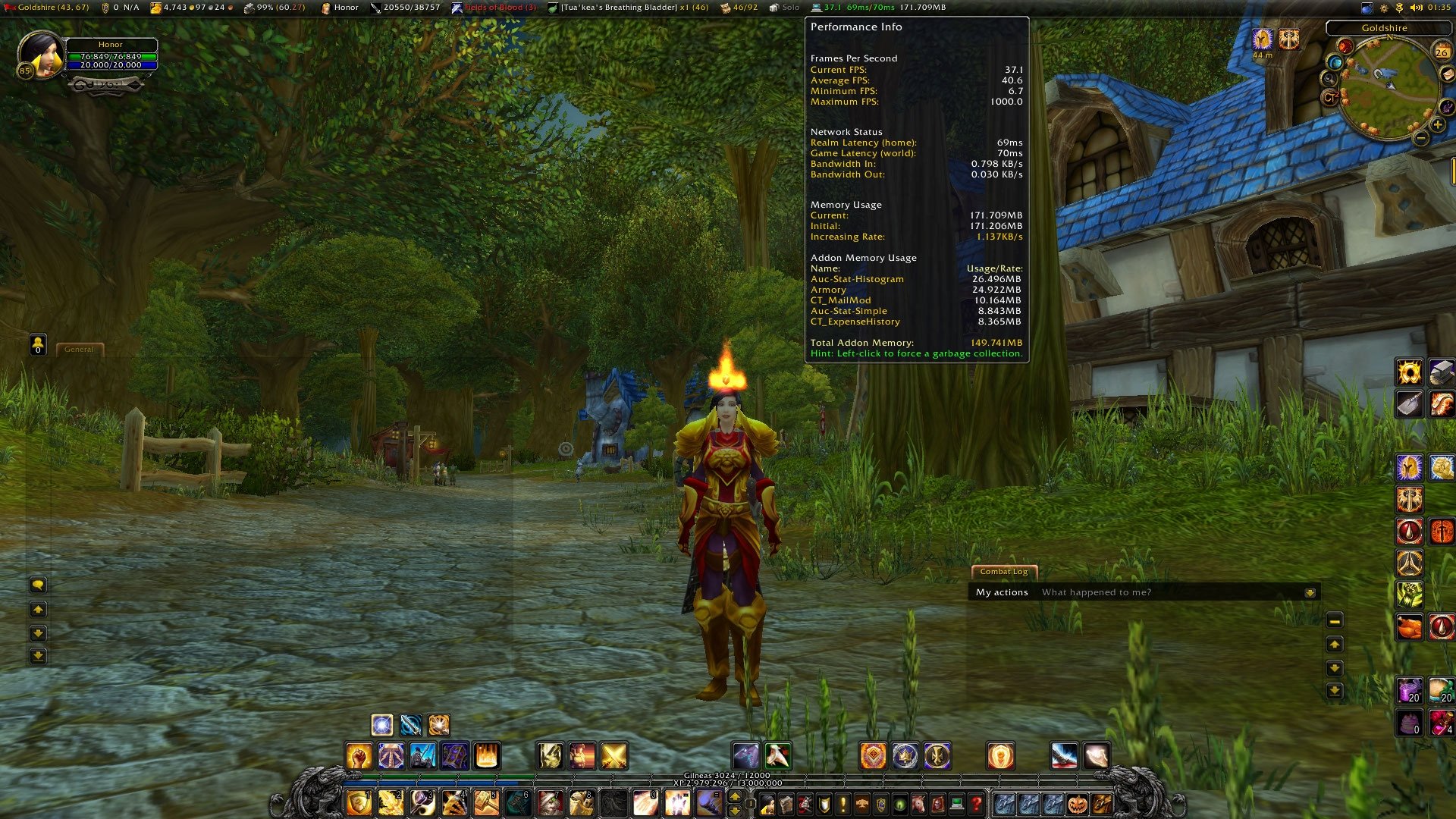
Performance Tooltip
Click to enlarge
Gold Tracker Tooltip
Click to enlarge
Durability Tooltip
Click to enlarge
Volume Tooltip
Click to enlarge
Double Bars
Titan Panel   Popular! (More than 5000 hits)
About

This is the latest version of the new Titan Panel released by the Titan Development Team. The Titan Development Team consists of: HonorGoG, joejanko (Nyte), Lothayer, oXid_FoX, StingerSoft, TristTitan (Tristanian), urnati and YeaChan.

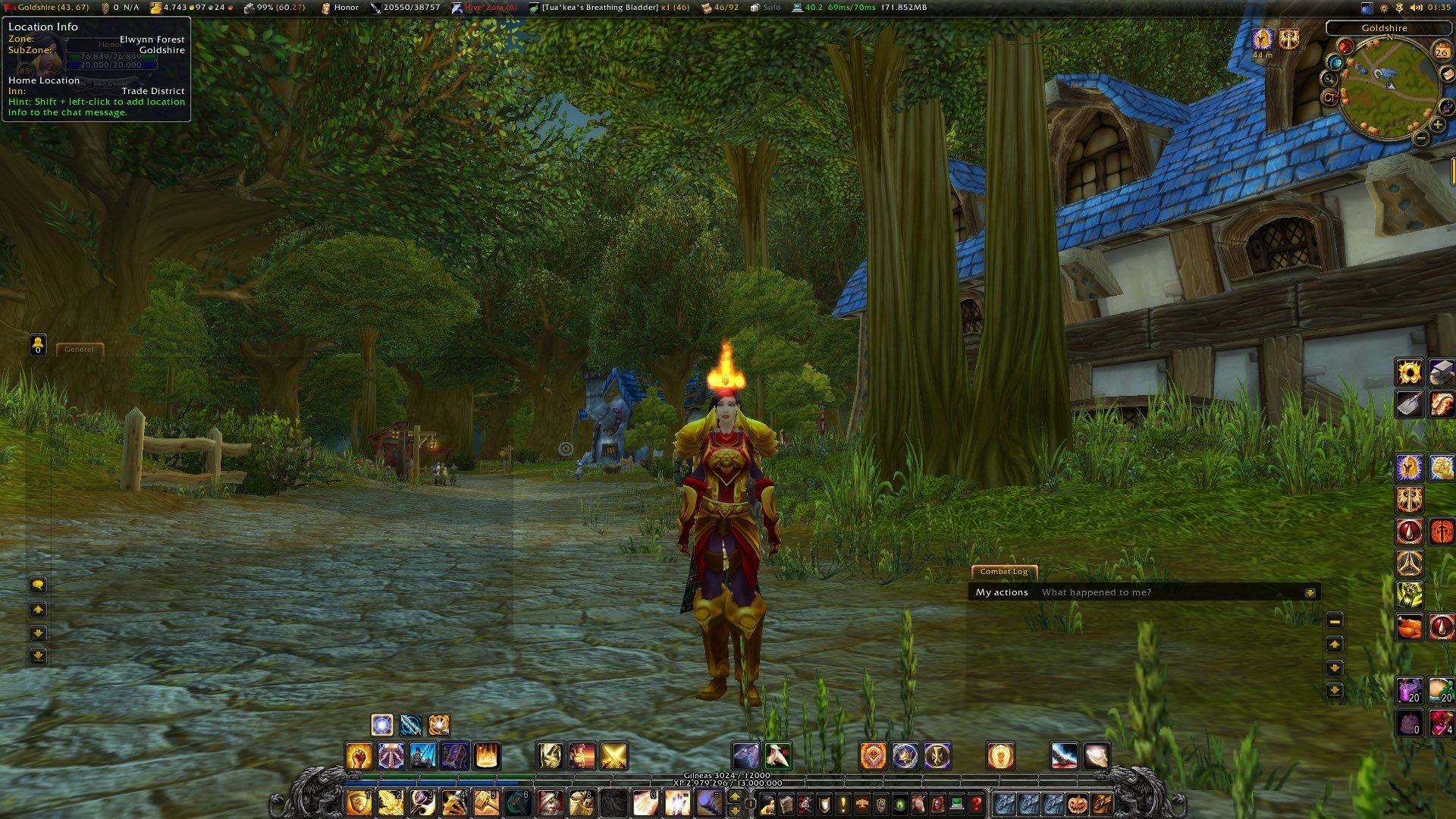
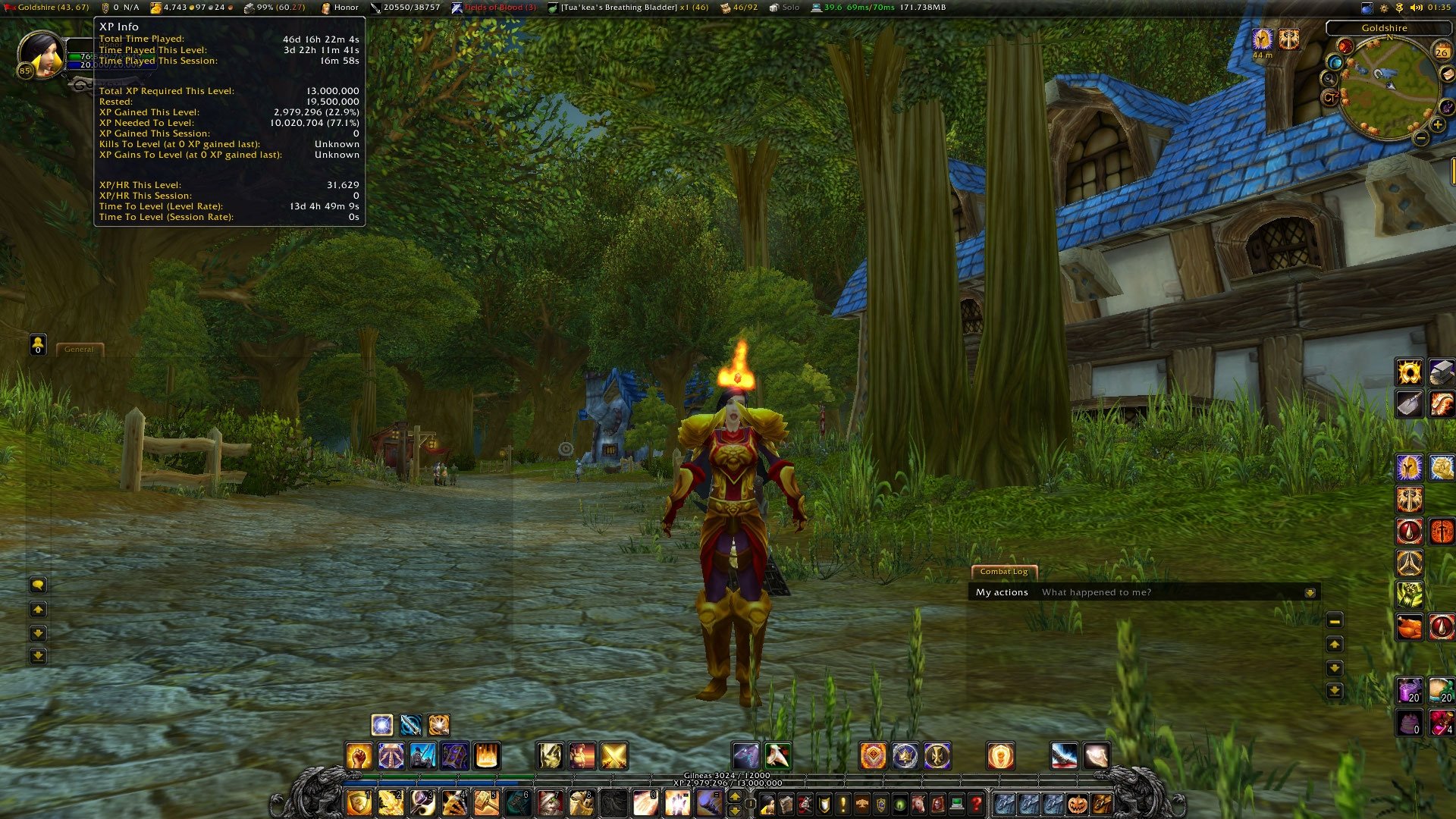
Titan Panel adds a control panel bar on the top and/or bottom of the screen and allows a framework for extensive plugin support.


Features
  • The ability to have 1 or 2 bars at the top and/or the bottom of your screen.
  • Many built-in plug-ins that provide a great core set of features.
  • Easy to use menus and options to change features on the fly.
  • Fully supported plugin system. All plug-ins on the bar are plug-n-play.
  • Ability to utilize Data Broker plug-ins.

Bug Reports

Direct all issues and feature requests to the Google Code Titan development page.


Special Instructions
  1. Please read the included TitanPanelSetup-READ_ME_FIRST.txt file for any special instructions needed to use this version of Titan Panel.

Problem Escalation
  1. Please check the Titan Panel Portal for a list of recent issues. These will appear on the main page.
  2. If you are still having issues, please follow the instructions under Bug Reports above.

Included

Core:
  • TitanAutoHide
  • TitanPanel & supporting modules
Embedded:
  • Ace3
  • AceGUI-3.0-SharedMediaWidgets
  • LibSharedMedia-3.0
BuiltIns:
  • TitanAmmo
  • TitanBag
  • TitanClock
  • TitanCoords
  • TitanGoldTracker
  • TitanLootType
  • TitanPerformance
  • TitanRegen
  • TitanRepair
  • TitanVolume
  • TitanXP

History

A few very dedicated people have maintained Titan Panel over the years. They are in order of chronological responsibility: TitanMod, Dark Imakuni and Adsertor.
  Change Log - Titan Panel
Version History

Changes for 4.3.0.30200
  • Library updates.
  • Removed the "Move Casting Bar" option and relevant code. It was unnecessary, buggy and difficult to maintain.
  • Automatic log adjust, if enabled, will now take into consideration the existence of the Shaman bar (where applicable).
  • Added an option to enable the GM ticket frame adjustment (Default is ON). Unchecking this option is useful in cases you want to enable (or have already enabled) another addon which specifically handles positioning of the ticket frame.
  • Fixed a small bug with container anchors.
  • Removed AceLibrary embed permanently and fixed code to optionally use the relevant methods. The embed was unnecessary and was causing problems with externals.
  • Titan Repair: Eliminated an unnecessary global.

For a more comprehensive version history, visit the Titan Panel Portal site.

You may also find the most recent release notes, on our Google code page, here.
  Optional Files - Titan Panel
File Name
Version
Size
Author
Date
Type
3.0.6.30200
27kB
08-04-2009 11:22 PM
Addon
2.00.20000
7kB
10-05-2008 11:11 AM
Addon
2.00.30000
8kB
10-05-2008 11:10 AM
Addon
2.00.30000
4kB
10-05-2008 11:08 AM
Addon
20400
15kB
07-29-2008 09:53 PM
Addon
 TRZ
1.0.20400
11kB
07-27-2008 06:10 PM
Addon
  Archived Versions - Titan Panel
File Name
Version
Size
Author
Date
4.2.9.30200
781kB
HonorGoG
08-19-2009 11:39 AM
4.2.8.30200
780kB
HonorGoG
08-08-2009 08:24 PM
4.2.8.30200
780kB
HonorGoG
08-08-2009 07:48 PM
4.2.7.30200
780kB
HonorGoG
08-07-2009 11:46 AM
4.2.6.30200
779kB
HonorGoG
08-04-2009 12:15 PM
4.2.5.30100
784kB
HonorGoG
06-19-2009 12:29 PM
4.2.4.30100
809kB
HonorGoG
06-05-2009 12:17 PM
4.2.3.30100
809kB
HonorGoG
06-02-2009 12:53 PM
4.2.2.30100
802kB
HonorGoG
05-02-2009 05:49 PM
4.2.1.30100
799kB
HonorGoG
04-25-2009 02:11 PM
4.2.0.30100
799kB
HonorGoG
04-24-2009 07:43 AM
4.1.9.30100
782kB
HonorGoG
04-14-2009 02:42 AM
4.1.8.30000
755kB
HonorGoG
03-23-2009 01:47 PM
4.1.7.30000
750kB
HonorGoG
03-03-2009 12:38 PM
4.1.6.30000
659kB
HonorGoG
02-14-2009 12:09 PM
4.1.5.30000
659kB
HonorGoG
02-09-2009 03:15 PM
4.1.4.30000
656kB
HonorGoG
01-19-2009 11:25 PM
4.1.3.30000
648kB
HonorGoG
11-30-2008 04:00 PM
4.1.2.30000
648kB
HonorGoG
11-16-2008 06:01 AM
  Comments - Titan Panel
Post A Reply Comment Options
Old 11-19-2009, 05:18 PM  
AnrDaemon
A Cyclonian
Interface Author - Click to view interfaces

Forum posts: 41
File comments: 1003
Uploads: 1
Quote:
Originally posted by Luxfero
It still did it, but like I said it only does it on my my dk character.
I suggest to try and reproduce this issue with only Titan Panel-related addons loaded (also Swatter).
Or at least update all your addons.
AnrDaemon is offline Report comment to moderator   Edit/Delete Message Reply With Quote
Old 11-19-2009, 02:06 PM  
Luxfero
A Kobold Labourer

Forum posts: 0
File comments: 11
Uploads: 0
Quote:
Originally posted by HonorGoG
Interesting. Please make a copy of your titan.lua file in your SavedVariables directory and delete the original. Or just change the name of titan.lua to titan.lua.old. Then start WoW and see if Titan does the same thing. I suspect it's a problem within the savedvariables block for that character. This would be a quick check to see if that's the case.
It still did it, but like I said it only does it on my my dk character.

Date: 2009-11-19 11:02:01
ID: 1
Error occured in: Global
Count: 1
Message: ...terface\AddOns\TitanPerformance\TitanPerformance.lua line 567:
attempt to perform arithmetic on field '?' (a nil value)
Debug:
(tail call): ?
[C]: ?
...terface\AddOns\TitanPerformance\TitanPerformance.lua:567: Stats_UpdateAddonsList()
...terface\AddOns\TitanPerformance\TitanPerformance.lua:264: tooltipCustomFunction()
Titan\TitanTooltip.lua:28: TitanTooltip_SetGameTooltip()
Titan\TitanTooltip.lua:53: TitanTooltip_SetPanelTooltip()
Titan\TitanPanelTemplate.lua:417: TitanPanelButton_SetTooltip()
Titan\TitanPanelTemplate.lua:208: TitanPanelButton_OnEnter()
[string "*:OnEnter"]:1:
[string "*:OnEnter"]:1
AddOns:
Swatter, v3.1.14 (<%codename%>)
Aloft, v2.8.11a
Babylonian, v5.1.DEV.130
Configator, v5.1.DEV.190
Gatherer, v3.1.14
GryphonsRemover, v3.2
IceHUD, v1.5.12 (Revision: 434)
MovablePetBar, v
OPie, v
Prat30, v3.2.6
Prat30Libraries, v
QuestHelper, v1.1.17
SatrinaBuffFrame, v3.1
SilverDragon, vv2.3.2
SlideBar, v3.1.14 (<%codename%>)
Titan, v4.3.0.30200 - Revision 316
TitanBag, v4.3.0.30200
TitanClock, v4.3.0.30200
TitanCoords, v4.3.0.30200
TitanGoldTracker, v4.3.0.30200
TitanLootType, v4.3.0.30200
TitanPerformance, v4.3.0.30200
TitanRegen, v4.3.0.30200
TitanRepair, v4.3.0.30200
TitanVolume, v4.3.0.30200
TomTom, v222
WIM, v3.2.2
XPerl, v3.0.5g
XPerlArcaneBar, v
XPerlParty, v
XPerlPlayer, v
XPerlPlayerBuffs, v
XPerlPlayerPet, v
XPerlRaidHelper, v
XPerlTarget, v
XPerlTargetTarget, v
BlizRuntimeLib_enUS v3.2.2.30200 <us>
(ck=381)
Luxfero is offline Report comment to moderator   Edit/Delete Message Reply With Quote
Old 10-26-2009, 10:54 PM  
HonorGoG
A Fallenroot Satyr
 
HonorGoG's Avatar
Interface Author - Click to view interfaces

Forum posts: 21
File comments: 29
Uploads: 2
Quote:
Originally posted by Luxfero
I have a problem with Titan Panel Performance built in. When I ever hover over performance info bar the add-on name and add-on size overlap. I'm using the current virsion of TitanPanel-4.3.0.30200 on Windows Vista. I've also noticed it only happends on one character and will work on my other characters. Thanks in advance
<snip>
Interesting. Please make a copy of your titan.lua file in your SavedVariables directory and delete the original. Or just change the name of titan.lua to titan.lua.old. Then start WoW and see if Titan does the same thing. I suspect it's a problem within the savedvariables block for that character. This would be a quick check to see if that's the case.

Last edited by HonorGoG : 10-26-2009 at 10:55 PM.
HonorGoG is offline Report comment to moderator   Edit/Delete Message Reply With Quote
Old 10-24-2009, 05:03 PM  
Luxfero
A Kobold Labourer

Forum posts: 0
File comments: 11
Uploads: 0
I have a problem with Titan Panel Performance built in. When I ever hover over performance info bar the add-on name and add-on size overlap. I'm using the current virsion of TitanPanel-4.3.0.30200 on Windows Vista. I've also noticed it only happends on one character and will work on my other characters. Thanks in advance


Date: 2009-10-24 14:01:51
ID: 1
Error occured in: Global
Count: 1
Message: ...terface\AddOns\TitanPerformance\TitanPerformance.lua line 567:
attempt to perform arithmetic on field '?' (a nil value)
Debug:
(tail call): ?
(tail call): ?
...terface\AddOns\TitanPerformance\TitanPerformance.lua:567: Stats_UpdateAddonsList()
...terface\AddOns\TitanPerformance\TitanPerformance.lua:264: tooltipCustomFunction()
Titan\TitanTooltip.lua:28: TitanTooltip_SetGameTooltip()
Titan\TitanTooltip.lua:53: TitanTooltip_SetPanelTooltip()
Titan\TitanPanelTemplate.lua:417: TitanPanelButton_SetTooltip()
Titan\TitanPanelTemplate.lua:70: TitanPanelPluginHandle_OnUpdate()
...terface\AddOns\TitanPerformance\TitanPerformance.lua:87:
...terface\AddOns\TitanPerformance\TitanPerformance.lua:86
(tail call): ?
[C]: ?
[string "safecall Dispatcher[1]"]:9:
[string "safecall Dispatcher[1]"]:5
(tail call): ?
...Ons\Prat-3.0_Libraries\AceTimer-3.0\AceTimer-3.0.lua:160:
...Ons\Prat-3.0_Libraries\AceTimer-3.0\AceTimer-3.0.lua:132
AddOns:
Swatter, v3.1.14 (<%codename%>)
Aloft, v2.8.10
Babylonian, v5.1.DEV.130
Configator, v5.1.DEV.190
Gatherer, v3.1.14
GryphonsRemover, v3.2
IceHUD, v1.5.12 (Revision: 434)
MovablePetBar, v
OPie, v
Prat30, v3.2.6
Prat30Libraries, v
QuestHelper, v1.1.17
SatrinaBuffFrame, v3.1
SilverDragon, vv2.3.2
SlideBar, v3.1.14 (<%codename%>)
Titan, v4.3.0.30200 - Revision 316
TitanBag, v4.3.0.30200
TitanClock, v4.3.0.30200
TitanCoords, v4.3.0.30200
TitanGoldTracker, v4.3.0.30200
TitanLootType, v4.3.0.30200
TitanPerformance, v4.3.0.30200
TitanRegen, v4.3.0.30200
TitanRepair, v4.3.0.30200
TitanVolume, v4.3.0.30200
TomTom, v222
WIM, v3.2.1
XPerl, v3.0.5g
XPerlArcaneBar, v
XPerlParty, v
XPerlPlayer, v
XPerlPlayerBuffs, v
XPerlPlayerPet, v
XPerlRaidHelper, v
XPerlTarget, v
XPerlTargetTarget, v
BlizRuntimeLib_enUS v3.2.2.30200 <us>
(ck=380)
Luxfero is offline Report comment to moderator   Edit/Delete Message Reply With Quote
Old 09-25-2009, 01:48 PM  
Tristanian
Andúril
WoWInterface Super Moderator
Interface Author - Click to view interfaces

Forum posts: 280
File comments: 264
Uploads: 7
Regrettably, real life circumstances have recently forced me to quit World of Warcraft. Hopefully, Titan will continue to be maintained and extended. I want to personally thank everyone for their warm support over the past couple of years. It really means a lot and has been motivating me for quite some time.

Good luck and farewell.

~Tristanian.
__________________
Tristanian is offline Report comment to moderator   Edit/Delete Message Reply With Quote
Old 09-08-2009, 09:51 AM  
AnrDaemon
A Cyclonian
Interface Author - Click to view interfaces

Forum posts: 41
File comments: 1003
Uploads: 1
Quote:
Originally posted by rvalarian
i have the same thing going on with my characters having amounts from 10g to 5000g. i think the "sort by gold" option is sufficient enough. leading zeros just looks wrong. perhaps if there could be spaces enough so that they right align, that might do. but otherwise, i don't think this as a problem or a feature that should be added.
Don't speak for everyone, please.
You can do the same with spaces, however, but single space width is so much different from the width of average digit, it's not a solution for me.
Here, you have it. Just remove zeroes. By default, sprintf pad with spaces.
Code:
L["TITAN_MONEY_FORMAT"] = "%dg %2ds %2dc";
AnrDaemon is offline Report comment to moderator   Edit/Delete Message Reply With Quote
Old 09-08-2009, 07:07 AM  
Tristanian
Andúril
WoWInterface Super Moderator
Interface Author - Click to view interfaces

Forum posts: 280
File comments: 264
Uploads: 7
Quote:
Originally posted by HorrorScope
btw-did Bonus Scanner ever work correctly in 2009 on German WoW clients? I doubt it...
Without a german speaking person with the appropriate client to help me translate the necessary localization patterns, there is a limit to the things I can have the addon pick up, I'm afraid.
__________________
Tristanian is offline Report comment to moderator   Edit/Delete Message Reply With Quote
Old 09-08-2009, 06:51 AM  
HorrorScope
A Kobold Labourer

Forum posts: 0
File comments: 3
Uploads: 0
I never liked the standard repair addon. I use Titan Panel [Durability] instead: http://wow.curse.com/downloads/wow-a...urability.aspx
btw-did Bonus Scanner ever work correctly in 2009 on German WoW clients? I doubt it...
HorrorScope is offline Report comment to moderator   Edit/Delete Message Reply With Quote
Old 09-07-2009, 03:36 PM  
Tristanian
Andúril
WoWInterface Super Moderator
Interface Author - Click to view interfaces

Forum posts: 280
File comments: 264
Uploads: 7
Re: Durability

Quote:
Originally posted by Jiiri
-.- sorry for not expressing my concern clearly, though I thought I did. The value shown on the panel shows a wrong/too high average durability, so if ALL equipped items with durability are as low as say 30%, the average should also be 30%, right ? But it will show a value of about 70%. In the extreme case when ALL my equip even gets "red" at 0% durability, the average will show a value of 30% - so a quick look at the panel doen't help me now to consider the average condition and if I have to go to get a repair soon.
I hope you now understand what I'd like to express. I will take a screenshot tonight, too, when my gear will be damaged again.
If "Calculate Inventory damage" is checked, then uncheck it, as it will also take into consideration items in your bags.
__________________
Tristanian is offline Report comment to moderator   Edit/Delete Message Reply With Quote
Old 09-07-2009, 09:03 AM  
Jiiri
A Kobold Labourer

Forum posts: 1
File comments: 2
Uploads: 0
Durability

-.- sorry for not expressing my concern clearly, though I thought I did. The value shown on the panel shows a wrong/too high average durability, so if ALL equipped items with durability are as low as say 30%, the average should also be 30%, right ? But it will show a value of about 70%. In the extreme case when ALL my equip even gets "red" at 0% durability, the average will show a value of 30% - so a quick look at the panel doen't help me now to consider the average condition and if I have to go to get a repair soon.
I hope you now understand what I'd like to express. I will take a screenshot tonight, too, when my gear will be damaged again.
Jiiri is offline Report comment to moderator   Edit/Delete Message Reply With Quote
Old 09-07-2009, 04:30 AM  
AnrDaemon
A Cyclonian
Interface Author - Click to view interfaces

Forum posts: 41
File comments: 1003
Uploads: 1
Re: Durability

Quote:
Originally posted by Jiiri
Hi ! I am using Titan Panel since I play WoW. I never had any troubles, but with the last update, my Repair-total is messed up. So when my chest, my gloves, my boots, etc. all are down to let's say 34% (I can see this when I hover over the repair), the calculated total in the Titan Bar will be much higher (e.g. 64% ). Any help ?
Isn't that obvious? >.<
The value shown on panel indicating an average durability over all equipped items with durability.
If you still feel this is an issue, please take a screenshot of the button with it's tooltip open.
AnrDaemon is offline Report comment to moderator   Edit/Delete Message Reply With Quote
Old 09-06-2009, 11:11 PM  
Jiiri
A Kobold Labourer

Forum posts: 1
File comments: 2
Uploads: 0
Unhappy Durability

Hi ! I am using Titan Panel since I play WoW. I never had any troubles, but with the last update, my Repair-total is messed up. So when my chest, my gloves, my boots, etc. all are down to let's say 34% (I can see this when I hover over the repair), the calculated total in the Titan Bar will be much higher (e.g. 64% ). Any help ?
Jiiri is offline Report comment to moderator   Edit/Delete Message Reply With Quote
Old 09-06-2009, 07:08 PM  
HonorGoG
A Fallenroot Satyr
 
HonorGoG's Avatar
Interface Author - Click to view interfaces

Forum posts: 21
File comments: 29
Uploads: 2
Quote:
Originally posted by roguegenius
i have a issue with my enhacement shaman when am in a full group and i use my ghost wolfs when there summoned they cover the first persons name plate and i dont no why its doing it at all.
Can you take a screenshot and post the URL here so we can see it? I doubt Titan Panel is causing the problem. Are you using a unitframe mod such as CTMod_UnitFrames?
HonorGoG is offline Report comment to moderator   Edit/Delete Message Reply With Quote
Old 09-06-2009, 07:17 AM  
roguegenius
A Kobold Labourer

Forum posts: 0
File comments: 15
Uploads: 0
i have a issue with my enhacement shaman when am in a full group and i use my ghost wolfs when there summoned they cover the first persons name plate and i dont no why its doing it at all.
roguegenius is offline Report comment to moderator   Edit/Delete Message Reply With Quote
Old 09-05-2009, 08:20 PM  
AnrDaemon
A Cyclonian
Interface Author - Click to view interfaces

Forum posts: 41
File comments: 1003
Uploads: 1
Actually, the needed change was rather straightforward.
Code:
L["TITAN_MONEY_FORMAT"] = "%dg %02ds %02dc";
AnrDaemon is offline Report comment to moderator   Edit/Delete Message Reply With Quote
Post A Reply


Category Jump:


The Network:
EQInterface | EQ2Interface | LoTROInterface | MMOInterface | War.MMOUI | WoWInterface | VGInterface | Allakhazam | Thottbot | Wowhead | Zam


©2009 MMOUI / ZAM Network
vBulletin - Copyright ©2000 - 2009, Jelsoft Enterprises Ltd.


