Category: Graphic UI Mods
Addon Information
Works with 3.2
Download Latest Version.
To add favorites please register for a free account. If you already have one you need to login. How do I install this? (FAQ)
Seerah's Portal Bug Reports Feature Requests
Author:
Version:
1.3.1
Date:
09-08-2009 11:30 PM
Size:
63.09 Kb
Downloads:
20,206
Favorites:
255
MD5:
Pictures
Click to enlarge
textures from achievements ui and new border
Click to enlarge
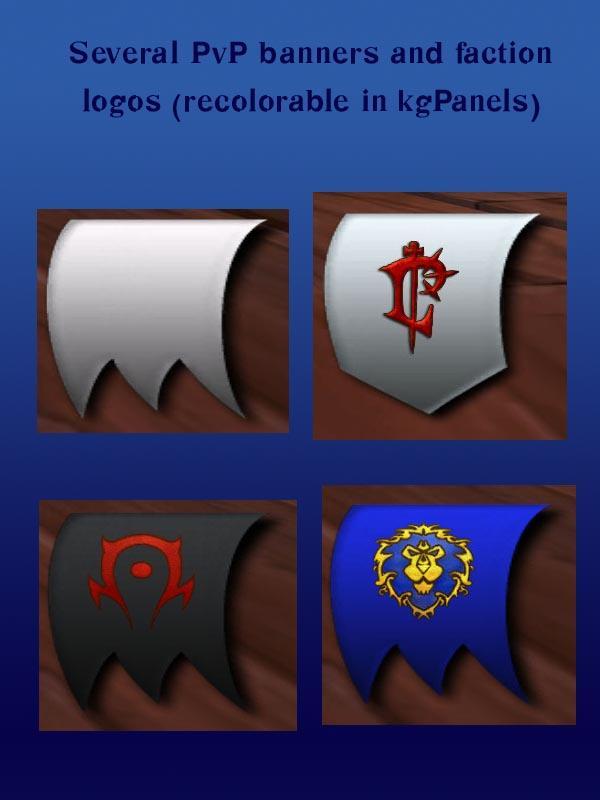
pvp banners and insignias
Click to enlarge
Doesn't all match, but here are some examples of what's included
Click to enlarge
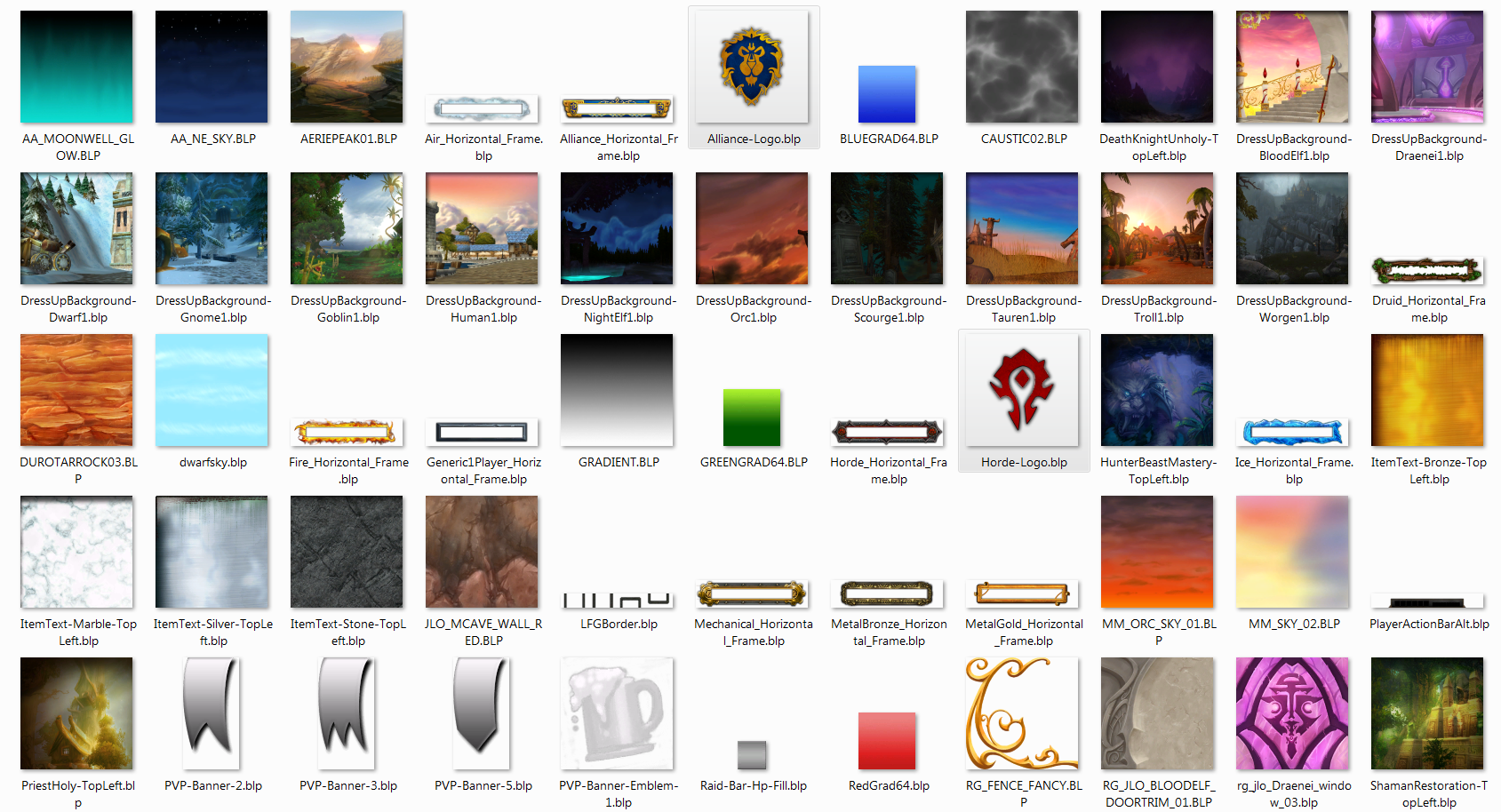
textures and borders in SM-Blizzard
Click to enlarge
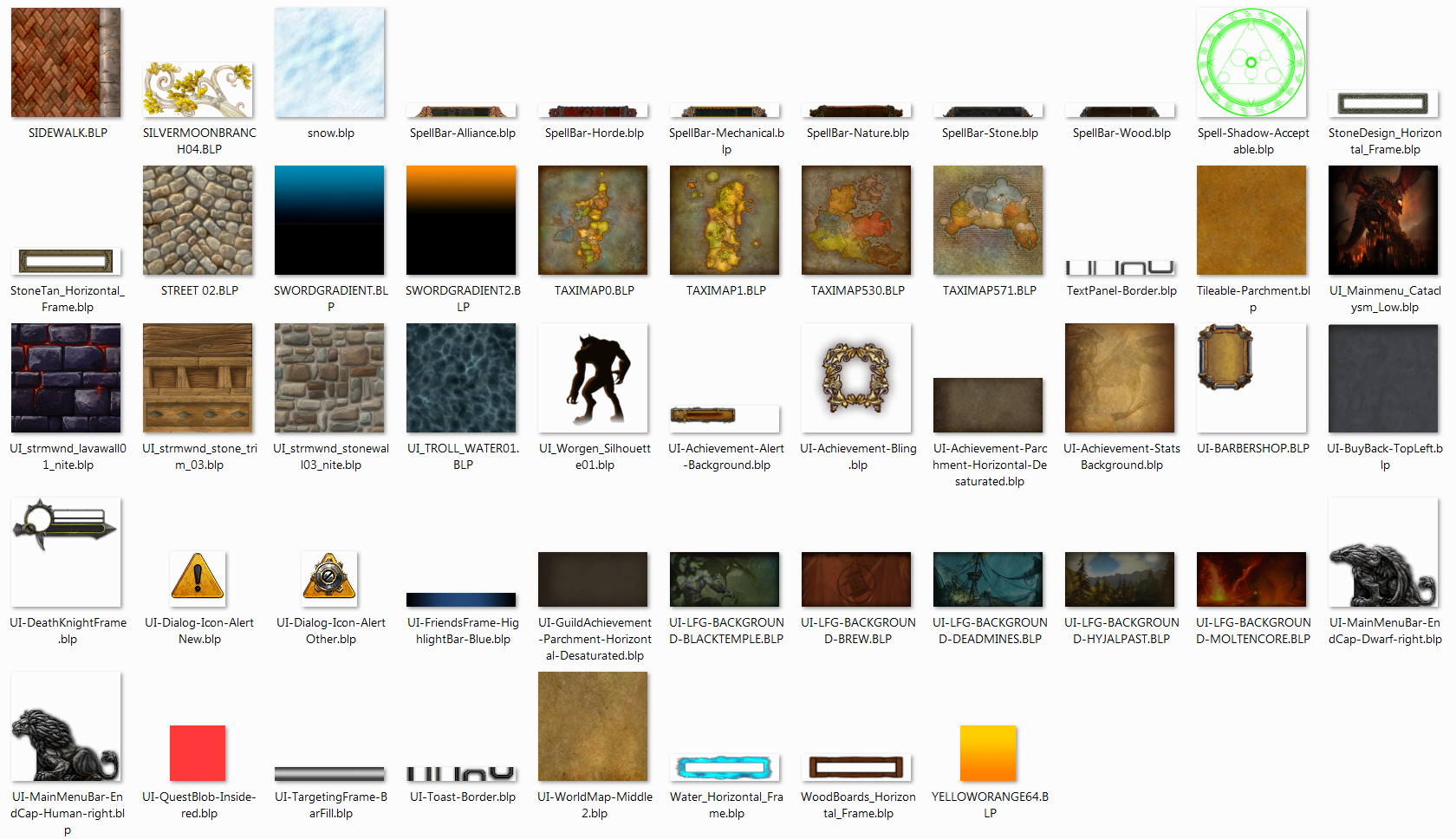
more textures/borders in SM-Blizzard
SharedMedia-Blizzard   Popular! (More than 5000 hits)
There are so many nice textures and graphics the World of Warcraft. Why can't you have access to some of them in your mods?

The LibSharedMedia-3.0 library gives you a few, but there are more I thought people would enjoy using. So I put together this little addon. Included are various textures and images from the game for you to use with kgPanels, a background for your tooltip (if you have a tooltip mod that supports this, like TipTop), etc. There are also two additional borders and some edited textures.

All of the included textures can be found in the game already. These are in addition to the media that LibSharedMedia-3.0 already pulls from the game. SharedMedia-Blizzard exists to give you a wider choice of game textures/sounds, without overflowing the basic library with stuff that many users won't use/care about.

The Elite and Rare textures were taken from Discord Art. Loz or someone else photoshopped them out of the unit frames.

The two endcaps are only found in the game for the left side (the game flips them for your action bars). So I flipped them and included the right side versions so you can use both.

If there are any textures here that you do not wish to use, you may simply comment out their respective lines by putting two dashes (--) at the beginning of the line, or by removing the line completely. This way, your menu in-game won't be so long to go through.


Have a suggestion for a sound to add? Let me know!


"Do you accept cookies?"
I love cookies! Unfortunately, they may turn to crumbs in the mail. Instead, you may donate to my cookie fund via PayPal.
  Change Log - SharedMedia-Blizzard
v.1.3.1
- 3 more that I forgot (Northrend map and two nice gradients)

v.1.3
- update toc for 3.2
- removed backwards compatibility for LSM-1.0 and LSM-2.0 (regular SharedMedia did this as well, recently)
- 1 new border, 23 new backgrounds
- removed one or two things that were added to LSM
- re-added mysteriously missing libs

v.1.2
- added a few sounds
- added a few new textures

v.1.1.1
- toc bump for 3.1

v.1.1 (versions now following the version number listed in the toc)
merged in wotlk branch from here: http://www.wowinterface.com/downloads/info10731-SharedMedia-BlizzardWotLK.html

r66263:
toc = 20400

r64174:
Thanks erica for finding what I had overlooked. Changed SharedMediaBlizzard.lua to SharedMedia-Blizzard.lua in the TOC, so that it loads properly again.

r63750:
Thanks go out to Elsia, who updated SharedMedia-Blizzard to work with the current standards of the SharedMedia mods. Now, these textures will register with any SharedMedia library (SharedMediaLib-1.0, LibSharedMedia-2.0, or LibSharedMedia-3.0) that you may have on your system.
  Archived Versions - SharedMedia-Blizzard
File Name
Version
Size
Author
Date
1.3
63kB
Seerah
09-08-2009 03:13 PM
1.2
58kB
Seerah
05-18-2009 11:51 PM
1.1.1
58kB
Seerah
04-13-2009 03:31 PM
1.1
58kB
Seerah
10-16-2008 12:24 AM
  Comments - SharedMedia-Blizzard
Post A Reply Comment Options
Old 09-08-2009, 08:06 PM  
Seerah
Fishing Trainer
 
Seerah's Avatar
WoWInterface Super Moderator
Interface Author - Click to view interfaces

Forum posts: 6209
File comments: 315
Uploads: 18
The wowace project page for SharedMediaLib only shows two addons using the addon. CBRipoff and SmartRes. Both of those addons only use SML for status bar textures, but SM-Blizzard does not provide any status bar textures.
__________________
"You'd be surprised how many people violate this simple principle every day of their lives and try to fit square pegs into round holes, ignoring the clear reality that Things Are As They Are." -Benjamin Hoff, The Tao of Pooh

Seerah is offline Report comment to moderator   Edit/Delete Message Reply With Quote
Old 09-08-2009, 04:14 PM  
Zidomo
An Aku'mai Servant
 
Zidomo's Avatar

Forum posts: 37
File comments: 598
Uploads: 0
I really have been enjoying your mod with its ability to add in-game textures/backgrounds to LSM selections.

A concern about the current version 1.3, though. "Removed backwards compatibility for LSM-1.0 and LSM-2.0 (regular SharedMedia did this as well, recently)".

LSM-2.0 support removal is perfectly understandable; it has not been on the WowAce SVN for a very long time and no mods that work/have been updated for WoW 3.x use it. LSM-1.0 removal is a bit more of a problem, though. Several mods can still use it and its still on the SVN.

Here is the WowAce page for it. X-Perl Unit Frames, CooldownWatch and other mods still support it (but do do not rely on it), SmartRes, Fragile, the Sink-1.0 library (still used by some updated mods) and so on.

Yes, updated mods should get with the program and drop support for it. And aligning with what SharedMediaLib has done in its last release is probably the "proper" thing to do. But as it really doesn't affect anything negatively by keeping support in--and it means older mods can still benefit--would still be nice if support was maintained until LSM-1.0 completely goes away .

Last edited by Zidomo : 09-08-2009 at 04:16 PM.
Zidomo is offline Report comment to moderator   Edit/Delete Message Reply With Quote
Old 08-07-2009, 06:52 PM  
Degausser
A Kobold Labourer
 
Degausser's Avatar

Forum posts: 1
File comments: 109
Uploads: 2
Quote:
Originally posted by Seerah
Well... SharedMedia-Blizzard is not SharedMedia, and SM-Blizzard does not include any fonts.

Anyway, fonts should not just be disappearing when you log off from the game. I think I already asked you this in one of the other places that you asked this question, but, are the fonts still in the folder, etc?
I'm pretty sure you haven't but yes, everything is still in the folder. Maybe it was broken after the patch?
As of yesterday, I updated every addon, and the problem seemed to have been fixed as it hasn't come up again.

But yes, the fonts and textures would all be reset and when opening an addon to find a certain font, none of anything in the SharedMedia folder would show.
Degausser is offline Report comment to moderator   Edit/Delete Message Reply With Quote
Old 08-07-2009, 10:51 AM  
Seerah
Fishing Trainer
 
Seerah's Avatar
WoWInterface Super Moderator
Interface Author - Click to view interfaces

Forum posts: 6209
File comments: 315
Uploads: 18
Well... SharedMedia-Blizzard is not SharedMedia, and SM-Blizzard does not include any fonts.

Anyway, fonts should not just be disappearing when you log off from the game. I think I already asked you this in one of the other places that you asked this question, but, are the fonts still in the folder, etc?
__________________
"You'd be surprised how many people violate this simple principle every day of their lives and try to fit square pegs into round holes, ignoring the clear reality that Things Are As They Are." -Benjamin Hoff, The Tao of Pooh

Seerah is offline Report comment to moderator   Edit/Delete Message Reply With Quote
Old 08-06-2009, 07:58 PM  
Degausser
A Kobold Labourer
 
Degausser's Avatar

Forum posts: 1
File comments: 109
Uploads: 2
After the patch, it seems like SharedMedia resets the fonts and it won't let me put them back.

As in, I'll sign off for a couple of hours, log back on and my fonts/textures will be gone and I'd have to revert back to an older version of the UI to work. It's happened twice now, and I can't figure it out. :\ Care to shed some light, please?
Degausser is offline Report comment to moderator   Edit/Delete Message Reply With Quote
Old 07-13-2009, 06:41 PM  
Silphire
A Kobold Labourer

Forum posts: 0
File comments: 1
Uploads: 0
Need major help

After downloading sharedmedia and reading the MyMedia.bat Instructions, I still can't figure how to add fonts. To be more precise, I don't understand how #2 - #4 work exactly. I This might be a hassle but could you list a step by step on how to add a font file called "Neree?" Thank you Seerah!

Last edited by Silphire : 07-13-2009 at 06:56 PM.
Silphire is offline Report comment to moderator   Edit/Delete Message Reply With Quote
Old 06-14-2009, 11:53 PM  
Seerah
Fishing Trainer
 
Seerah's Avatar
WoWInterface Super Moderator
Interface Author - Click to view interfaces

Forum posts: 6209
File comments: 315
Uploads: 18
Re: I need lots of help :confused:

Glad you got some things figured out. For the target bit, you'll need to create a kgPanel with the elite graphic in it and use the scripts feature for that frame. After placing the panel where you wish it to appear, under scripts for that frame, go to OnLoad and put:
Code:
self:RegisterEvent("PLAYER_TARGET_CHANGED")

self:Hide()
Make sure you click save at the bottom. Then, in OnEvent, put:
Code:
local cl = UnitClassification("target")
if cl == "elite" or cl == "worldboss" or cl == "rareeleite" then
   self:Show()
else
   self:Show()
end
Click save. At this time, the panel will appear only if you have an elite, boss, or rare elite mob selected.


As for replacing the gryphons with the lions, you'll need to either use a bar mod to hide the art and redo the bars, or something like HideBlizzard to hide the art. Note: the gryphons are part of the entire bottom bar art.

Otherwise... You can use SquidMod to change the art for the bottom bar. (It doesn't use SharedMedia, but has its own set of art, including the lions, if I recall correctly.)
__________________
"You'd be surprised how many people violate this simple principle every day of their lives and try to fit square pegs into round holes, ignoring the clear reality that Things Are As They Are." -Benjamin Hoff, The Tao of Pooh

Seerah is offline Report comment to moderator   Edit/Delete Message Reply With Quote
Old 06-13-2009, 11:57 PM  
RaeZot
A Kobold Labourer

Forum posts: 0
File comments: 1
Uploads: 0
Question I need lots of help :confused:

Okay so I downloaded and extracted this. I can't figure out how to do anything with it though. I opened Atlas Loot and it had the pretty Achievement thing at the top, which is nice, but how can I use that other places? I really want the rare/elite dragon things to show up with my AG Unit Frames but haven't figured out how to get it on there. I also really want to use the AOE thing around the mini map. I'd like to be able to use some things as backgrounds too like shown in the examples. I'm such a noob with addons, it's really bad so I don't use too many, mainly I use AG Unit Frames, Atlas Map, Atlas Loot, Big Wigs, Little Wigs, Cowtip, Necrosis since I'm a lock, MikScrollingBattleText, Omen, Quartz, Recount, a regular Shared Media and some other small, random addons that aren't that important. I also just use the basic WoW action bars. Do I need to install other mods to get this one to work the way I want it to or can I configure the mods I have to be able to use the artwork from this? I really like this addon and the neat things it can do, I just need some help to figure out how to get it to do what I want. Any help from anyone is greatly appreciated.

UPDATE: Okay so I saw mentioned about kg panels so I went ahead and got that. Read the FAQ's and Wiki on it and watched the YouTube Videos. Got that all figured out and got the AOE thing around my map, a background for my chatbox, and a background for Cowtip. Now I just need help putting the Elite and Rare dragons (something about a script?) and I want to change the Gryphons to the Lions, how can I remove the Gryphons to put the Lions on there? I tried just putting the Lion over it but the Gryphon is still there.

Last edited by RaeZot : 06-14-2009 at 01:37 AM.
RaeZot is offline Report comment to moderator   Edit/Delete Message Reply With Quote
Old 06-02-2009, 10:17 AM  
Seerah
Fishing Trainer
 
Seerah's Avatar
WoWInterface Super Moderator
Interface Author - Click to view interfaces

Forum posts: 6209
File comments: 315
Uploads: 18
It will be automatically there. You just install this addon like any other addon, go to your panel's texture options and they will be in the drop down menu.
__________________
"You'd be surprised how many people violate this simple principle every day of their lives and try to fit square pegs into round holes, ignoring the clear reality that Things Are As They Are." -Benjamin Hoff, The Tao of Pooh

Seerah is offline Report comment to moderator   Edit/Delete Message Reply With Quote
Old 06-02-2009, 03:55 AM  
H0PE
A Deviate Faerie Dragon

Forum posts: 19
File comments: 223
Uploads: 1
Sorry about my stupidity, how to use this addon with kgpanels please? I can add the texture directory in kgpanels, but the FAQ says it should be automatically there.

Any help please?
H0PE is offline Report comment to moderator   Edit/Delete Message Reply With Quote
Old 03-05-2009, 11:05 AM  
Seerah
Fishing Trainer
 
Seerah's Avatar
WoWInterface Super Moderator
Interface Author - Click to view interfaces

Forum posts: 6209
File comments: 315
Uploads: 18
First, are you talking about SharedMedia-Blizzard (this download) or the regular SharedMedia addon? If the second, then read the Instructions for MyMedia.txt file included in that folder.
__________________
"You'd be surprised how many people violate this simple principle every day of their lives and try to fit square pegs into round holes, ignoring the clear reality that Things Are As They Are." -Benjamin Hoff, The Tao of Pooh

Seerah is offline Report comment to moderator   Edit/Delete Message Reply With Quote
Old 03-05-2009, 08:55 AM  
Knocknap
A Kobold Labourer

Forum posts: 0
File comments: 8
Uploads: 1
Hey, I'm trying to add a .tga file so that I may add a new texture to the pitbull bars, do i put the file just in the Sharedmedia folder? because that doesn't seem to be working.
__________________
Knocknap is offline Report comment to moderator   Edit/Delete Message Reply With Quote
Old 12-15-2008, 06:04 PM  
Seerah
Fishing Trainer
 
Seerah's Avatar
WoWInterface Super Moderator
Interface Author - Click to view interfaces

Forum posts: 6209
File comments: 315
Uploads: 18
Quote:
Originally posted by Seerah
You'll need to use kgPanels to show the texture and parent it to the target frame, with a custom script to check if your target is elite or not.
Read through the FAQ in the kgpanels config. There's also the kgpanels thread on the wowace forums, and wowwiki to help you out.
__________________
"You'd be surprised how many people violate this simple principle every day of their lives and try to fit square pegs into round holes, ignoring the clear reality that Things Are As They Are." -Benjamin Hoff, The Tao of Pooh


Last edited by Seerah : 12-15-2008 at 06:05 PM.
Seerah is offline Report comment to moderator   Edit/Delete Message Reply With Quote
Old 12-15-2008, 02:07 PM  
elchapel
A Kobold Labourer

Forum posts: 0
File comments: 2
Uploads: 0
ok i downloaded it and what now?
elchapel is offline Report comment to moderator   Edit/Delete Message Reply With Quote
Old 12-15-2008, 12:02 AM  
Seerah
Fishing Trainer
 
Seerah's Avatar
WoWInterface Super Moderator
Interface Author - Click to view interfaces

Forum posts: 6209
File comments: 315
Uploads: 18
You'll need to use kgPanels to show the texture and parent it to the target frame, with a custom script to check if your target is elite or not.
__________________
"You'd be surprised how many people violate this simple principle every day of their lives and try to fit square pegs into round holes, ignoring the clear reality that Things Are As They Are." -Benjamin Hoff, The Tao of Pooh

Seerah is offline Report comment to moderator   Edit/Delete Message Reply With Quote
Post A Reply


Category Jump:

Support AddOn Development!

You have just downloaded by the author . If you like this AddOn why not consider supporting the author? This author has set up a donation account. Donations ensure that authors can continue to develop useful tools for everyone.




The Network:
EQInterface | EQ2Interface | LoTROInterface | MMOInterface | War.MMOUI | WoWInterface | VGInterface | Allakhazam | Thottbot | Wowhead | Zam


©2009 MMOUI / ZAM Network
vBulletin - Copyright ©2000 - 2009, Jelsoft Enterprises Ltd.



