Category: TradeSkill Mods
Addon Information
Works with 3.2
Download Latest Version.
To add favorites please register for a free account. If you already have one you need to login. How do I install this? (FAQ)
Ackis's Portal Bug Reports Feature Requests
Author:
Version:
1.0 r2634
Date:
11-06-2009 02:32 PM
Size:
1.03 MB
Downloads:
129,385
Favorites:
1,683
MD5:
Pictures
Click to enlarge
ARL 1
Click to enlarge
ARL 2
Click to enlarge
ARL 3
Click to enlarge
ARL 4
Ackis Recipe List   Updated less than 3 days ago!   Popular! (More than 5000 hits)
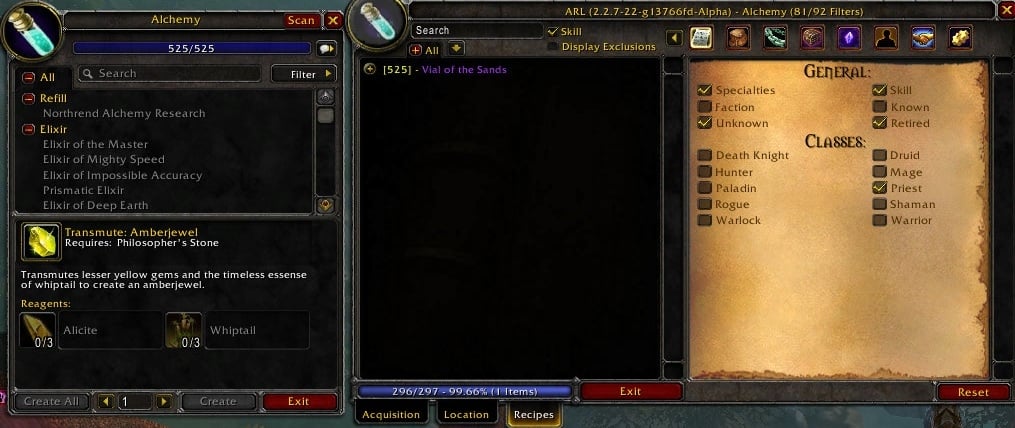
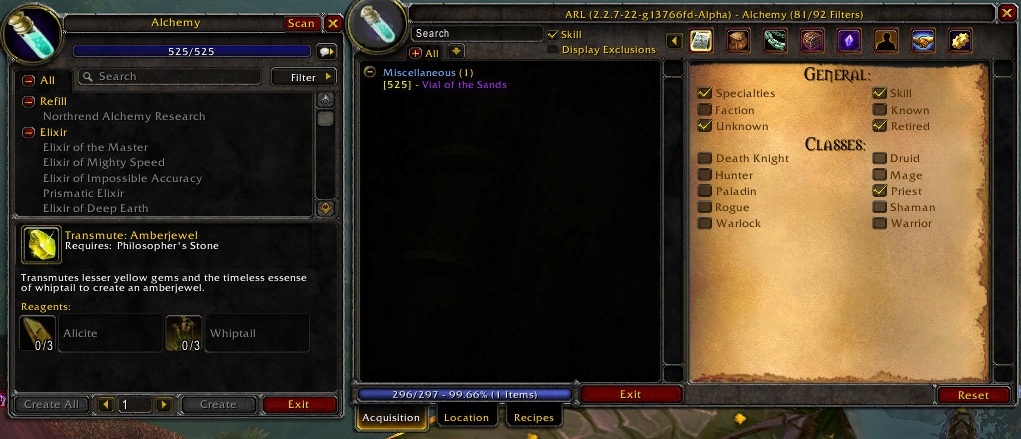
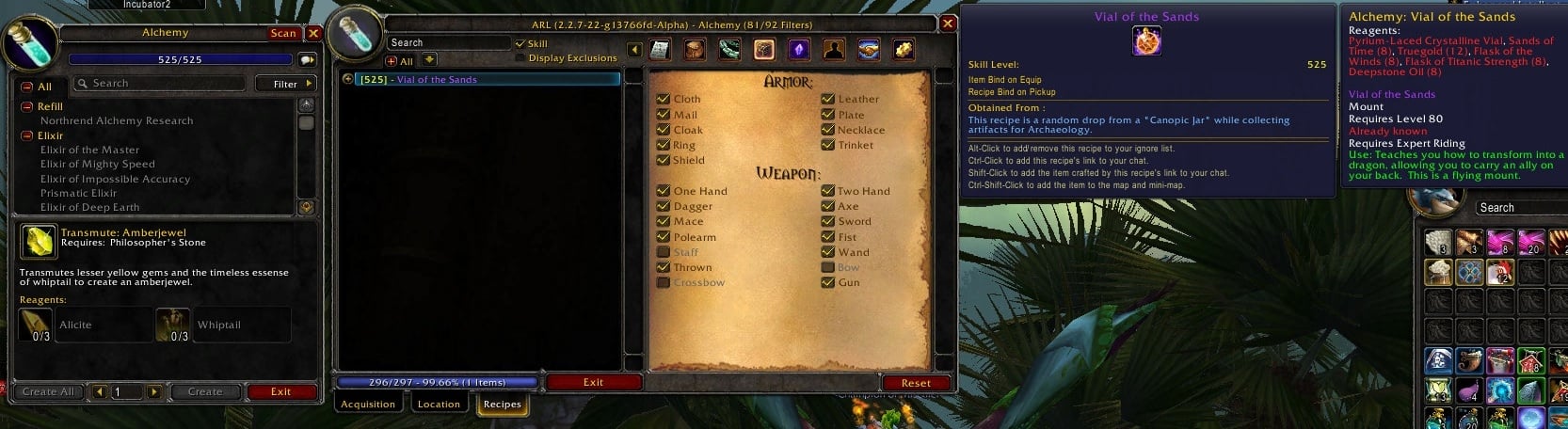
Ackis Recipe List is an addon which will scan your trade skill recipes and print out a list of which recipes you are currently missing. It will work for all tradeskills including Runeforging.

Donations:

Click here to lend your support!

IRC:

Feel free to join us on irc at Freenode in the channel #arl

Webchat:
Freenode has come up with their alternative to Mibbit.
Webchat

Change Log:

Change Log

Bugs/Suggestions/Features/Comments:

Please post all bugs, suggestions, features and comments on the WoW Ace Project Management page.
  Change Log - Ackis Recipe List
  Comments - Ackis Recipe List
Post A Reply Comment Options
Old Today, 09:59 AM  
Grayson Carlyle
A Kobold Labourer

Forum posts: 1
File comments: 13
Uploads: 0
New version has some BoE/BoP notes mixed up.

Sunblessed Breastplate is BoE Plans, BoP item; listed as BoP/BoP
Hard Khorium Battlefists are BoP Plans, BoE item; listed as BoE/BoE

I noticed these 2 because I don't have them, but there are probably others. I'm pressty sure they were correct in a previous version.
Grayson Carlyle is offline Report comment to moderator   Edit/Delete Message Reply With Quote
Old 10-01-2009, 01:48 AM  
pompachomp
A Deviate Faerie Dragon

Forum posts: 16
File comments: 27
Uploads: 0
Re: Add on size

Quote:
Originally posted by Casazil
Just woundering can you make this add on's window size bigger?

Several recipes have really long names so if the window were a bit wider it'd be easier to read them.
Go into ARLs options and click 'display options' .. should give you what you want, aka, that's the only stuff you can do with the display.
__________________


pompachomp is offline Report comment to moderator   Edit/Delete Message Reply With Quote
Old 09-22-2009, 04:09 PM  
Casazil
A Murloc Raider
 
Casazil's Avatar

Forum posts: 5
File comments: 16
Uploads: 0
Add on size

Just woundering can you make this add on's window size bigger?

Several recipes have really long names so if the window were a bit wider it'd be easier to read them.
Casazil is offline Report comment to moderator   Edit/Delete Message Reply With Quote
Old 09-15-2009, 10:59 AM  
Ackis
Dry code hero
 
Ackis's Avatar
Premium Member
Interface Author - Click to view interfaces

Forum posts: 65
File comments: 92
Uploads: 6
I'm not sure what you're saying here... you're modifying the BT4 profiles to support something that isn't supported and/or you modified the Ace3 libs for your own needs and then are wondering why something is breaking?

Ace3 is in active development so if you manually modified your libraries, they're out of date and not getting loaded.

If you're manually modifying BT4 to support your own needs, you should contact the author/submit a ticket (http://www.wowace.com/addons/bartender4/) to get the support you want.
__________________
Author of many many mods
Click Me
Ackis is offline Report comment to moderator   Edit/Delete Message Reply With Quote
Old 09-14-2009, 10:08 PM  
junbin
A Kobold Labourer
Interface Author - Click to view interfaces

Forum posts: 0
File comments: 26
Uploads: 1
Re: Re: Re: Re: New version resets Bartender4 settings

Quote:
Originally posted by Ackis
I have no issues at all and I use BT4 and ARL.

More info if you care to debug.

This is occurring now with Datastore (From Altoholics) as well as Ackis.

Seems to be a ACE and/or BT4 problem:

In BT4 config, I manually edited the ActionBars profiles to be class specific, while leaving all other profiles (microbars, repbar, etc.) as "Default". BT4 itself doesn't support this function: Either all profiles are class specific or none are.

Anyway, it used to work fine, but with the new version of Ackis and Datastore, not anymore. I'm guessing you're embedding a slightly different ACE lib that is causing the issue.


edit: Forgot to mention: I have since manually changed all the profiles to be class specific, and now it works fine.

Last edited by junbin : 09-14-2009 at 10:09 PM.
junbin is offline Report comment to moderator   Edit/Delete Message Reply With Quote
Old 09-12-2009, 10:55 AM  
Ackis
Dry code hero
 
Ackis's Avatar
Premium Member
Interface Author - Click to view interfaces

Forum posts: 65
File comments: 92
Uploads: 6
Re: Re: Re: New version resets Bartender4 settings

Quote:
Originally posted by junbin
Before: Everything OK.

Install new version of Ackis, login: BT4 settings reset.

Disable Ackis, restore BT4 settings, log in, everything OK.

Log out, enable Ackis, log in: BT4 settings reset.


Nothing else was changed, verified on 2 different toons.
I have no issues at all and I use BT4 and ARL.
__________________
Author of many many mods
Click Me
Ackis is offline Report comment to moderator   Edit/Delete Message Reply With Quote
Old 09-12-2009, 04:15 AM  
junbin
A Kobold Labourer
Interface Author - Click to view interfaces

Forum posts: 0
File comments: 26
Uploads: 1
Re: Re: New version resets Bartender4 settings

Quote:
Originally posted by pompachomp
ARL doesn't touch the action bars at all. So ARL was not responsible for that.
Did you update bartender4 and arl at the same time then log in? And BT4 uses the default blizzard settings for the action bars.

Before: Everything OK.

Install new version of Ackis, login: BT4 settings reset.

Disable Ackis, restore BT4 settings, log in, everything OK.

Log out, enable Ackis, log in: BT4 settings reset.


Nothing else was changed, verified on 2 different toons.
junbin is offline Report comment to moderator   Edit/Delete Message Reply With Quote
Old 09-11-2009, 11:22 PM  
pompachomp
A Deviate Faerie Dragon

Forum posts: 16
File comments: 27
Uploads: 0
Re: New version resets Bartender4 settings

Quote:
Originally posted by junbin
v1.0 r2462 resets Bartender4 v4.4.1 settings on start up.
ARL doesn't touch the action bars at all. So ARL was not responsible for that.
Did you update bartender4 and arl at the same time then log in? And BT4 uses the default blizzard settings for the action bars.
__________________


pompachomp is offline Report comment to moderator   Edit/Delete Message Reply With Quote
Old 09-11-2009, 08:08 PM  
junbin
A Kobold Labourer
Interface Author - Click to view interfaces

Forum posts: 0
File comments: 26
Uploads: 1
New version resets Bartender4 settings

v1.0 r2462 resets Bartender4 v4.4.1 settings on start up.
junbin is offline Report comment to moderator   Edit/Delete Message Reply With Quote
Old 08-19-2009, 12:09 PM  
Ackis
Dry code hero
 
Ackis's Avatar
Premium Member
Interface Author - Click to view interfaces

Forum posts: 65
File comments: 92
Uploads: 6
Re: Updated enhancement for AckisRecipeList v3.2

Quote:
Originally posted by Thrashfinger
I'm glad I could help. Tinkering with code is fun for me.

I edited my previous forum post to fix a SNAFU error
and to provide a more streamlined code snippet.

Hopefully the error didn't cause too much trouble for anyone.

Cheers!
Shouldn't cause any issues. Fixed in r2342.

If you know about svn and repositories, feel free to commit fixes like this yourself.
__________________
Author of many many mods
Click Me
Ackis is offline Report comment to moderator   Edit/Delete Message Reply With Quote
Old 08-19-2009, 08:16 AM  
Thrashfinger
A Defias Bandit

Forum posts: 2
File comments: 11
Uploads: 0
Updated enhancement for AckisRecipeList v3.2

I'm glad I could help. Tinkering with code is fun for me.

I edited my previous forum post to fix a SNAFU error
and to provide a more streamlined code snippet.

Hopefully the error didn't cause too much trouble for anyone.

Cheers!

Last edited by Thrashfinger : 08-19-2009 at 08:20 AM.
Thrashfinger is offline Report comment to moderator   Edit/Delete Message Reply With Quote
Old 08-18-2009, 11:57 AM  
Ackis
Dry code hero
 
Ackis's Avatar
Premium Member
Interface Author - Click to view interfaces

Forum posts: 65
File comments: 92
Uploads: 6
Re: AckisRecipeList v3.2 + TradeJunkie + AdvancedTradeSkillWindow

Quote:
Originally posted by Thrashfinger
This modification enhances two aspect of AckisRecipeList to work
and play well with AdvancedTradeSkillWindow and TradeJunkie:
Just added it to the main repository, next release will have this built in. Very much appreciated for providing this snippet for me.
__________________
Author of many many mods
Click Me
Ackis is offline Report comment to moderator   Edit/Delete Message Reply With Quote
Old 08-18-2009, 06:20 AM  
Thrashfinger
A Defias Bandit

Forum posts: 2
File comments: 11
Uploads: 0
AckisRecipeList v3.2 + TradeJunkie + AdvancedTradeSkillWindow

AckisRecipeList v3.2 + TradeJunkie + AdvancedTradeSkillWindow
--------------------------------------------------------------

This modification enhances two aspect of AckisRecipeList to work
and play well with AdvancedTradeSkillWindow and TradeJunkie:

1) Dynamically updates ARL's "Scan" button size and location
relative to ATSW's "Options" button dimensions and placement.

2) Shifts ARL's "Scan" button left if TJ's "Junkie" button is present,
so that their button placement will not conflict.

These changes can be adapted for other addons as well.

--------------------------------------------------------------

______________________________________________________________


• Open ARLFrame.lua

• Change (lines 1503 through 1509):
Code:
	-- Anchor to ATSW
	if (ATSWFrame) then
		addon.ScanButton:SetParent(ATSWFrame)
		addon.ScanButton:ClearAllPoints()
		addon.ScanButton:SetPoint("RIGHT", ATSWOptionsButton, "LEFT", 0, 0)
		addon.ScanButton:SetHeight(ATSWOptionsButton:GetHeight())
		addon.ScanButton:SetWidth(90)
- To:
Code:
	-- Anchor to ATSW
	if (ATSWFrame) then
		addon.ScanButton:SetParent(ATSWFrame);
		addon.ScanButton:ClearAllPoints();
		if (TradeJunkieMain and TJ_OpenButtonATSW) then
			addon.ScanButton:SetPoint("RIGHT", TJ_OpenButtonATSW, "LEFT", 0, 0);
		else
			addon.ScanButton:SetPoint("RIGHT", ATSWOptionsButton, "LEFT", 0, 0);
		end
		addon.ScanButton:SetHeight(ATSWOptionsButton:GetHeight());
		addon.ScanButton:SetWidth(ATSWOptionsButton:GetWidth());
______________________________________________________________


Save and Close the file.

Run the game.

Your mileage may vary, but probably won't.


-EDIT: formatting
-EDIT2: fixed SNAFU - I was "getting" the wrong option button dimensions for dynamic resizing
-EDIT3: streamlined code snippet
-

Last edited by Thrashfinger : 08-19-2009 at 08:18 AM.
Thrashfinger is offline Report comment to moderator   Edit/Delete Message Reply With Quote
Old 08-12-2009, 12:25 PM  
Thors Liebling
A Deviate Faerie Dragon

Forum posts: 15
File comments: 29
Uploads: 2
Quote:
Originally posted by cgrille
Today I've updated ARL about the Wowinterface tool 'Minion'. After this Antivir gave me an alert about a suspicious file in this addon (HEUR/HTML.Malware in ARL-Engineer.lua).
The version of curse do not show this Problem (6th August 3.2.0)
Read this for more information:
http://www.wowace.com/addons/arl/

This problem seems to have occured due to the engineering recipe for the wormhole
Thors Liebling is offline Report comment to moderator   Edit/Delete Message Reply With Quote
Old 08-12-2009, 12:57 AM  
Ackis
Dry code hero
 
Ackis's Avatar
Premium Member
Interface Author - Click to view interfaces

Forum posts: 65
File comments: 92
Uploads: 6
Quote:
Originally posted by cgrille
Today I've updated ARL about the Wowinterface tool 'Minion'. After this Antivir gave me an alert about a suspicious file in this addon (HEUR/HTML.Malware in ARL-Engineer.lua).
The version of curse do not show this Problem (6th August 3.2.0)
This latest version won't give you the error.
__________________
Author of many many mods
Click Me
Ackis is offline Report comment to moderator   Edit/Delete Message Reply With Quote
Post A Reply


Category Jump:

Support AddOn Development!

You have just downloaded by the author . If you like this AddOn why not consider supporting the author? This author has set up a donation account. Donations ensure that authors can continue to develop useful tools for everyone.




The Network:
EQInterface | EQ2Interface | LoTROInterface | MMOInterface | War.MMOUI | WoWInterface | VGInterface | Allakhazam | Thottbot | Wowhead | Zam


©2009 MMOUI / ZAM Network
vBulletin - Copyright ©2000 - 2009, Jelsoft Enterprises Ltd.


