Category: Action Bar Mods
Addon Information
Works with 3.3
Download Latest Version.
To add favorites please register for a free account. If you already have one you need to login. How do I install this? (FAQ)
zork's Portal Bug Reports Feature Requests
Author:
Version:
005
Date:
08-02-2009 08:42 AM
Size:
18.47 Kb
Downloads:
23,602
Favorites:
215
MD5:
Pictures
Click to enlarge
001
Click to enlarge
001
Click to enlarge
001 - vehicle
Click to enlarge
simplebutton skin
rActionButtonStyler   Popular! (More than 5000 hits)

Intro


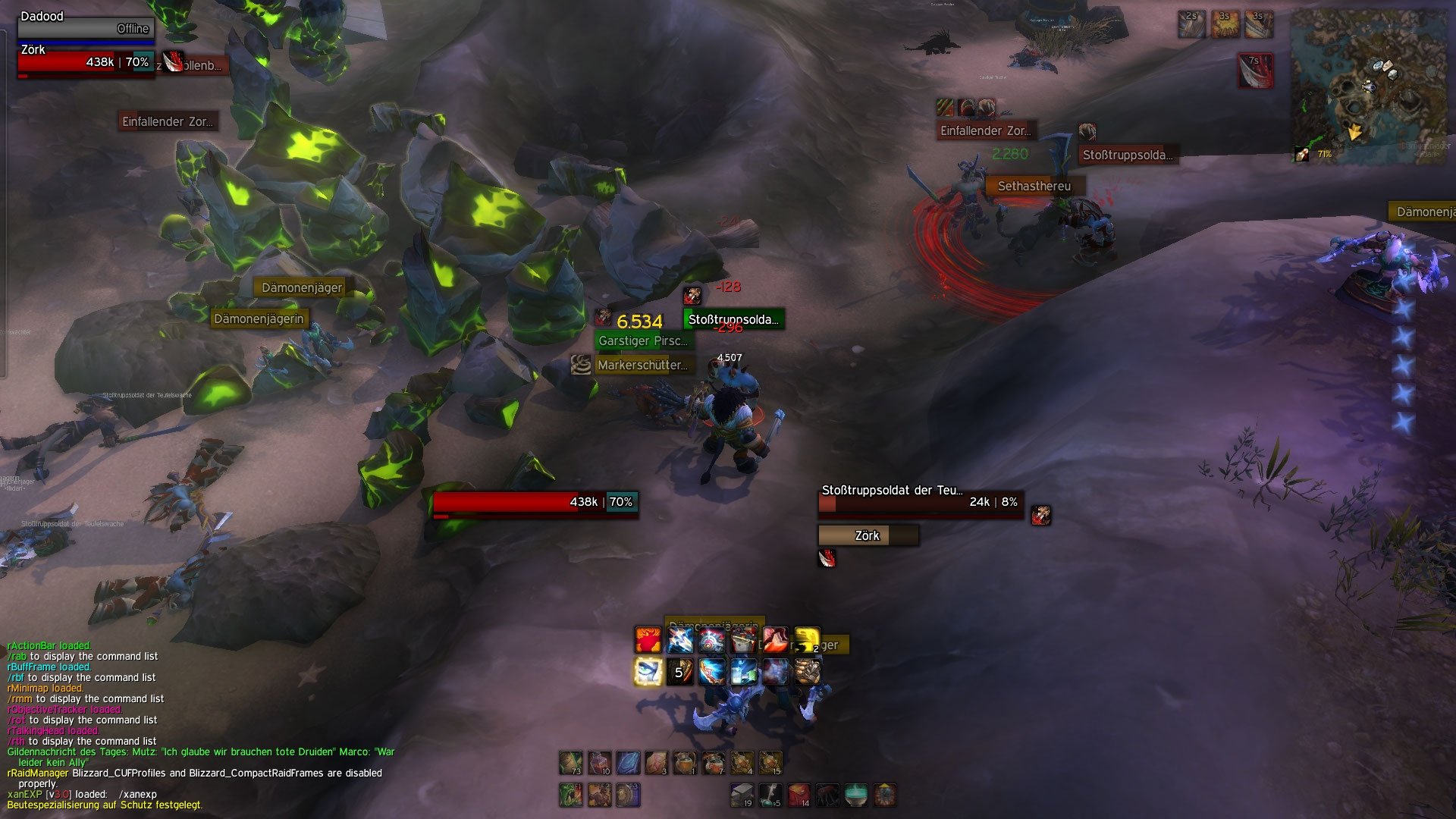
- Small mod that uses hooksecurefunctions to edit the textures of the default ActionButtonTemplate.
- does range and mana coloring aswell
- You can use your own textures, just change the ones included inside the media folder.
- Font and font size can be changed too.
- This one is intended to be a ButtonFacade replacement, at least for the ActionButtonTemplate.
- The is no ingame config, its all lua code.
- This can be used with any actionbar mod that uses the default ActionButtonTemplate.

Colors

You can colorize your textures (class-coloring for example). To do that adjust the color variables in the lua code.
If you want the default color of a texture all colors (RGB = red, green, blue) have to be 1 (255/255). If you choose 0 (0/255) the texture will be completly dark.

Additional Styles

- Stoneh
- Roth
- Simplesquare
- Slim
- Round

more...

Config
Code:
  ---------------------------------------
  -- CONFIG 
  ---------------------------------------
  
  --TEXTURES
  --default border texture  
  local rb2_normal_texture    = "Interface\\AddOns\\rActionButtonStyler\\media\\gloss"
  --texture when a button flashs --> button becomes ready
  local rb2_flash_texture     = "Interface\\AddOns\\rActionButtonStyler\\media\\flash"
  --hover textures
  local rb2_hover_texture     = "Interface\\AddOns\\rActionButtonStyler\\media\\hover"    
  --texture if you push that button
  local rb2_pushed_texture    = "Interface\\AddOns\\rActionButtonStyler\\media\\pushed"
  --texture that is active when the button is in active state (next melee swing attacks mostly)
  local rb2_checked_texture   = "Interface\\AddOns\\rActionButtonStyler\\media\\checked" 
  --texture used for equipped items, this can differ since you may want to apply a different vertexcolor
  local rb2_equipped_texture  = "Interface\\AddOns\\rActionButtonStyler\\media\\gloss_grey"

  --FONT
  --the font you want to use for your button texts
  local button_font = "Fonts\\FRIZQT__.TTF"
  
  --hide the hotkey? 0/1
  local hide_hotkey = 1
  
  --use dominos? 0/1
  local use_dominos = 0
    
  --COLORS
  --color you want to appy to the standard texture (red, green, blue in RGB)
  local color = { r = 0.37, g = 0.3, b = 0.3, }
  --want class color? just comment in this:
  --local color = RAID_CLASS_COLORS[select(2, UnitClass("player"))]

  --color for equipped border texture (red, green, blue in RGB)
  local color_equipped = { r = 0, g = 0.5, b = 0, }
  
  --color when out of range
  local range_color = { r = 0.8, g = 0.1, b = 0.1, }
    
--color when out of power (mana)
  local mana_color = { r = 0.1, g = 0.3, b = 1, }

  --color when button is usable
  local usable_color = { r = 1, g = 1, b = 1, }
  
  --color when button is unusable (example revenge not active, since you have not blocked yet)
  local unusable_color = { r = 0.4, g = 0.4, b = 0.4, }

  -- !!!IMPORTANT!!! - read this before editing the value blow
  -- !!!do not set this below 0.1 ever!!!
  -- you have 120 actionbuttons on screen (most of you have at 80) and each of them will get updated on this timer in seconds
  -- default is 1, it is needed for the rangecheck
  -- if you dont want it just set the timer to 999 and the cpu usage will be near zero
  -- if you set the timer to 0 it will update all your 120 buttons on every single frame
  -- so if you have 120FPS it will call the function 14.400 times a second!
  -- if the timer is 1 it will call the function 120 times a second (depends on actionbuttons in screen)
  local update_timer = 1

  ---------------------------------------
  -- CONFIG END
  ---------------------------------------

SVN
http://code.google.com/p/rothui/sour...onButtonStyler
  Change Log - rActionButtonStyler
005
- complete rewrite
- added a config
- biggest change is that I rewrite the default ActionButton onUpdate func now, this improved the performance by a mile
- added dominos support

004-2
- range_indicator fix

004
- updated for 3.1
- included range/mana coloring (thus only 1x hooking the actionbutton onupdate func is needed -> better cpu usage)

003
- classcolored buttons possible (see lua)
- onupdate in again to be able to colorize textures (make sure redrange normaltexture coloring is disabled!)
- new default skin (simplebutton)

002
- fixed the normaltexture bug for stancebars
- removed the onupdate hook for actionbuttons (thx to Neal)

001
- first release
  Optional Files - rActionButtonStyler
File Name
Version
Size
Author
Date
Type
rev1
10kB
02-06-2010 06:33 PM
Addon
1.0
2kB
12-06-2009 01:47 PM
Addon
1.0
3kB
08-18-2009 01:37 PM
Addon
1.0
10kB
07-06-2009 02:02 PM
Addon
v1
16kB
06-17-2009 08:57 PM
Addon
1.0
1kB
06-15-2009 10:32 AM
Addon
1.5
28kB
05-24-2009 08:32 AM
Addon
1.5
27kB
05-24-2009 08:29 AM
Addon
v1.3
18kB
02-19-2009 01:10 PM
Addon
001
21kB
01-23-2009 04:24 AM
Addon
1.0
5kB
01-22-2009 10:38 AM
Addon
003
6kB
01-20-2009 09:16 PM
Patch
001
15kB
01-20-2009 04:59 PM
Addon
001
10kB
01-20-2009 04:58 PM
Addon
0.1
7kB
01-17-2009 11:12 AM
Addon
  Archived Versions - rActionButtonStyler
File Name
Version
Size
Author
Date
004-2
17kB
zork
04-18-2009 10:28 PM
003
17kB
zork
01-20-2009 05:04 PM
002
12kB
zork
01-17-2009 08:20 AM
  Comments - rActionButtonStyler
Post A Reply Comment Options
Old 01-28-2010, 08:13 PM  
Shoy
A Kobold Labourer

Forum posts: 0
File comments: 12
Uploads: 0
Hidden buttons stay visible after opening spellbook

I have an issue hopefully someone can help me with. Whenever I open my spellbook then close it, my hidden action buttons stay visible. To hide them, I have to reload my UI.

I'm using the Roth buttons with this. Thanks for any help.
__________________
Shoy is offline Report comment to moderator   Edit/Delete Message Reply With Quote
Old 01-05-2010, 10:37 PM  
detectiveboy
A Kobold Labourer

Forum posts: 0
File comments: 4
Uploads: 0
Re: Re: dominos use... class button not apply image

Quote:
Originally posted by zork
This is because Dominos does not use the default ActionButtonTemplate for the class buttons. This addon only modifies the default ActionButtonTemplate.
Ah...
Thanks
detectiveboy is offline Report comment to moderator   Edit/Delete Message Reply With Quote
Old 01-05-2010, 10:35 AM  
zork
A Chromatic Dragonspawn
 
zork's Avatar
Interface Author - Click to view interfaces

Forum posts: 161
File comments: 1161
Uploads: 28
Re: dominos use... class button not apply image

This is because Dominos does not use the default ActionButtonTemplate for the class buttons. This addon only modifies the default ActionButtonTemplate.
__________________
| Simple is beautiful.
| Blog | Roth UI | Roth UI mini | Roth UI FAQ | GoogleCode | DevShots | TheBigOne | Guild
zork is offline Report comment to moderator   Edit/Delete Message Reply With Quote
Old 01-05-2010, 07:31 AM  
detectiveboy
A Kobold Labourer

Forum posts: 0
File comments: 4
Uploads: 0
dominos use... class button not apply image


I use to dominos
class button not apply image..
How to change lua file.
detectiveboy is offline Report comment to moderator   Edit/Delete Message Reply With Quote
Old 12-04-2009, 10:20 AM  
sakurakira
A Fallenroot Satyr
 
sakurakira's Avatar
Interface Author - Click to view interfaces

Forum posts: 23
File comments: 14
Uploads: 3
Re: wtf?

Quote:
Originally posted by mysteryhouse
why do we need to edit the addons ? why you don't finish it and we just put it in the interface .. do we really need to add the codes? why ? we are not coders or scripers (
If you take a few minutes to go through the .lua (which is just one simple file for this particular addon), he put many notes in there for people who might need to edit certain things (hotkey, font, color range, etc). Believe me, I'm a coder by no means, but it's not too difficult when you just put a bit of effort into it. Zork coding a configuration menu adds more content than this addon needs.

If you have a specific question about changing something, I'm sure there are many people here who would be glad to help.
__________________
Arise, my champion!

Carnation - 80 Blood Elf (Priest) <Judecca> / Vek'nilash-US
sakurakira is offline Report comment to moderator   Edit/Delete Message Reply With Quote
Old 11-30-2009, 10:31 AM  
reale
A Kobold Labourer

Forum posts: 1
File comments: 113
Uploads: 0
Shaman Buttons not getting skinned

It looks like the two Shaman buttons on the ends aren't being skinned. Using Dominos_Totem. Thank you.

reale is offline Report comment to moderator   Edit/Delete Message Reply With Quote
Old 11-26-2009, 01:28 PM  
zork
A Chromatic Dragonspawn
 
zork's Avatar
Interface Author - Click to view interfaces

Forum posts: 161
File comments: 1161
Uploads: 28
Re: wtf?

Cry more plz.
__________________
| Simple is beautiful.
| Blog | Roth UI | Roth UI mini | Roth UI FAQ | GoogleCode | DevShots | TheBigOne | Guild
zork is offline Report comment to moderator   Edit/Delete Message Reply With Quote
Old 11-26-2009, 12:04 PM  
mysteryhouse
A Kobold Labourer

Forum posts: 0
File comments: 1
Uploads: 0
wtf?

Quote:
Originally posted by mrruben5
Nice work
why do we need to edit the addons ? why you don't finish it and we just put it in the interface .. do we really need to add the codes? why ? we are not coders or scripers (
mysteryhouse is offline Report comment to moderator   Edit/Delete Message Reply With Quote
Old 11-22-2009, 10:24 PM  
SquishyMage
A Deviate Faerie Dragon

Forum posts: 17
File comments: 42
Uploads: 0
Quote:
Originally posted by Nepsi
Had the problem that key bindings disappeared. I found a 0/1 option in the rActionButtonStyler that fixed the disappearing Hotkeys. The issue remains with the macro text, but I could not find a 0/1 option for this. Does anyone have a hint?
Find:

na:Hide()

and put two dashes in front of it.
SquishyMage is online now Report comment to moderator   Edit/Delete Message Reply With Quote
Old 11-19-2009, 06:30 PM  
ManJuiceDERP
A Kobold Labourer

Forum posts: 0
File comments: 1
Uploads: 0
help qq

i want to edit my stance bar to be bigger and right above my bars and 2 small bars next to it like gforce because it's organized
ManJuiceDERP is offline Report comment to moderator   Edit/Delete Message Reply With Quote
Old 11-15-2009, 08:31 AM  
Nepsi
A Kobold Labourer

Forum posts: 0
File comments: 2
Uploads: 0
Had the problem that key bindings disappeared. I found a 0/1 option in the rActionButtonStyler that fixed the disappearing Hotkeys. The issue remains with the macro text, but I could not find a 0/1 option for this. Does anyone have a hint?
Nepsi is offline Report comment to moderator   Edit/Delete Message Reply With Quote
Old 11-15-2009, 08:25 AM  
Nepsi
A Kobold Labourer

Forum posts: 0
File comments: 2
Uploads: 0
DK stance bar remains unchanged

My action bar setup is dne by Dominos. I used rActionButtonStyler to adjust the borders of my action bars, but the stance bar keeps it original button borders. Is there something special that needs to be done in addition to what I did for the action bars?

Answer: found it myself on Page 4 - template of class bar not used by dominos, is there a workaround?

Last edited by Nepsi : 11-15-2009 at 08:30 AM.
Nepsi is offline Report comment to moderator   Edit/Delete Message Reply With Quote
Old 11-11-2009, 06:31 AM  
Justify
A Kobold Labourer

Forum posts: 0
File comments: 1
Uploads: 0
Hey,

Is it possible to hide the popup menus that appear when you hover over an ability?
Justify is offline Report comment to moderator   Edit/Delete Message Reply With Quote
Old 10-26-2009, 01:11 PM  
zork
A Chromatic Dragonspawn
 
zork's Avatar
Interface Author - Click to view interfaces

Forum posts: 161
File comments: 1161
Uploads: 28
Play a warrior and you will say no. Warriors are the first class with some really ugly spell icons. Just use whatever you like. Its your world.
__________________
| Simple is beautiful.
| Blog | Roth UI | Roth UI mini | Roth UI FAQ | GoogleCode | DevShots | TheBigOne | Guild
zork is offline Report comment to moderator   Edit/Delete Message Reply With Quote
Old 10-26-2009, 12:34 PM  
nightcracker
An Onyxian Warder
 
nightcracker's Avatar
Interface Author - Click to view interfaces

Forum posts: 354
File comments: 237
Uploads: 20
Hey zork, I suggest replacing line 110
Code:
ic:SetTexCoord(0.1,0.9,0.1,0.9)
with
Code:
ic:SetTexCoord(0.05,0.95,0.05,0.95)
This preserves more space of the original icon and doesn't give you the feeling the icon is all zoomed. Just a small improvement.
nightcracker is offline Report comment to moderator   Edit/Delete Message Reply With Quote
Post A Reply


Category Jump:


The Network:
EQInterface | EQ2Interface | LoTROInterface | MMOInterface | War.MMOUI | WoWInterface | VGInterface | Allakhazam | Thottbot | Wowhead | Zam


©2009 MMOUI / ZAM Network
vBulletin - Copyright ©2000 - 2010, Jelsoft Enterprises Ltd.


