--[[v3.0.4]]--
- ~~ Fixed: Typo on "showdangerskull" to "showDangerSkull".
--[[v3.0.3]]--
- ~~ Fixed: OnInitialize conditionals to prevent multiple widgets being created when not needed. (5.11)
--[[v3.0.2]]--
- ~~ Fixed: Target highlight lag spikes on targeting.
--[[v3.0.1]]--
- ~~ Fixed: Target highlight toggling should now be functioning properly.
--[[v3.0]]-- NOTE: UPDATING TO THIS VERSION WILL RESET YOUR VARIABLES!!
- ++ New Feature: Elite Icon's have now been implemented.
- ++ New Feature: Combo Point widget has now been implemented.
- ++ New Feature: Threat Widget is now been implemented.
- ++ New Feature: Color HP by percentage fading from green (high HP) to red (low HP).
- ++ New Feature: Override the default blizzard nameplate fade as well as allow adjustments.
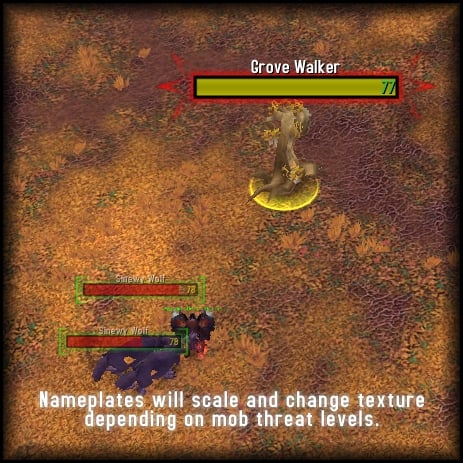
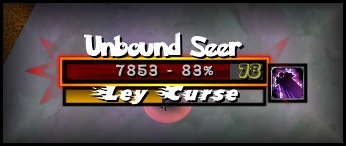
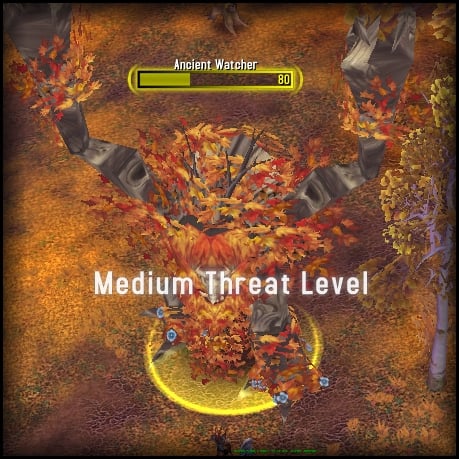
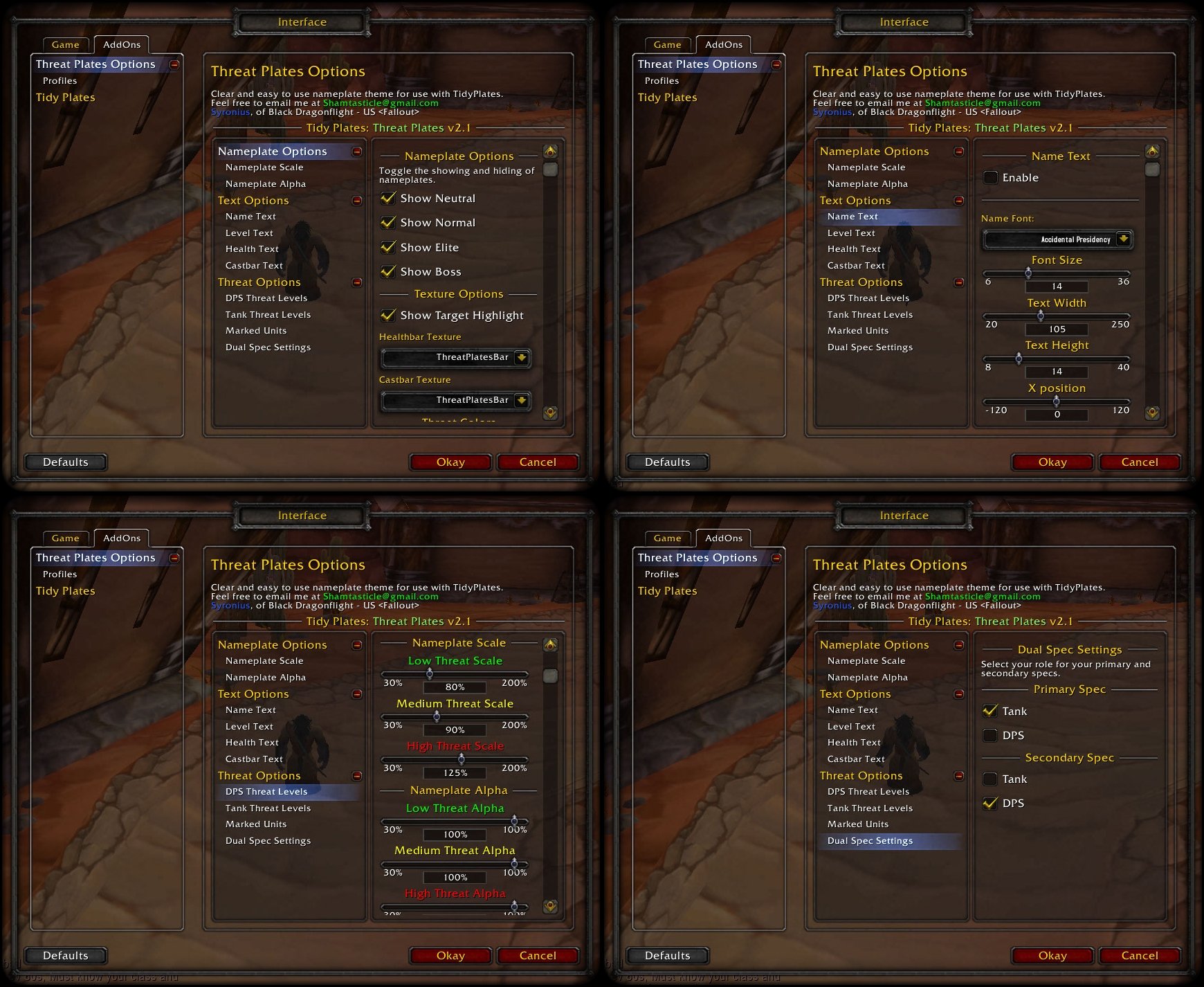
- ++ New Feature: The threat system now has a "look and feel" category allowing users to change texture, disable scaling, or disable alpha changes created by the threat system.
- ++ New Feature: More lazy trees (courtesy of mimichi).
- ~~ Coding Alteration: Nameplates have been readjusted in height to better reflect the actual mouseover area.
- ~~ Coding Alteration: Switched to .primary & .secondary from the depreciated .theme
- || Fixed: Widgets from "sticking" while changing from theme to theme.
- || Fixed: Target highlight texture sometimes being overlapped by threat glows.
- -- Removed: Automatic nameplate hiding and showing features has been removed as it is now a feature provided by Tidy Plates v5.10.
--[[v2.3.1]]--
- ++ Added some additional custom health color options as well as a toggle to hide class colors in pvp.
--[[v2.3]]--
- ++ Name text is now able to be changed in color and will no longer change color upon entering combat.
- ++ Healthbars can now have a custom color.
- -- Removed the threat widget until it is more stable. (drastic memory and cpu improvement)
- ~~ Fixed some users not having functionality due to threat glows not being enabled (glows are now automatically turned on if the user is using the threat system or off if not).
- ~~ Improved the automatic turning on and off of the threat system while leaving a battleground.
- || "Non-Combat" units will no longer exclude units with less than 100% HP.
- || Alpha levels can now reach 0%.
--[[v2.2]]--
- ++ A new toggle command has been implemented. The command "/tptpol" will now toggle nameplate overlapping.
- ++ The threat system will now automatically be turned off while entering arenas or BG's. The threat system also be turned back on if it were so before hand.
- ~~ Welcome message and talent detection has been fixed and now will properly detect new player specs.
- ~~ Fixed "ACTIVE_TALENT_GROUP_CHANGED" from firing on log in.
- ~~ Fixed the "none" threat theme from sometimes showing class icons.
--[[v2.1f]]--
- ++ A new Autohide feature has been implemented. This will allow you to automatically hide enemy nameplates after leaving combat, and automatically show them upon entering combat.
--[[v2.1e]]--
- ~~ Fixed the intended change of v2.1d. Apologies for my missed coding.
--[[v2.1d]]--
- ++ Added a toggle for the temporary threat widget(not completed yet).
- ~~ Player role settings and spec preferences are now character specific, as intented.
--[[v2.1c]]--
- ++ Class Icons now have a transparent setting.
- ++ Threat Textures now have a "none" style which removes the threat textures.
- ++ All text's now have outline options and shadow toggles.
- ++ New Feature: Health bars can now be colored according to threat levels.
- ++ New users will now be prompted on loading to assign their current theme to Threat Plates or not.
- || Textures have been moved around to make better sense of the theme system.
- || Threat widget is currently in progress.
--[[v2.1b]]--
- Lua error fix. Meant to comment that out.
--[[v2.1a]]--
- -- Removed frame x and y offsets as this caused conflicts with positioning.
- ++ Class icons can now be toggled, sized, and positioned.
- ++ Boss danger skull icons can now be toggled, sized, and positioned.
- ++ Raid icons can now be sized, and positioned.
- ++ Paladin and Warrior tanking spec's can now be determined on first usage of the addon.
- ++ When players respec, talent information and spec is displayed.(i.e. Enhancement: (19/52/0))
- ~~ Cast text is now working.
- ~~ Statusbar widget now displays textures properly as well as statusbar names.
- || Options optimized. (lower memory)
--[[v2.1]]--
- Added SharedMedia support.
- Added text options.
- Added threat glow color options. ~ Requires reloading of UI to update.
- Added target art.
- Added unit type threat scaling offsets as well as a toggle for that system.
- Added threat ignored marked scaling and alpha.
- Added non-combat mob threat hiding. ~ May not be accurate.
- Threat texture style 'Bar' has been remade to reflect the proper colors (reversed).
- Option functions reworked. (Lower memory)
- Switched back to global saved variables.
--[[v2.0a]]--
- Memory and CPU usage optimized.
- Ace Libraries updated. (no more 'IsVisible' lua errors)
- Empty.lua fixed to no longer change the empty texture to a shared media texture.
- Options reworked and custom profile names can be created (per character ~ no worries they still look the same).
--[[v2.0]]--
- New Feature: Custom Theme's can now be created and used. (More info in the userConfig.lua)
- New Theme: 'Bar Style' is now available in the threat options. ~ made by suicidalkatt (COULD BE YOU! Find out HOW! more info in the userConfig.lua)
- Additional SharedMedia adjustments made available in the userConfig.lua as well as an additional localization font option for defaultFont. (Blizzard global for default localized text.)
- Typo's fixed.
--[[v1.9a]]--
- New Feature: A new userConfig.lua file has been created for more user settings such as Shared Media and Localization. Open the userConfig.lua with notepad for more information.
- Welcome message fixed to only display on first usage.
- First time users will have some dual spec settings auto configured.
- Warning for first time users to enable the Threat Plates theme in the Tidy Plates configurations.
- Added dual spec support to all toggles including slash commands.
--[[v1.9]]--
- Saved Variables are now Per Character
- New Feature: Dual Spec settings will now auto toggle your role depending on your spec and settings.
- Fixed an error with class icons in pvp combat.
--[[v1.8]]--
- Saved variables redone.
- Marked units can now be ignored by some threat managed components.
- Some new text options have become available.
- Fixed an error with non-elite but "dangerous" level mobs (skull level).
--[[v1.7h]]--
- Fixed threat textures showing out of combat.
--[[v1.7g]]--
--[[v1.7f]]--
- All lua errors fixed. Strange conditionals for threat ignored units will now be working. :D
--[[v1.7e]]--
--[[v1.7d]]--
--[[v1.7c]]--
- Fixed conditionals sometimes giving a nil return when threat options were disabled.
--[[v1.7b]]--
- Fixed friendly nameplates giving the "empty" return for conditionals.
--[[v1.7a]]--
- Images Compressed to reduce memory usage.
- Casting text is now on by default.
--[[v1.7]]--
- Neutral units are now detected by the threat system.
- Each level of threat now has per role, per level custom alpha settings.
- Specific unit classifications can now be toggled to be ignored from the threat system.
- Specific unit classifications can now be completely turned off.
- Specific unit classifications now have custom scale settings.
- Specific unit classifications now have custom alpha settings.
--[[v1.6b]]--
--[[v1.6a]]--
- Threat textures are now working.
--[[v1.6]]--
- Threat system reworked to allow much cleaner scaling to avoid frame size mismatches.
- Options have been completely redone.
- Per role and per threat level scaling has been implemented.
- Spell Cast text has been implemented.
--[[v1.5]]--
Now included a /tptp, /tptptoggle /tptpdps, and /tptptank commands for class role changes between dpsing and tanking.
Updated ToC
Changed the "high threat" texture to a "default" style texture for better clarity.
Special Text is now working! ~ Thanks DanielTiger <3
Auto class colors in nameplates and auto threat warning enabled.
Ace3 Profiling now included.
Now implemented a toggle switch to enable or disable the threat system.
/tptp - Displays options.
/tptptoggle - Toggle Role from one to the other.
/tptpdps - Toggles DPS threat plates
/tptptank - Toggles Tank threat plates




 09-04-16, 04:29 AM





 why do people have issues!

